In-product domain recovery for expired domains
What changed
You can now recover expired domains directly in EveryCatch during the 41–70 day redemption window, without needing to contact support.
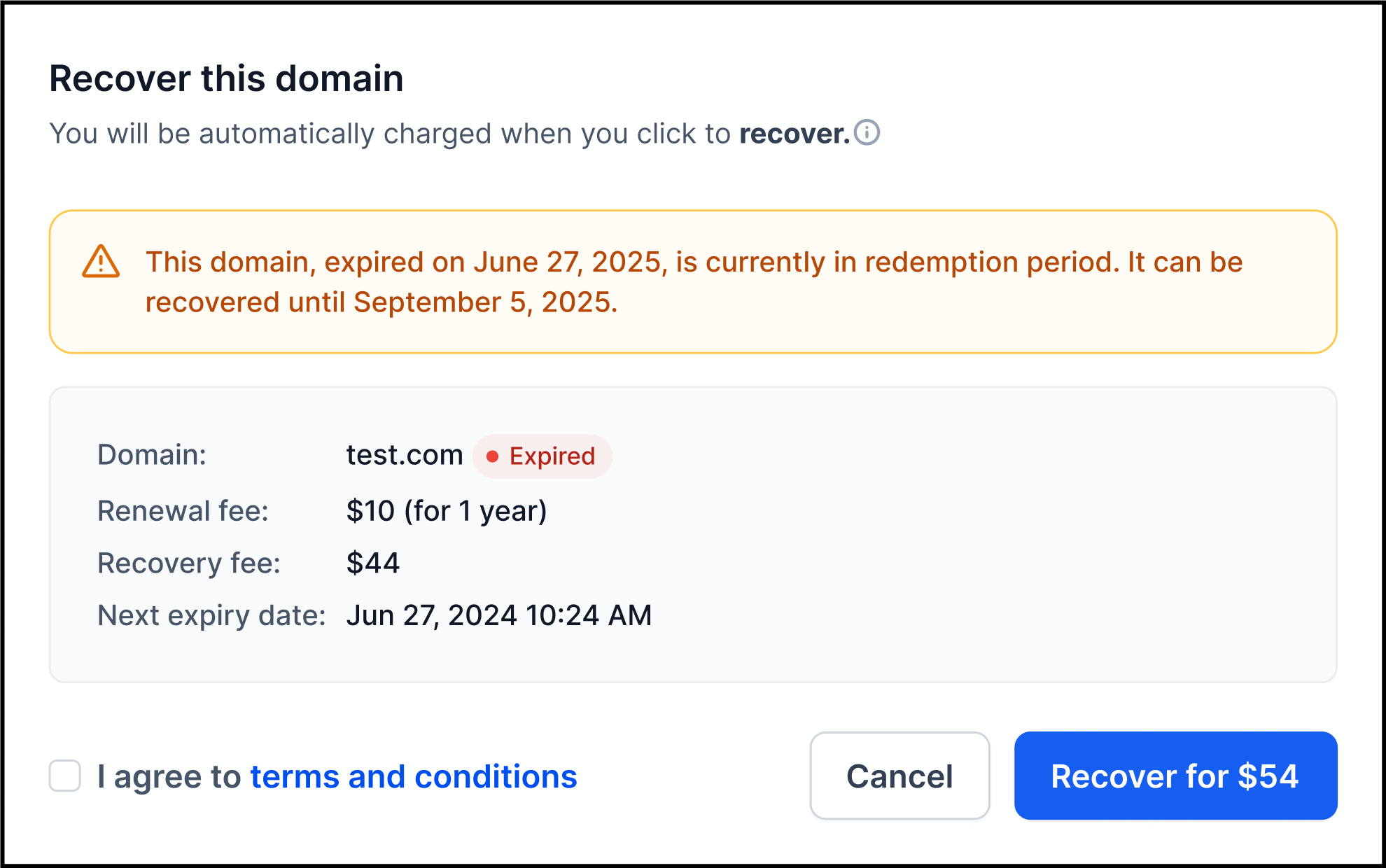
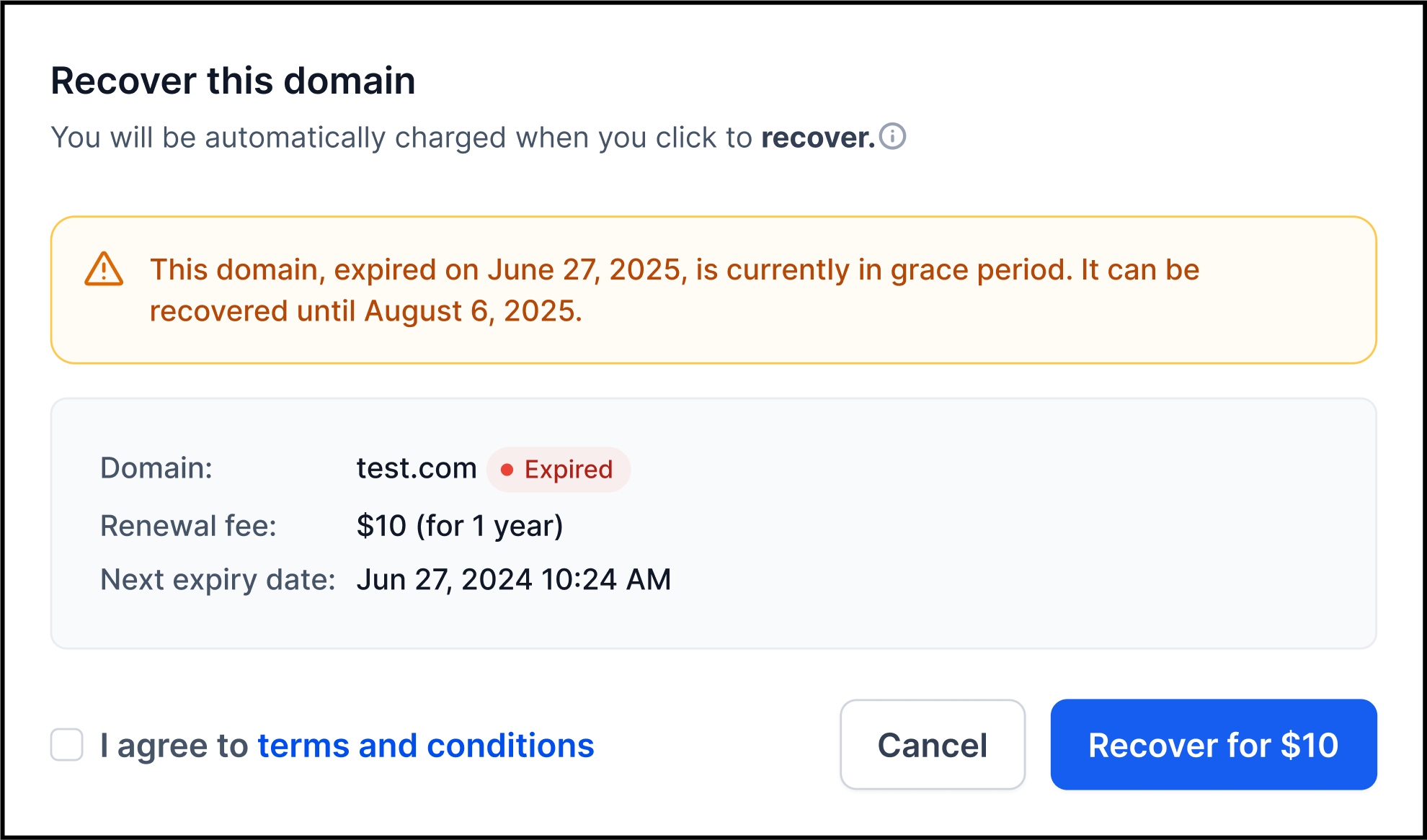
The standard renewal popup is also available through day 40, and domains in the redemption period now use a dedicated Recover your domain flow that handles fee calculation, payment, and recovery in one place.
How it works
- When you open Domain settings and click Recover for an expired domain, EveryCatch checks the domain status in real time and automatically sends you to the correct flow.
- Day 1–40 (grace period) – You see the standard Renew popup and pay the normal renewal fee. The renewal window is extended from 28 days to 40 days.
- Day 41–70 (redemption period) – You see a Recover your domain modal that shows both the renewal fee and the registry redemption fee as part of the recovery flow. You complete payment and recovery directly inside EveryCatch.
- If the zone is inactive – You see a Contact support modal instead so you can get help from the team.
- After the recovery window ends – If the domain has passed day 70 or the zone has already been deleted, recovery is no longer available inside EveryCatch and the domain is moved to External.
Why it matters
- Cuts down on the number of support tickets you need to open for domain recovery
- Gives you a clear self-serve path to recover domains during the redemption window
- Helps you keep your domains active at a critical point in the lifecycle
- Keeps domain lifecycle management inside EveryCatch instead of sending you to other tools or providers
Important notes
- The standard renewal grace period is extended from 28 days to 40 days.
- All expiry timing uses UTC.
- Redemption fees are charged at the fixed registry rate, with no EveryCatch or agency markup added on top.
- Auto-recharge is turned off during recovery to avoid partial payment issues.
- Some TLDs, including .co and .uk, may still require support help if the zone has already been deleted.
- You do not need to configure anything. The correct recovery flow appears automatically based on the domain’s current status.
Need help with this?
If you'd like help setting this up or want to know what it means for your account, book a quick call and we'll walk you through it.
