
Improved SEO subscription management
Overview
EveryCatch now gives you a more guided way to manage and cancel your SEO subscription, with clearer choices and better insight into what changes when you update or end your plan.
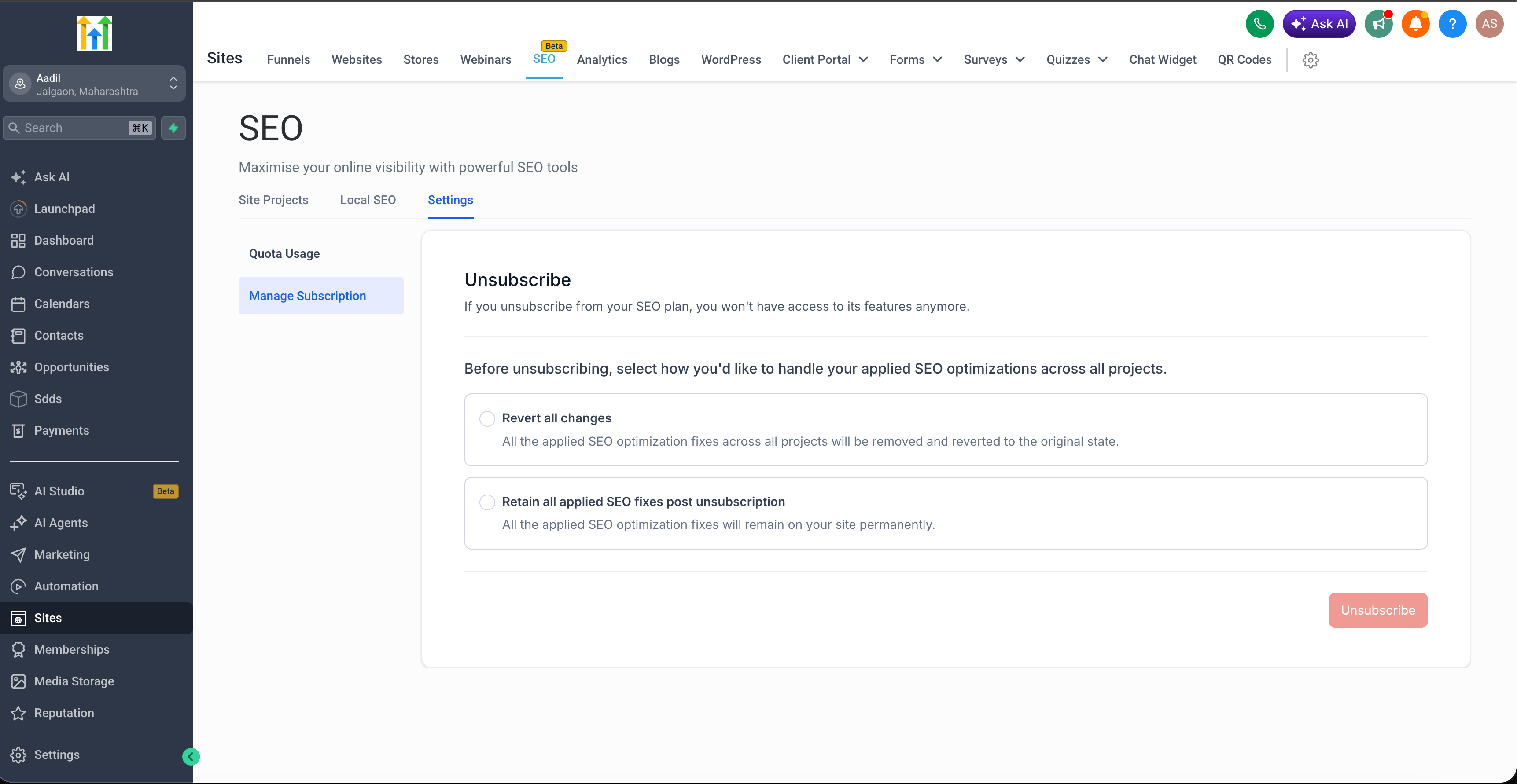
Instead of a single click to unsubscribe, you now use a structured Manage subscription flow. This lets you decide what happens to your SEO fixes and when your subscription should actually end, so you stay in control throughout the process.
What’s improved
- Cancellation now happens through a step-by-step Manage subscription flow instead of a single unsubscribe action
- Before cancelling, you can choose whether to keep your existing SEO fixes in place or roll them back
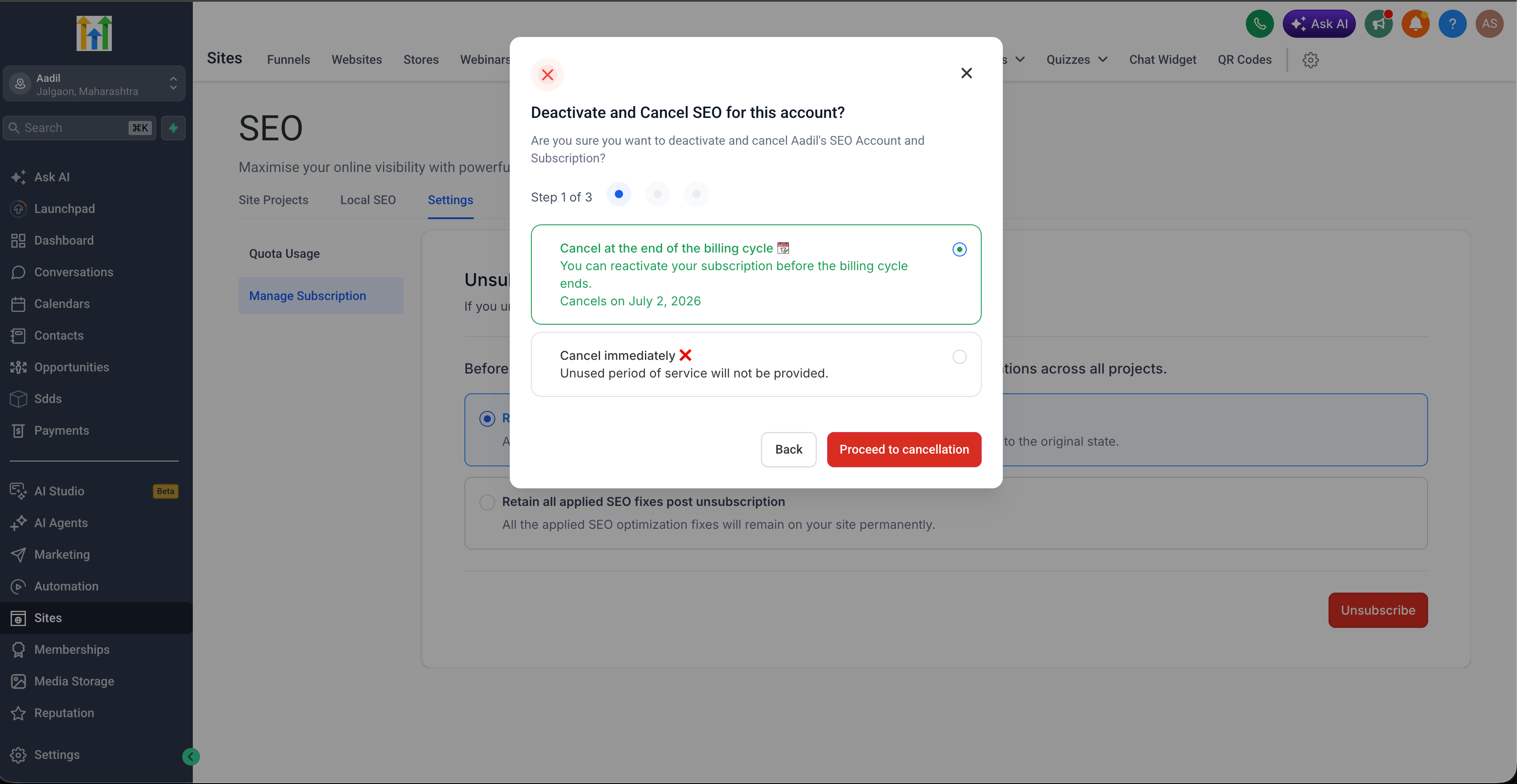
- You can now choose to cancel immediately or schedule your cancellation for the end of the current billing cycle
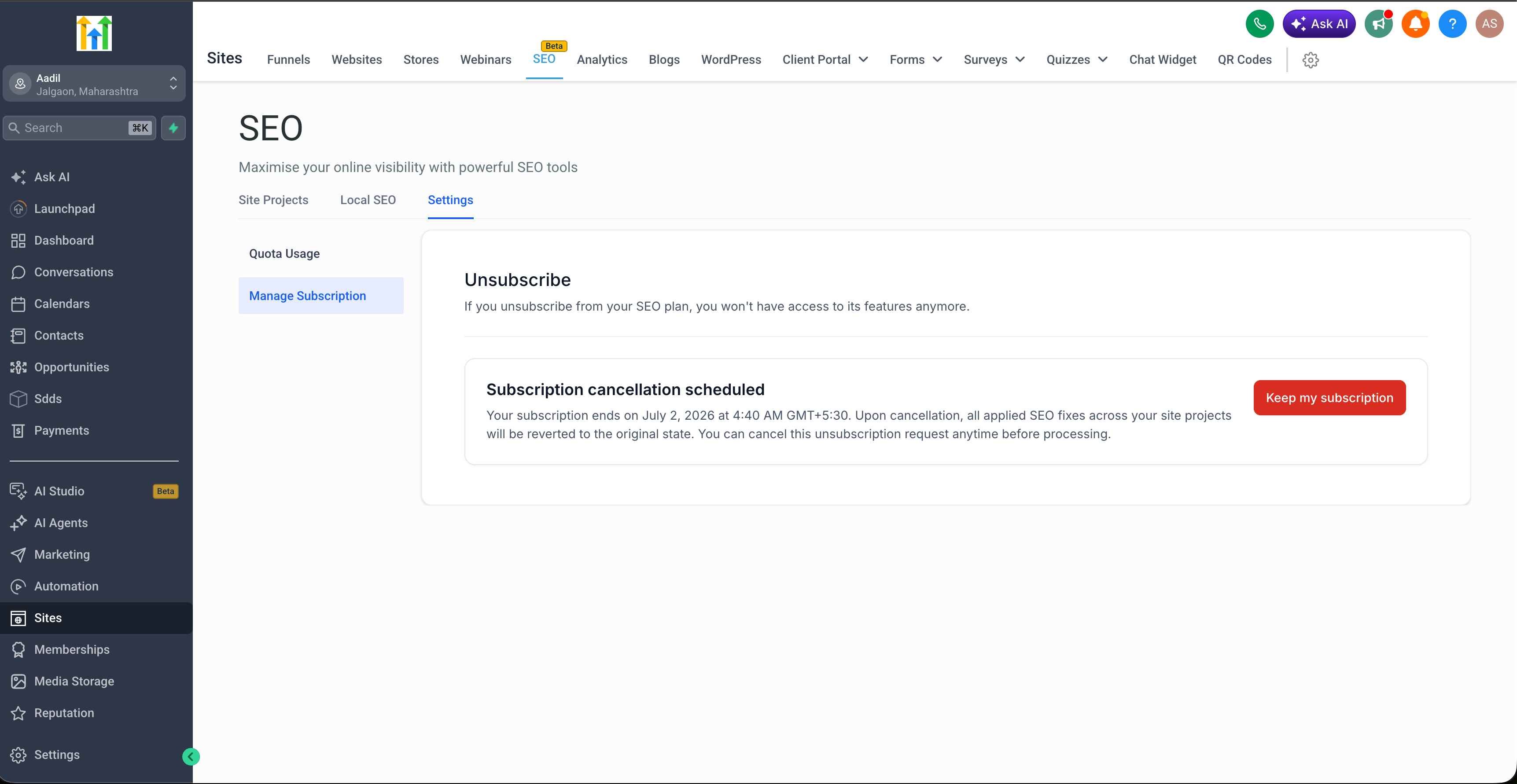
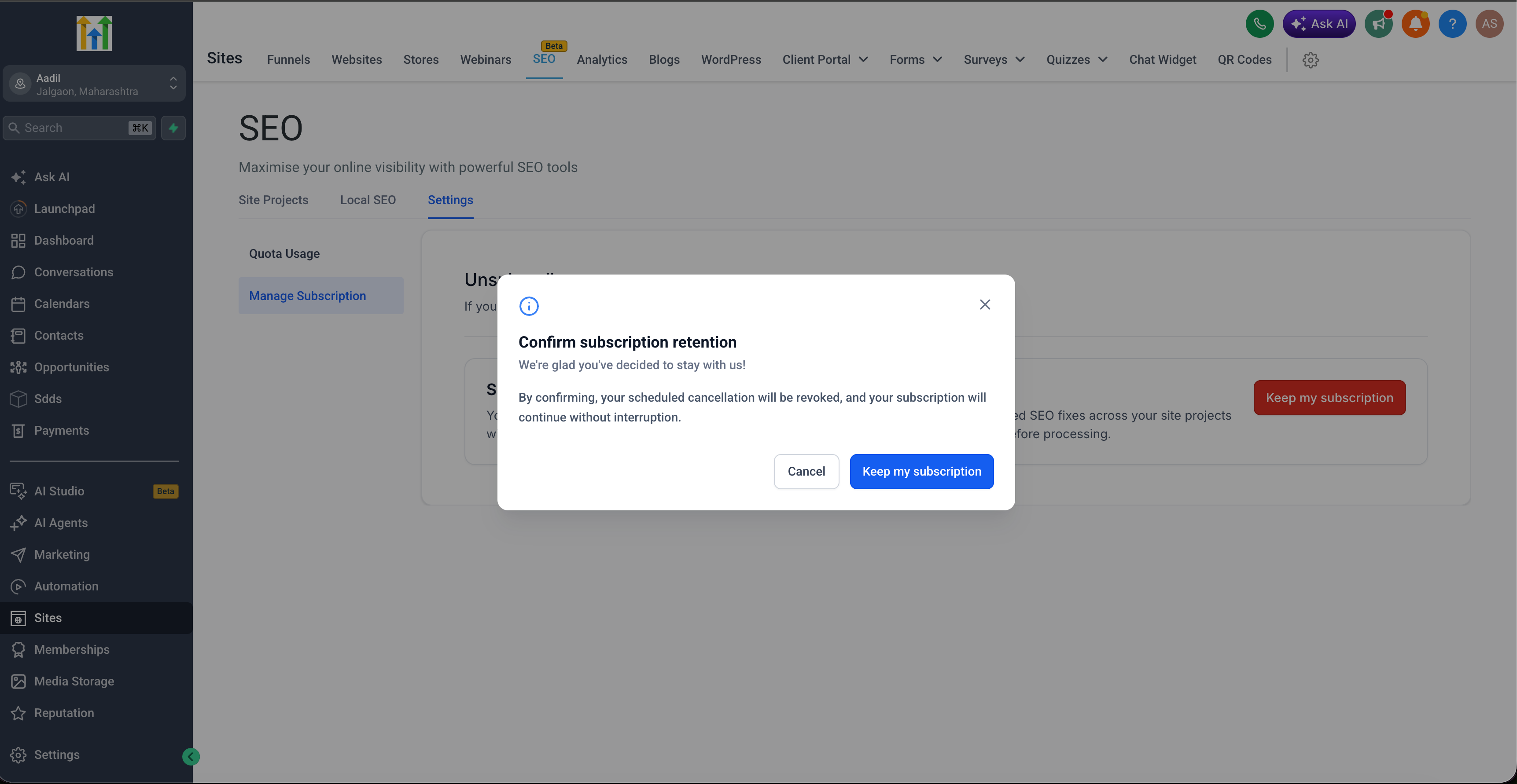
- If you scheduled a cancellation and change your mind, you can revoke it directly in the app using Keep my subscription
- Subscription changes are now tracked more clearly in the background, which improves visibility and keeps your account state consistent
How to access
- Go to the SEO section in your EveryCatch account
- Open Settings
- Click Manage subscription
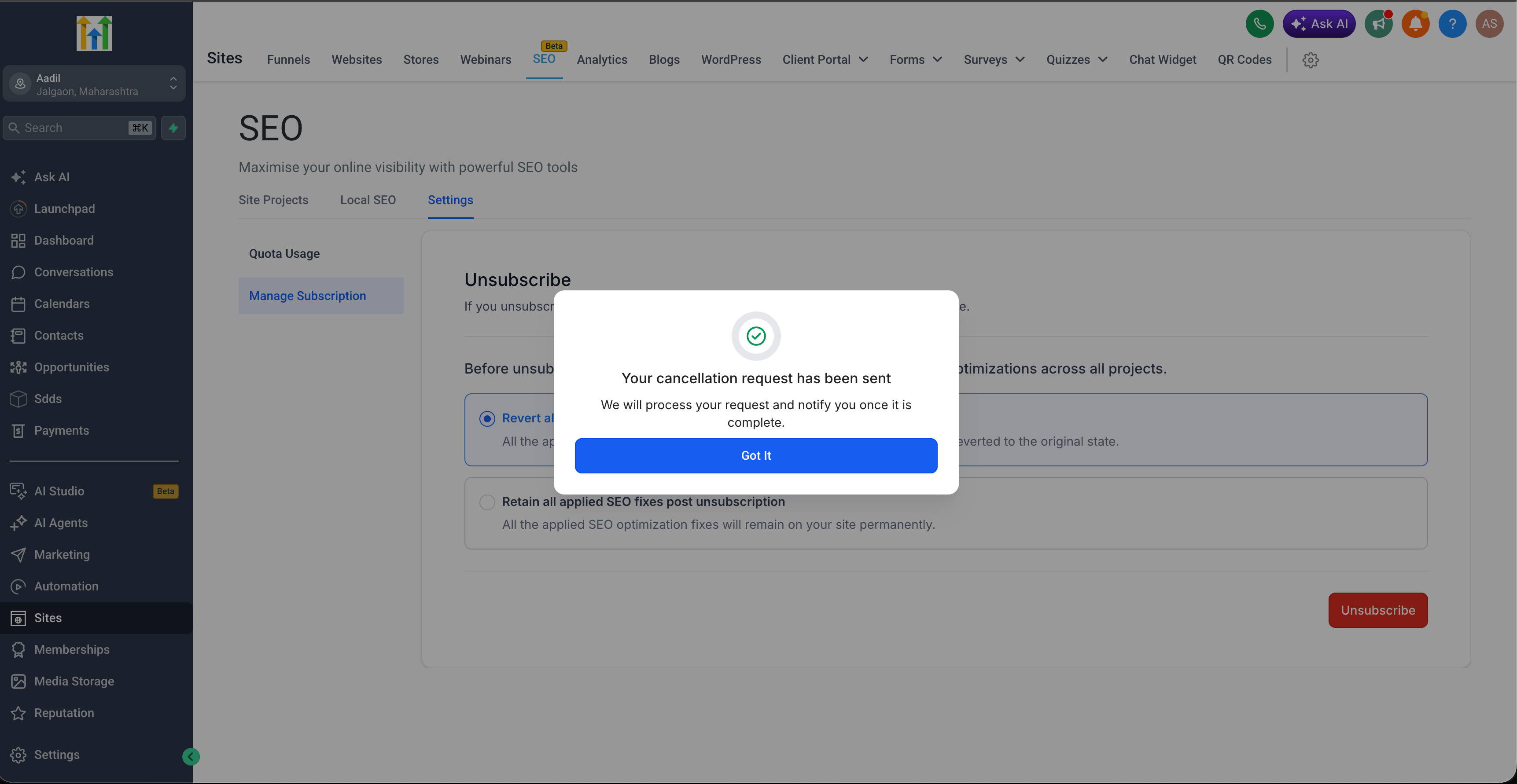
- Follow the guided cancellation steps to choose whether to keep or discard fixes, then either cancel immediately or schedule your cancellation for the end of the billing period
Why it matters
- Gives you clear control over what happens to your SEO work before you cancel
- Makes the cancellation steps easier to follow and more predictable
- Lets you undo a scheduled cancellation on your own, without needing to contact support
- Creates a more consistent subscription experience across EveryCatch
Need help with this?
If you'd like help setting this up or want to know what it means for your account, book a quick call and we'll walk you through it.
