
Group your contacts by source in dashboards and reporting
What changed
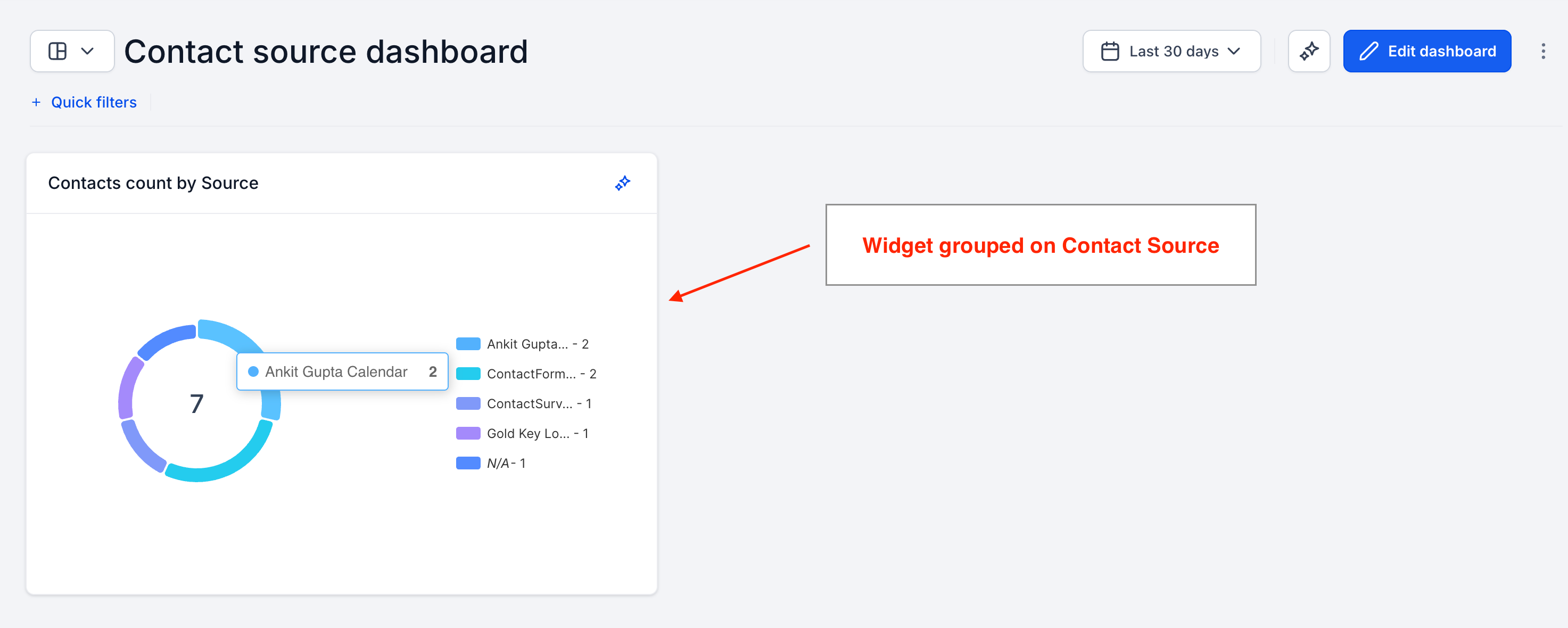
- You can now group Contacts widgets by Source in your EveryCatch dashboards and reports.
- You can break down your contact counts by where they came from, so you see at a glance which sources are bringing in the most contacts.
- The same Source grouping you use today for Opportunities is now available for Contacts, so your reporting stays aligned.
How it works
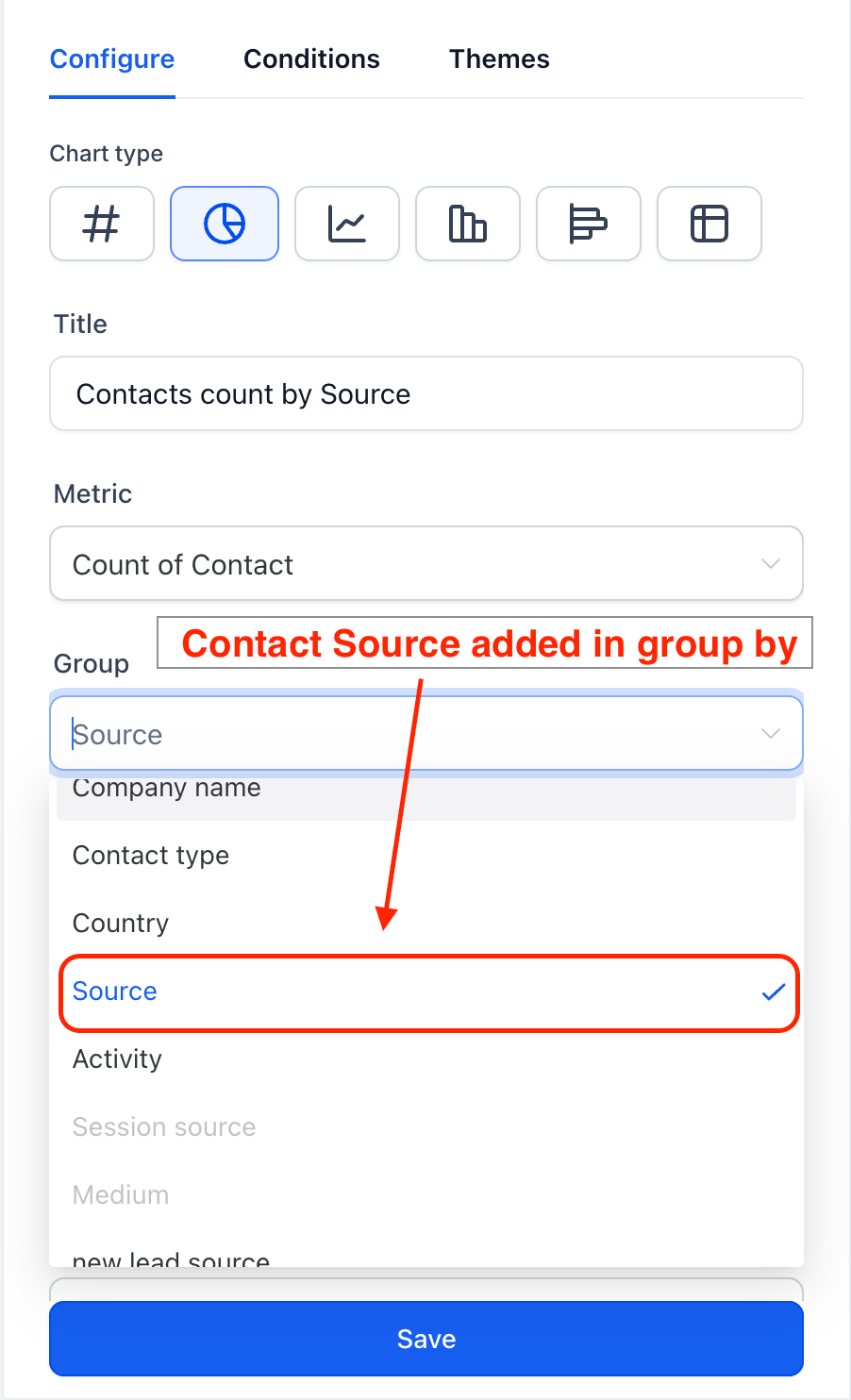
- Open any dashboard and add a new Contacts widget, or edit an existing one.
- In the widget settings, open the Group by dropdown menu.
- Choose Source to organize your contacts into buckets based on their source.
Why it matters
- Channel visibility: quickly see which sources are generating the highest number of contacts in your account.
- Consistent experience: grouping by Source works the same way across Contacts and Opportunities, so it is easier to compare performance between them.
- Better lead-source decisions: use the Source breakdown to direct your time and budget toward the channels that deliver.
Need help with this?
If you'd like help setting this up or want to know what it means for your account, book a quick call and we'll walk you through it.
