Goal event enhancements: now with support for task status
What changed
Goal events in EveryCatch now support task status as a goal type, with options for both Task Created and Task Completed. This means you can pull a contact into a goal branch in a workflow as soon as a task linked to that contact is created or marked completed.
How it works
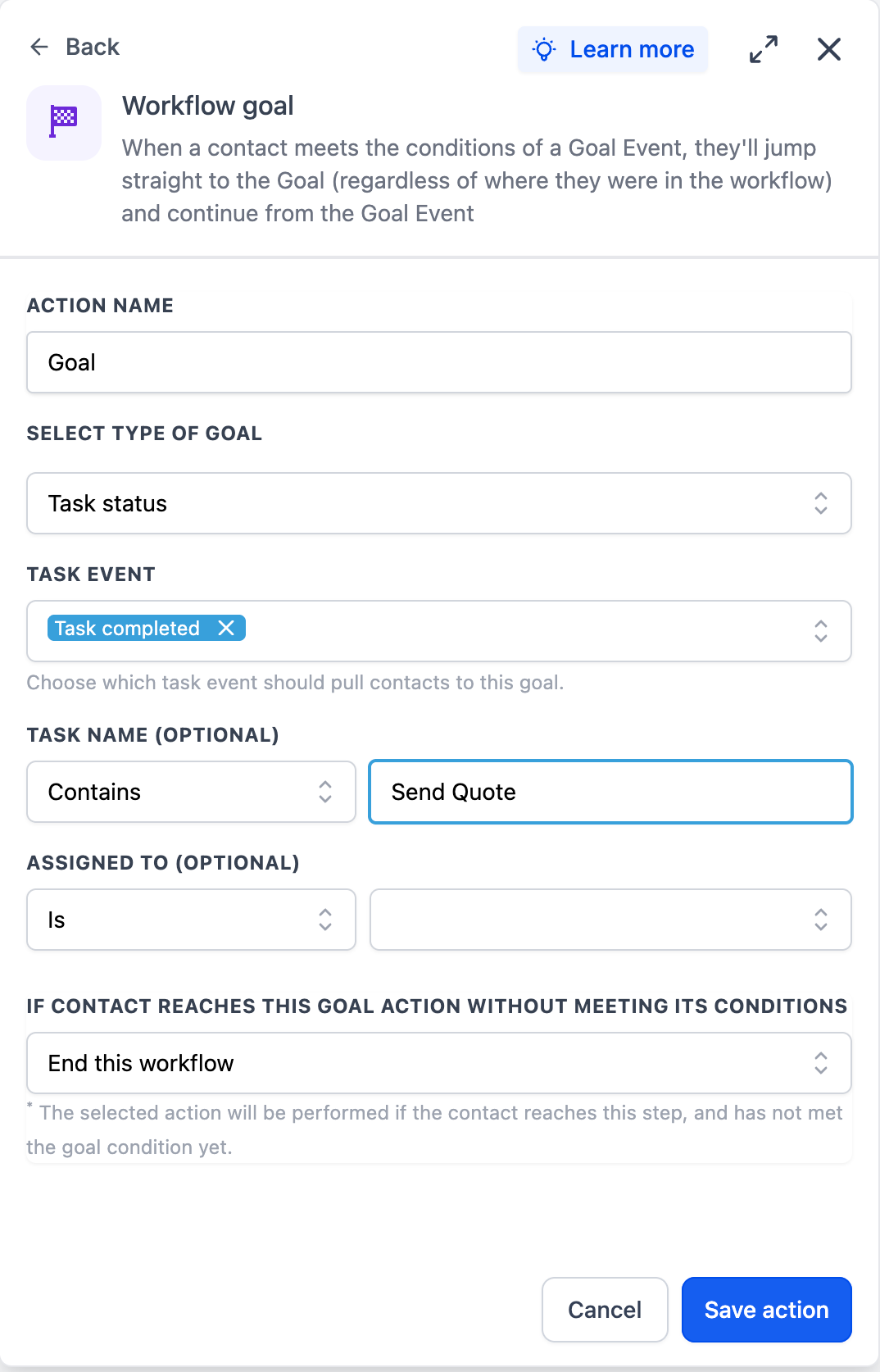
When you add or edit a goal event action in a workflow, you can now choose Task Status as the goal type. From there, select Task Created or Task Completed, then apply filters using the same task filter options you have in the task-based workflow trigger. This lets you target only the tasks that matter, such as specific task names or assigned users.
How to use it
- Add or edit a goal event action in an EveryCatch workflow.
- Select Task Status as the goal type.
- Choose Task Created or Task Completed, then apply any task filters you need (for example, by task name or assignee).
Why we built it
You could already use task lifecycle events as workflow triggers in EveryCatch, but you could not use them as goals inside a workflow. Adding task status support to goal events lets you route contacts based on actual CRM task progress without building extra branches or duplicate workflows.
Simple example
A consulting agency uses a form on their site that creates a CRM task for onboarding. The workflow includes a goal event that watches for the onboarding task to reach Task Completed. When the assignee finishes the task, the contact is immediately pulled to the goal branch and automatically receives the next onboarding email.
Additional notes
- Uses the Task Created or Task Completed event as the goal condition.
- You can filter tasks by Name or Assignee so only relevant tasks affect the goal.
Preview
Need help with this?
If you'd like help setting this up or want to know what it means for your account, book a quick call and we'll walk you through it.
