Generate submission documents for forms, surveys, and quizzes
Capturing responses is valuable, and now you can instantly turn them into professional, ready-to-print documents. EveryCatch now lets you automatically create and store PDF copies of every new submission, so you always have clear records on file.
What changed
A new Generate submission document toggle is now available in the Settings panel for:
- Forms
- Surveys
- Quizzes
When you turn this on, EveryCatch automatically creates a clean, well-formatted PDF document for every new submission.
Key highlights
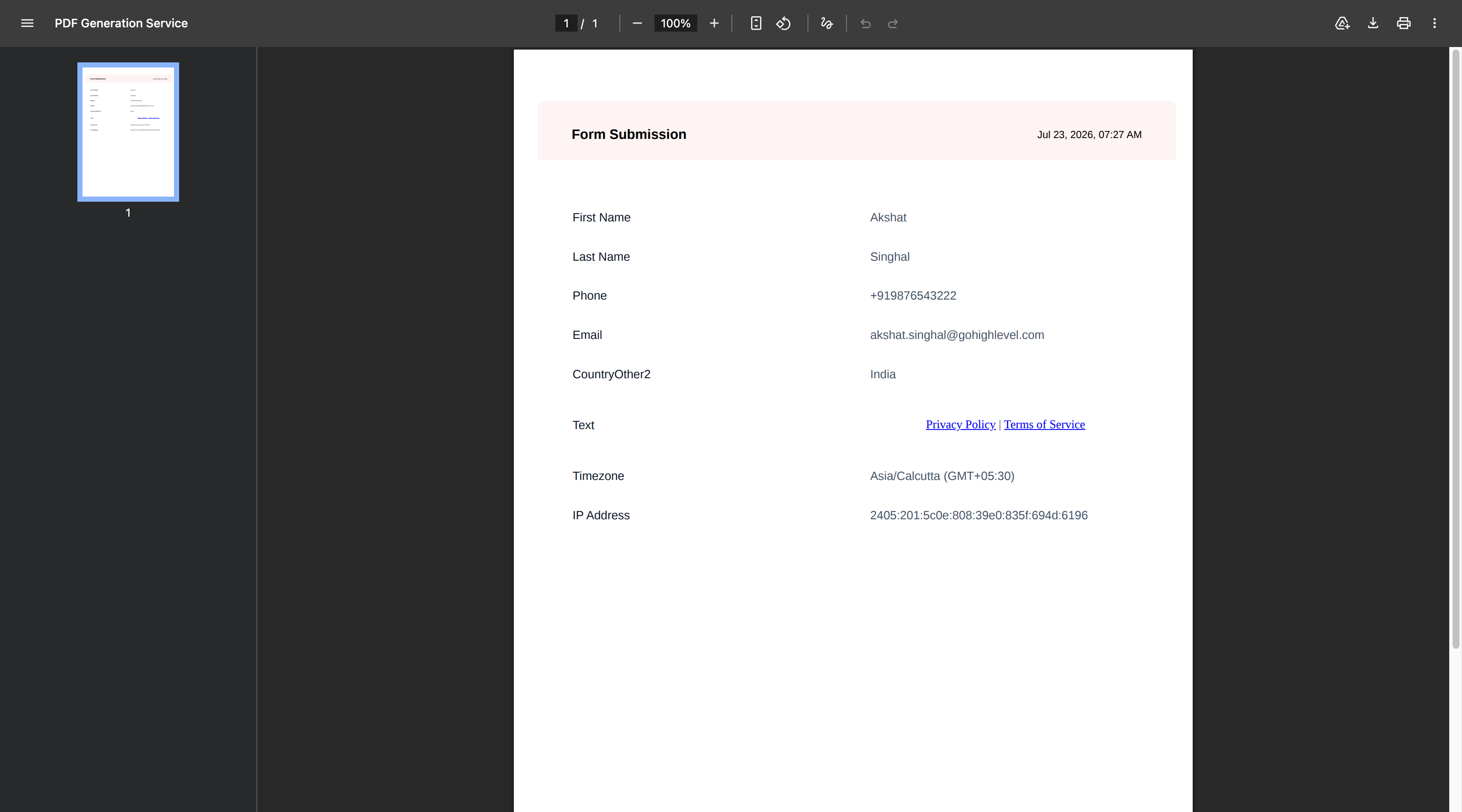
- Automatically creates a printable PDF for every new submission
- Includes all questions and the responses that were submitted
- Captures submission metadata, including:
- Submission date and time
- Form, survey, or quiz name
- Contact information
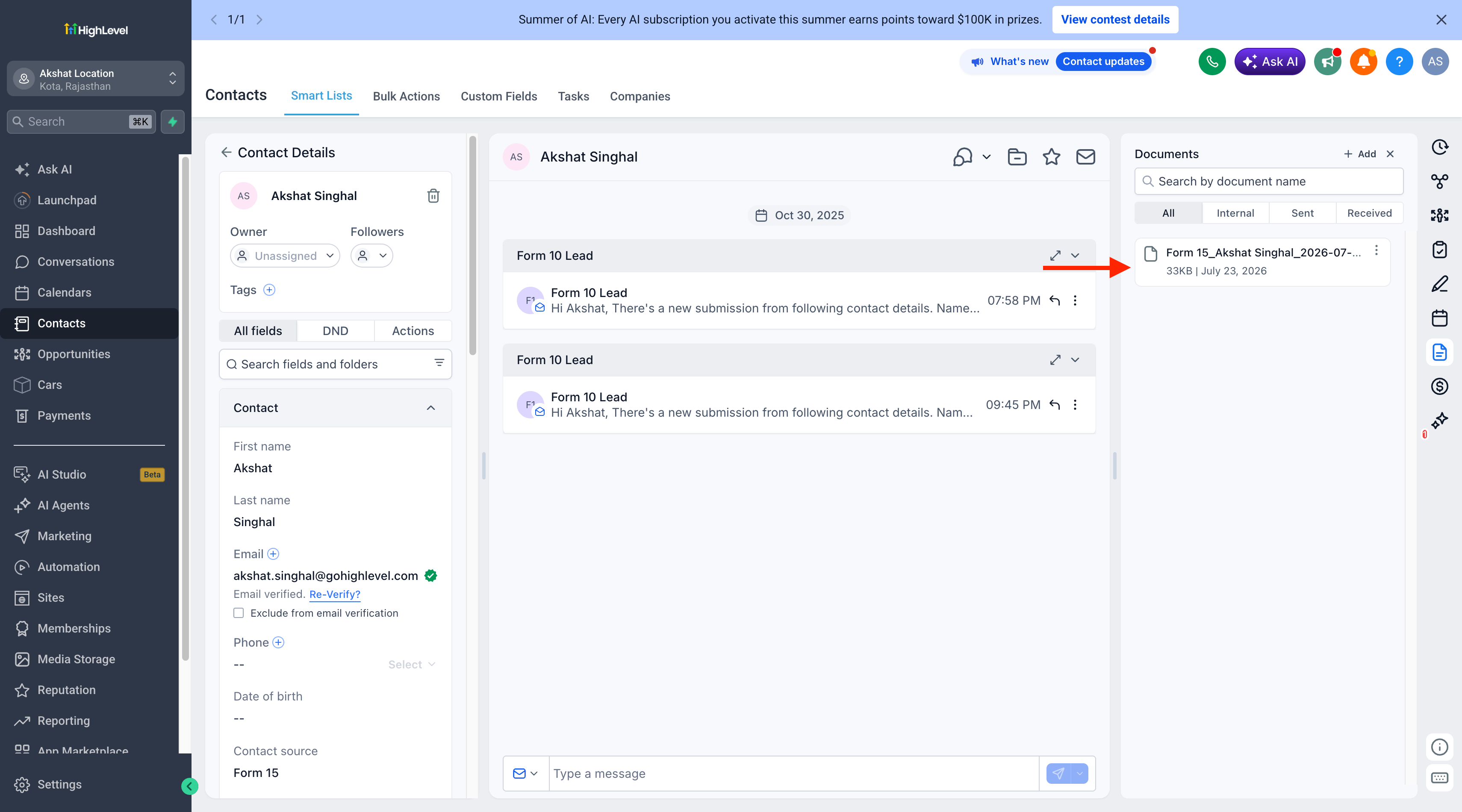
- Automatically stores each generated document in:
- Contacts → Documents → Forms
- Contacts → Documents → Surveys
- Contacts → Documents → Quizzes
- Automatically associates each PDF with the contact who submitted the form, survey, or quiz
- Lets you view, download, and use PDFs across your CRM workflows
- Works smoothly on both desktop and mobile experiences
How it works
- Open the settings for the form, survey, or quiz you want to track.
- Turn Generate submission document to ON.
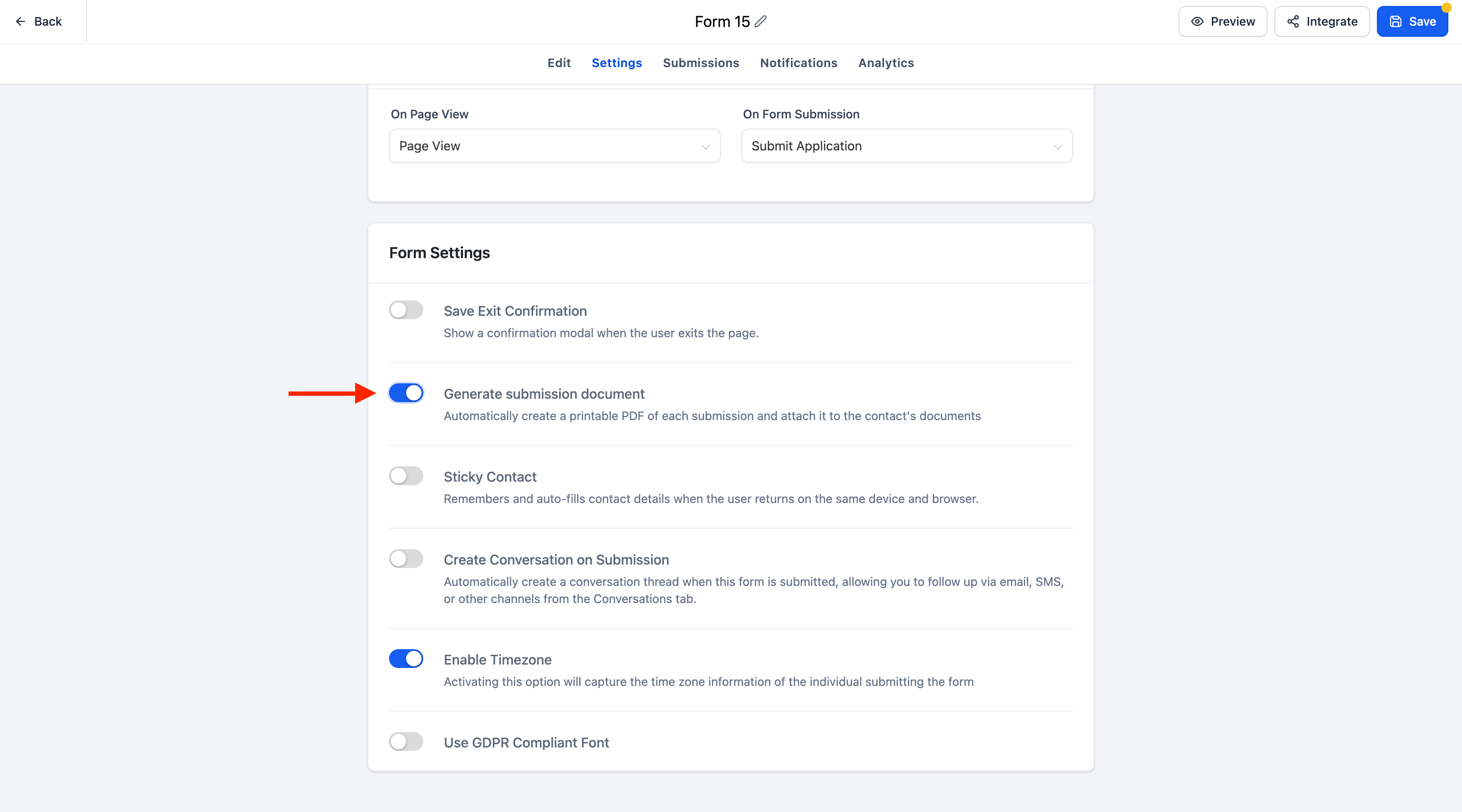
- Every new submission will now automatically create and store a PDF document for that entry.
- You can access the document at any time from the contact's Documents section or reference it in supported CRM workflows.
- If the toggle is OFF, EveryCatch will not generate any PDF documents for that form, survey, or quiz.
PDF naming convention
EveryCatch uses a consistent naming format for generated documents:
- Forms and surveys: [FormName]_[ContactName]_[YYYY-MM-DD_HHMM
- Quizzes: Result_[FormName]_[ContactName]_[YYYY-MM-DD_HHMM
Notes
- PDF generation is optional and controlled individually for each form, survey, or quiz.
- Documents are automatically sorted into their matching folders (Forms, Surveys, or Quizzes) under the contact's Documents section.
- Existing submissions stay as they are; only new submissions will generate documents after you enable the setting.
Need help with this?
If you'd like help setting this up or want to know what it means for your account, book a quick call and we'll walk you through it.
