Fully edit service bookings even after payment
Managing service bookings in EveryCatch is now much easier. You can fully edit both paid and unpaid service appointments without canceling and recreating the booking. If a customer wants to add another service, switch staff, change add-ons, or use a coupon after they have already booked, you can update everything in one place while keeping the booking, order, and payment records aligned.
This update addresses one of the top requests from Services users, and it is now available in your EveryCatch account.
What changed
Complete booking editing
- Edit both paid and unpaid service bookings directly from the appointment.
- Add or remove services from an existing appointment without starting over.
- Add, update, or remove add-ons for a booking.
- Change the assigned staff member on the appointment.
- Apply, update, or remove coupons after the initial booking.
- Update appointment details while keeping the original booking intact.
Automatic payment reconciliation
- Every change you make automatically recalculates the booking total for you.
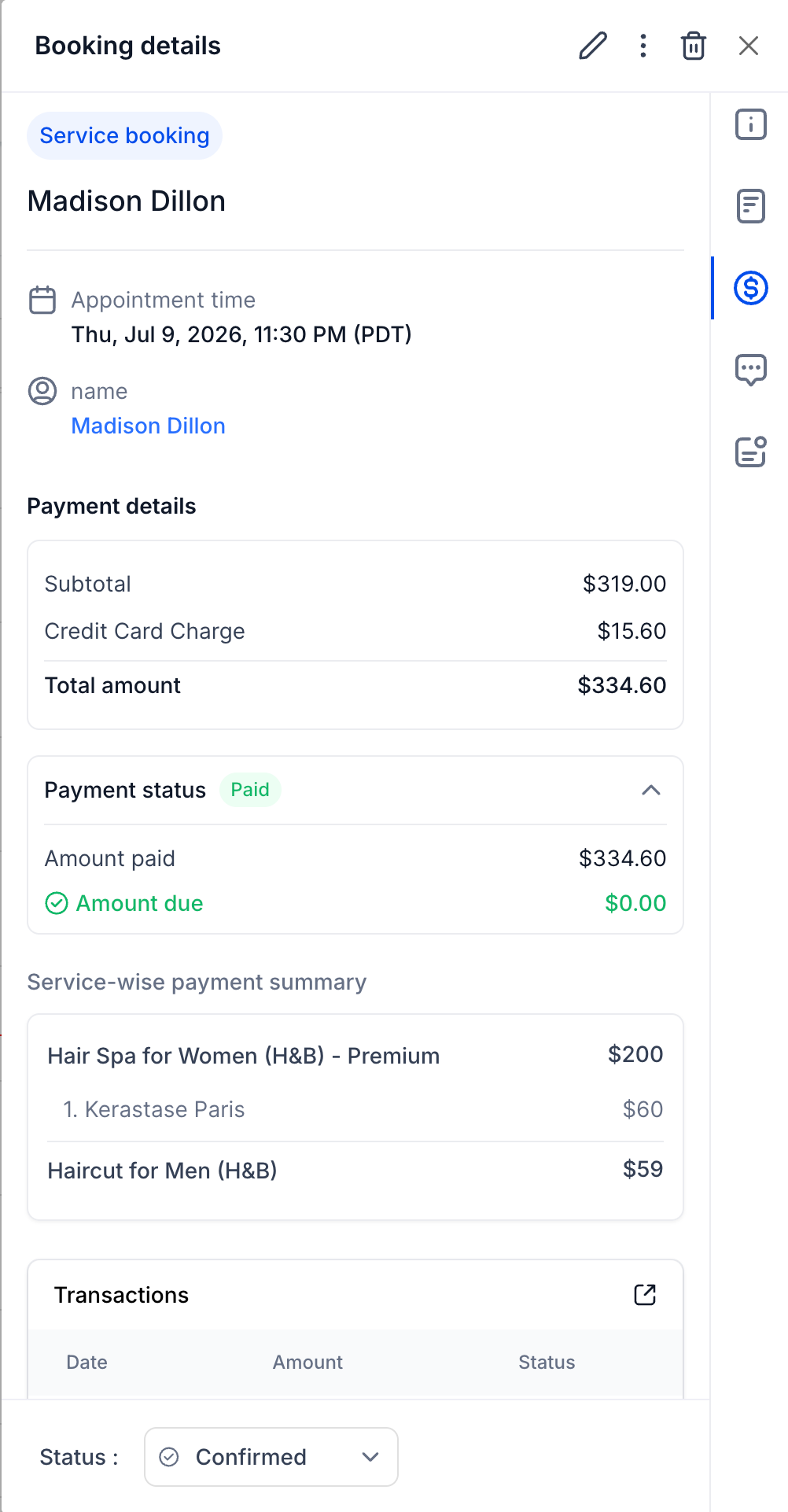
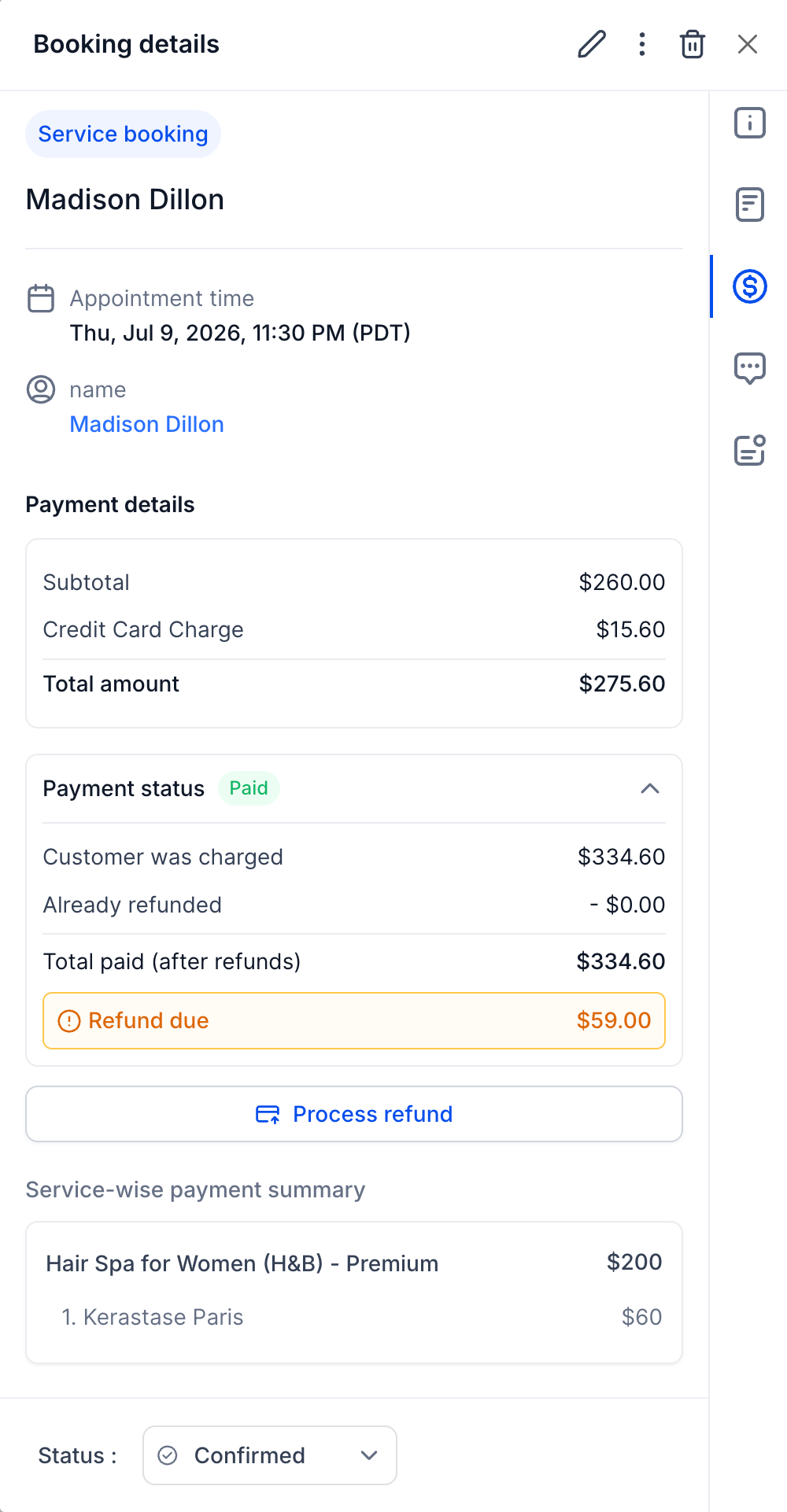
- The appointment always shows the current payment status, including when additional payment is required, when it is fully paid, or when a refund is due.
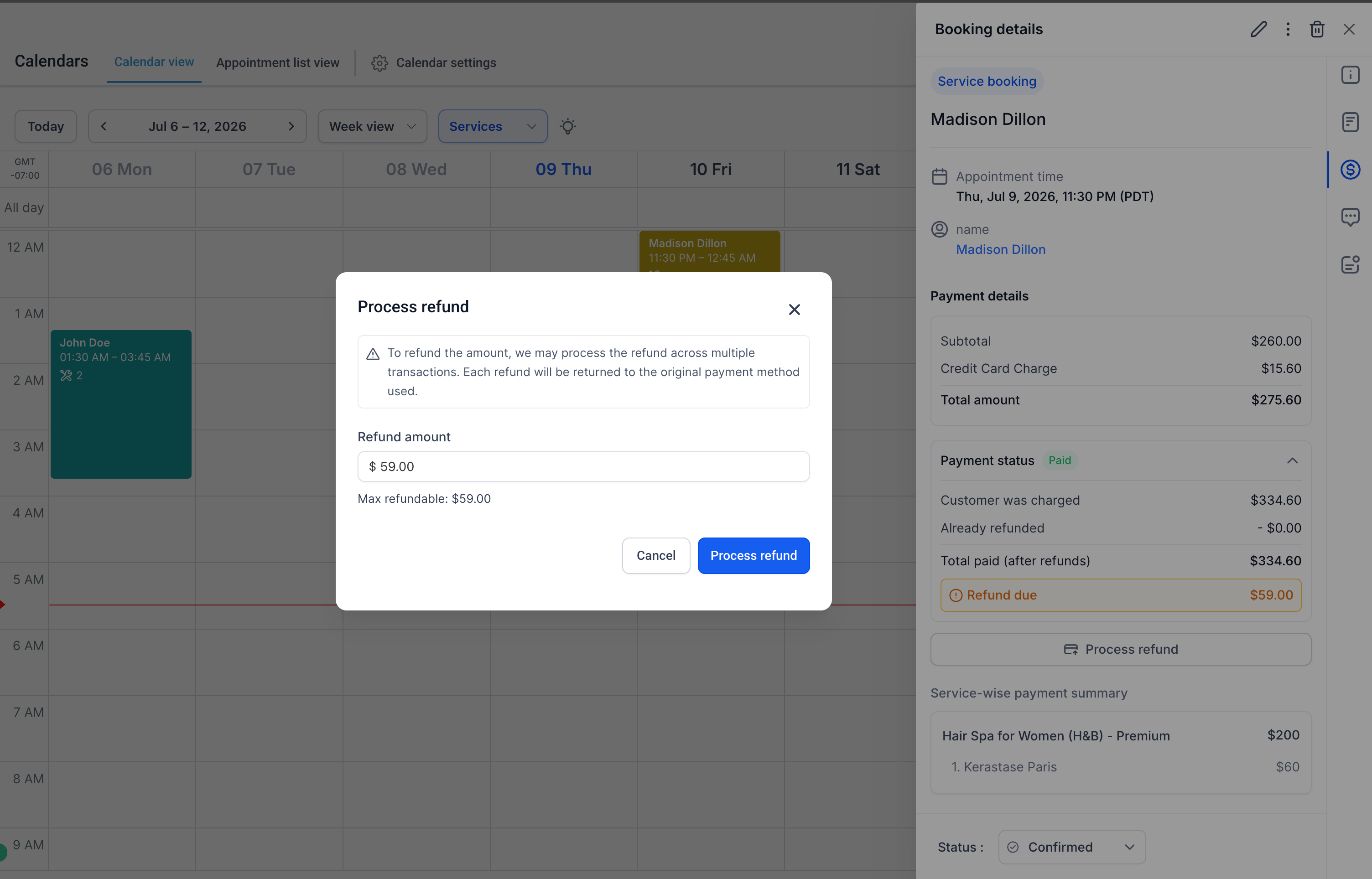
- If a refund is due, you can process it directly from the appointment modal so you can adjust payments without leaving the booking.
- If a refund has been started but is still processing, editing for that booking is temporarily disabled until the refund completes. During this period, you can still reschedule the appointment if needed.
- These controls help keep your payment records accurate and prevent conflicts while refunds are in progress.
Smarter order management
- Each service booking remains connected to its linked order in EveryCatch.
- When you edit a booking, EveryCatch updates the existing order instead of creating a new one.
- Your order history stays cleaner and payments, services, and booking details remain synchronized as changes are made.
Mobile app support
- Editing service bookings from the EveryCatch mobile app is fully supported and scheduled to roll out during the week of July 20th.
How to use
- Open an existing service booking in EveryCatch.
- Click Edit.
- Make any required changes, including:
- Add or remove services
- Modify add-ons
- Change the assigned staff member
- Apply or remove coupons
- Update other booking details such as time or notes
- Save your changes.
- Review the updated payment status to see whether additional payment is required, the booking is fully paid, or a refund is due. When needed, process the refund directly from the appointment modal.
Why this matters
- Edit bookings without canceling and rebuilding appointments from scratch.
- Respond quickly to customer requests and adjustments after a booking is created.
- Keep payments, orders, and appointment details in sync automatically as you edit.
- Maintain a single order for each booking lifecycle, which simplifies records and reconciliation.
- Reduce staff workload while giving customers a more flexible and convenient booking experience.
Need help with this?
If you'd like help setting this up or want to know what it means for your account, book a quick call and we'll walk you through it.
