Find available rentals faster with date filters on booking page
Overview
EveryCatch now makes it easier for your customers to find a rental that actually fits their schedule.
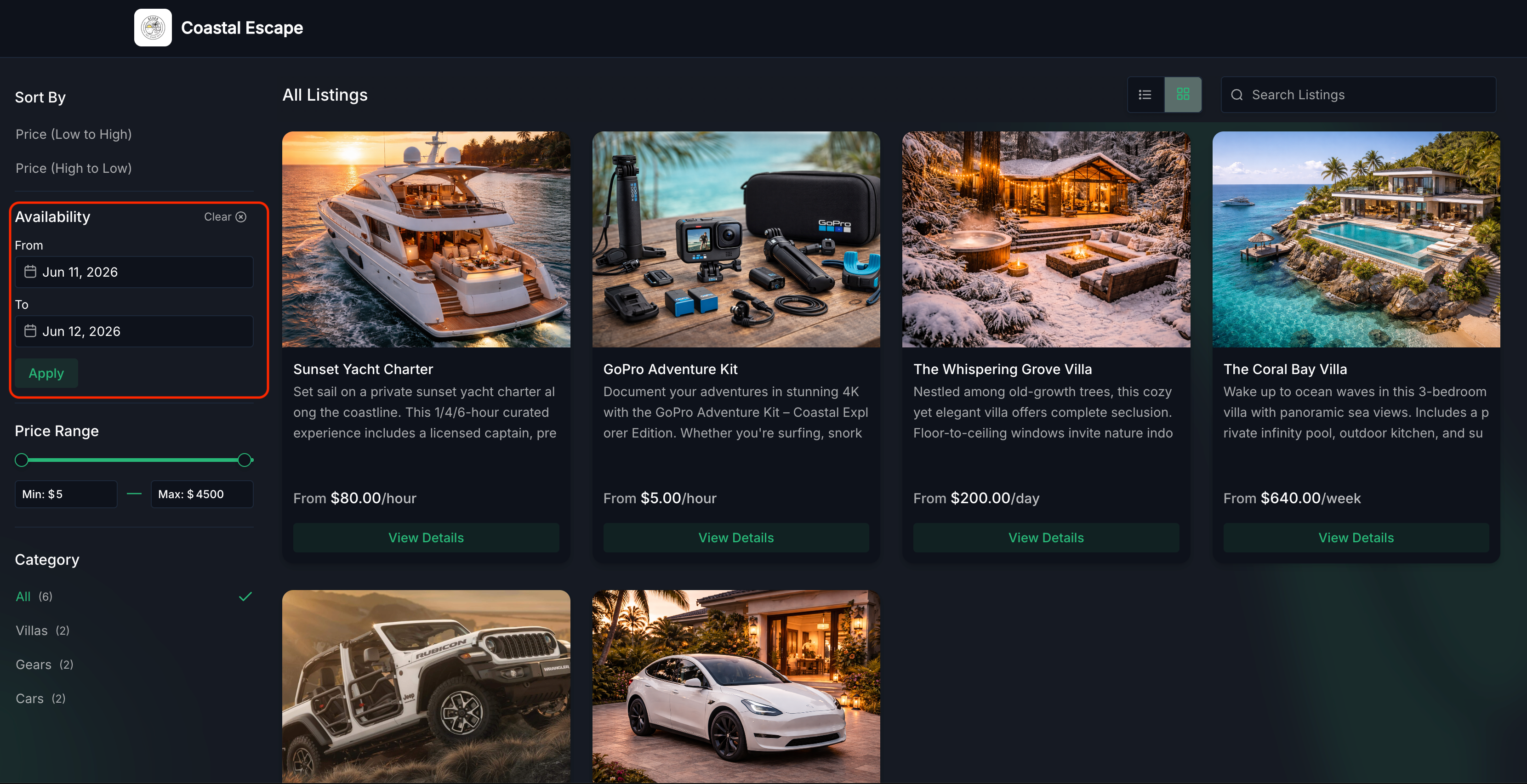
You can now add a Start date and End date filter on the Rentals Booking Page so visitors choose their dates before they browse. The booking page will only show listings that are available for that full period, and when someone opens a listing, the booking form is already filled in with those dates.
This helps people quickly see rentals that work for their trip or event, without opening each listing one by one to check availability.
What changed
Filter listings by date range
You can now filter rentals by selecting a Start date and End date directly on the booking page availability filter.
Once both dates are selected:
- Listings are filtered based on real-time availability
- Only listings that match the selected dates are shown
- Booking details such as dates are automatically pre-filled when a listing is opened
Works across all booking modes
- The date filter automatically adapts to the booking mode you have set for each listing.
- All booking rules you have configured are checked before a listing is shown, including availability, inventory, lead time, buffers, minimum or maximum duration, and advance booking limits.
Date selector listings
- Listings appear only when they can be booked for the full date range your customer selects.
For nightly rentals that require at least one night, listings will not appear if a customer selects the same start and end date.
Date & time selector listings
- Listings appear only when a continuous booking can be created across the full selected date range, based on your availability and rules.
- Example: If a customer searches July 10 – July 12, a listing can still appear if it is available from 11:30 PM on July 10 through 12:30 AM on July 12.
Fixed duration listings
- Listings appear when the rental can start at any time within the selected date range.
- The rental may extend beyond the selected end date if the fixed duration pushes the end time later than the customer’s chosen dates.
How to use
- Open your Rentals Booking Page as your customers would see it.
- In the Availability filter, choose a Start date and End date, then click Apply.
- Review the filtered list of rentals that match the selected dates.
- Open any listing to see the booking form with the dates already filled in.
- Complete the booking flow as usual or guide customers to do the same.
Why this matters
- Helps your customers quickly see which rentals are actually available when they need them.
- Reduces the time they spend clicking into each listing to check dates manually.
- Supports higher booking completion rates by making relevant rentals easier to discover and by pre-filling key booking details.
Need help with this?
If you'd like help setting this up or want to know what it means for your account, book a quick call and we'll walk you through it.
