Expanded quiz results page default value enhancements
What changed
EveryCatch has expanded smart default values across more parts of the quiz results page so you can set things up faster and with less manual repetition.
This behavior was previously available only in the call to action section. It now also works in:
- Individual category section
- Category score section
- Overall score section
These improvements make it easier to configure your results pages, cut down on repeated data entry, and help you get quizzes live with fewer setup issues.
Key highlights
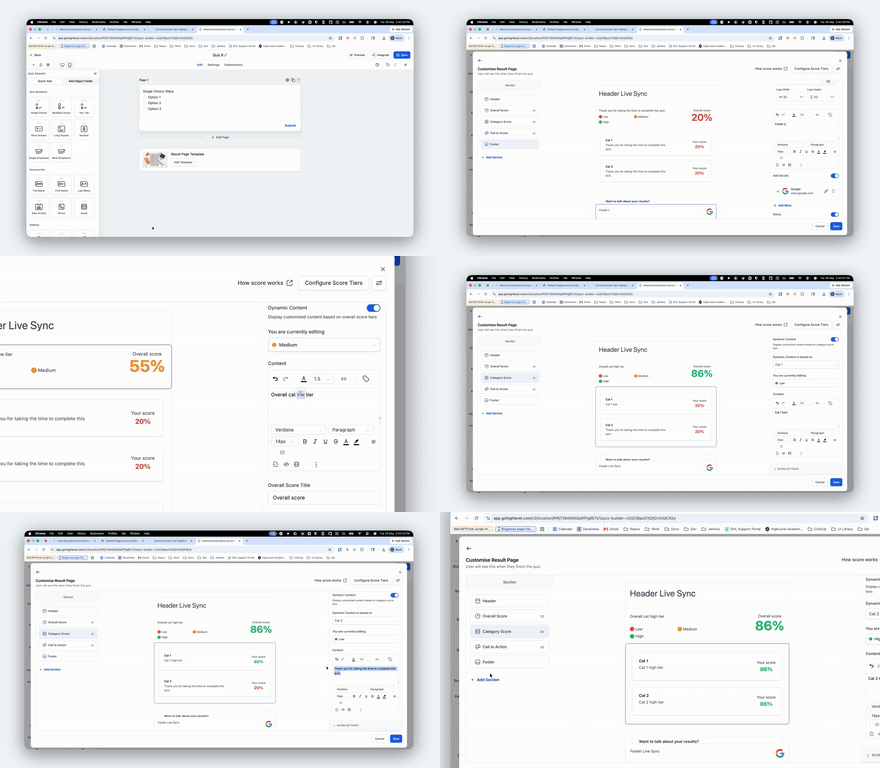
Smart default value propagation: When you configure the first tier in a category (for example, Low / Medium / High), the values you enter will now automatically copy into the other tiers in that same category as default values. You can also see your changes update live in the preview across all tiers, instead of being locked to a single tier preview.
Faster results page setup: You no longer have to re-enter the same text, links, or settings for every tier and section. EveryCatch now lets you set things once and then only adjust the tiers that need something different, which significantly cuts down setup time.
Cleaner experience on your live quiz: The existing conditional display behavior still applies. If required call to action fields such as the button name or link are left empty, the CTA button will stay hidden, while any other configured content on the results page will still appear as expected.
Fewer configuration issues: With a simpler and more consistent way to configure your results, you should run into fewer setup snags and need less troubleshooting while building quizzes.
Improved data structure for score configuration: Previously, overall score and category score settings were tied to the tier label. They are now mapped using the category ID and tier ID instead. This prevents tiers that share the same label from conflicting with one another and gives you more reliable and scalable score configurations.
How it works
- Configure the first tier within a section (for example, Low).
- EveryCatch will automatically apply those values as defaults to the remaining tiers in that category.
- Adjust any specific tiers that need different messaging or settings.
- Save the quiz to confirm and apply your changes.
Notes
- These enhancements are automatically active for all new quizzes you create.
- For any existing quiz, open it and re-save it so the updated behavior can apply to that quiz.
- This update is focused on giving you a smoother, faster, and more scalable way to set up quiz results pages in EveryCatch.
Need help with this?
If you'd like help setting this up or want to know what it means for your account, book a quick call and we'll walk you through it.
