Enhanced sell products experience in forms and surveys
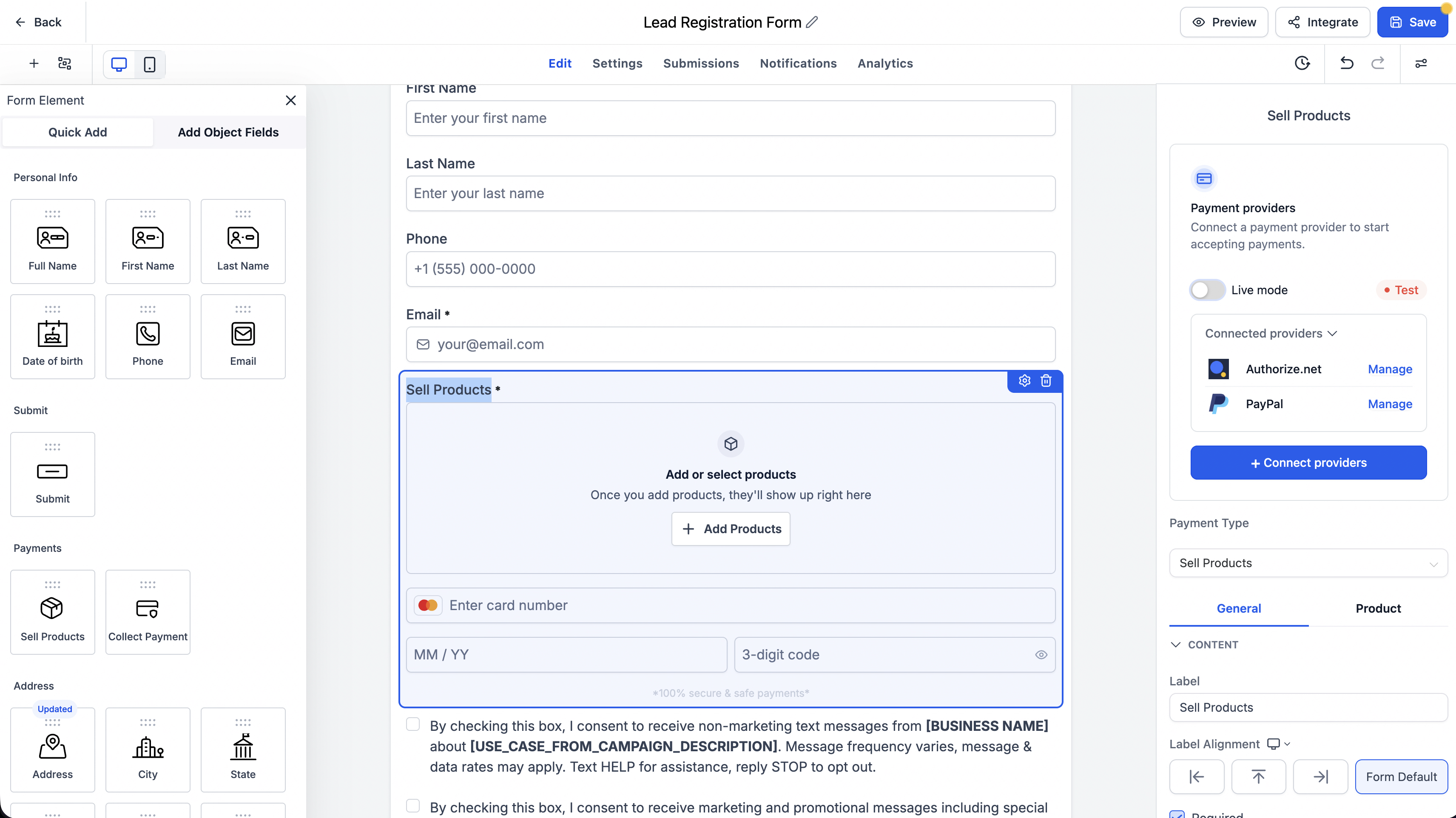
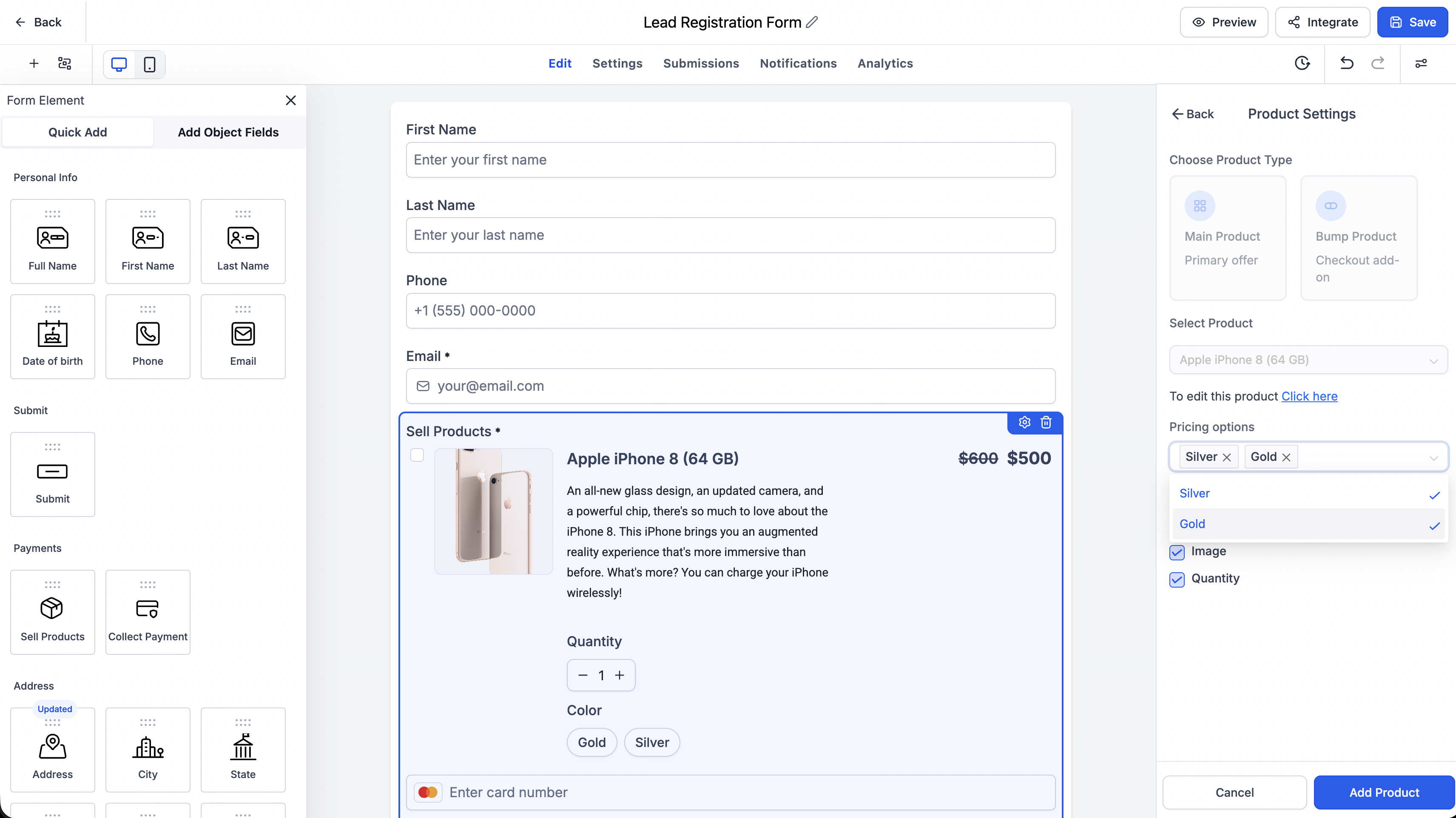
Selling through EveryCatch forms and surveys is now smoother and easier to set up. The Sell products experience has been redesigned with a single payment configuration panel on the right side, so you can connect payment providers and configure products in one place. You can also now use price level and variant selection, which gives your customers more flexibility when they buy and reduces manual setup work for you.
What changed
The Sell products element in EveryCatch forms and surveys now offers a more streamlined payment setup that includes:
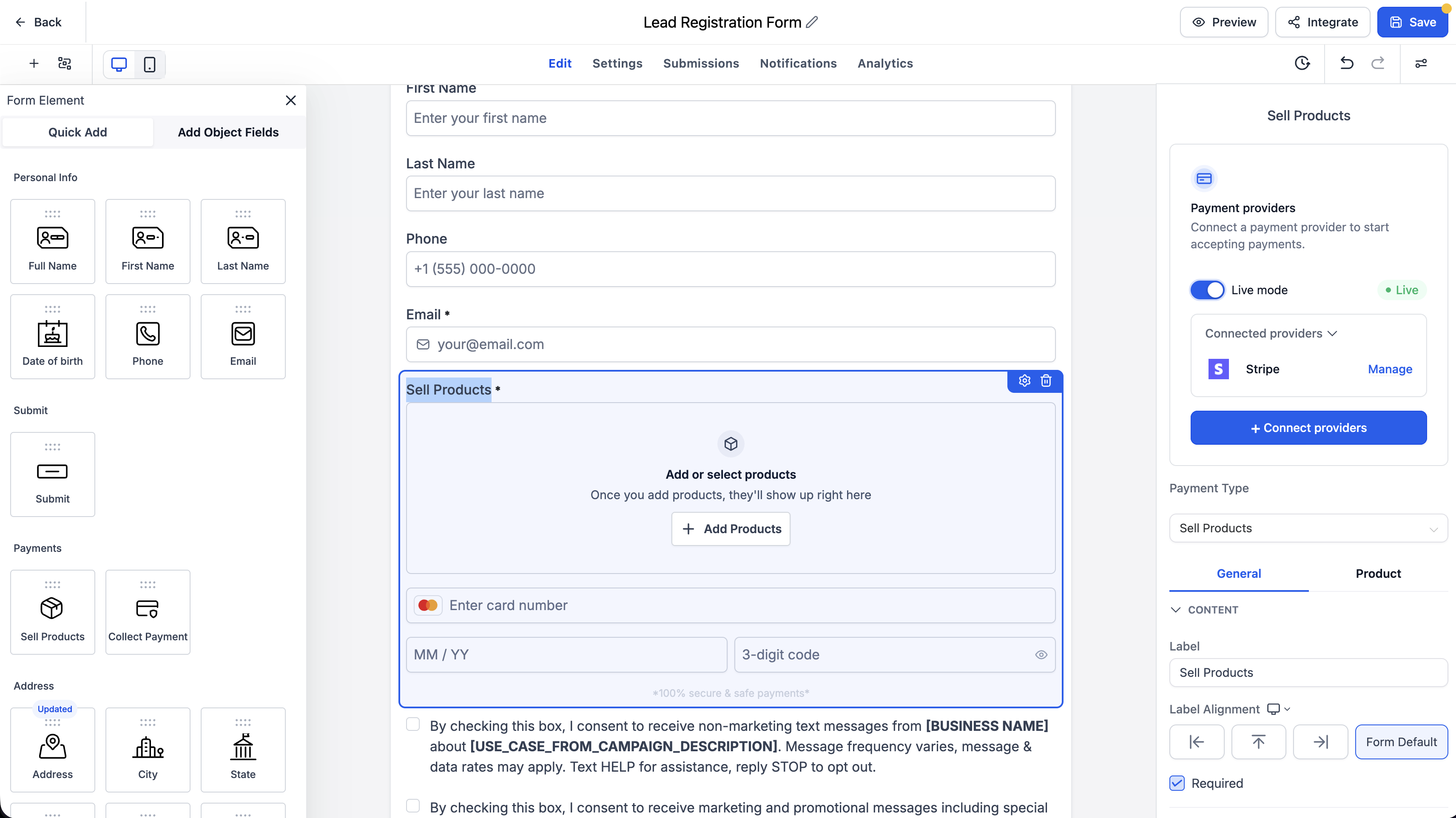
- A unified payment configuration panel on the right side of the builder
- The ability to connect payment providers directly from inside the builder
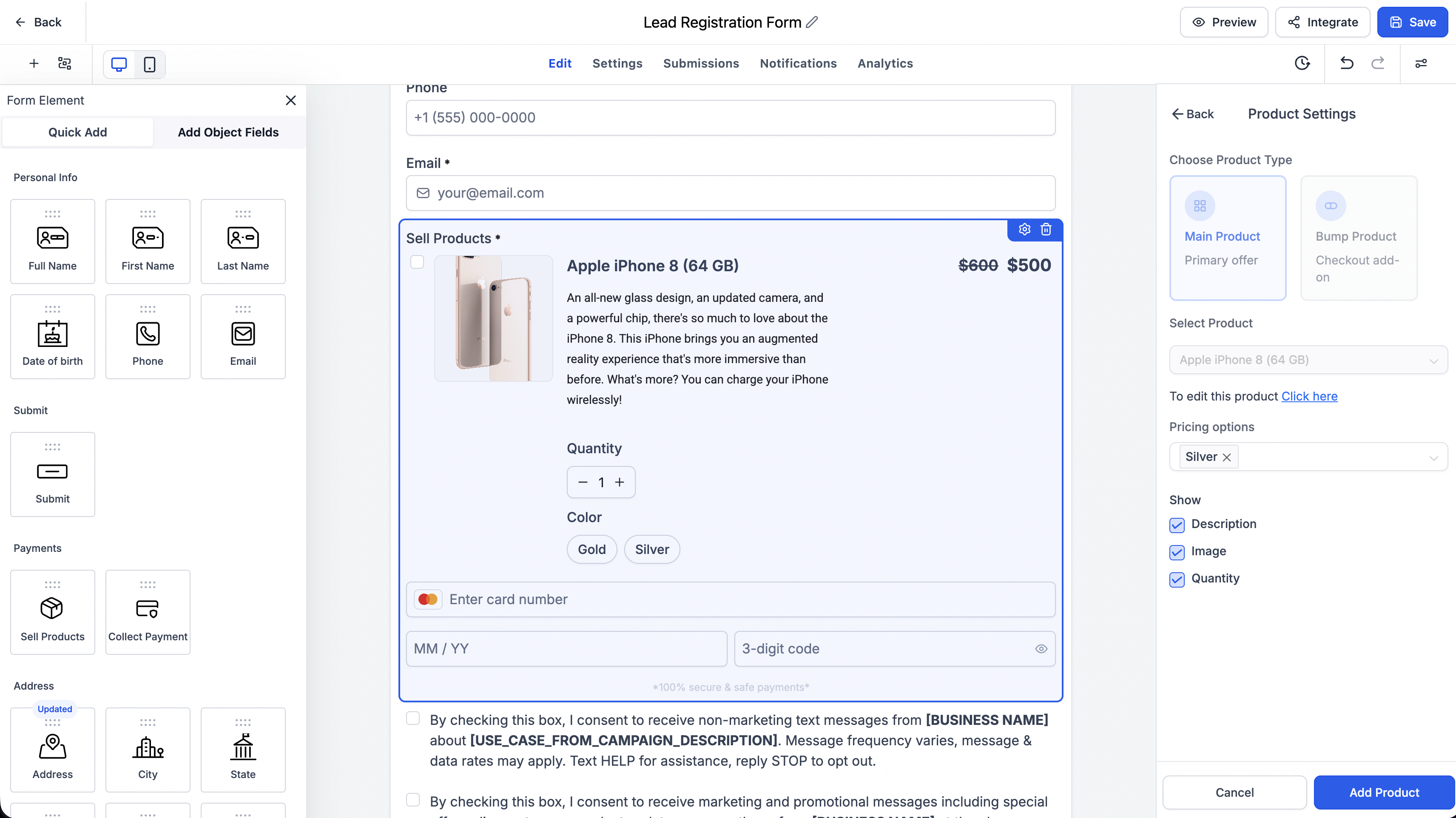
- Support for selecting product price levels
- Support for selecting product variants
Key highlights
- Connect payment providers directly from the payment configuration panel, without leaving the form or survey builder
- Configure products, pricing options, and payment settings from a single, unified interface
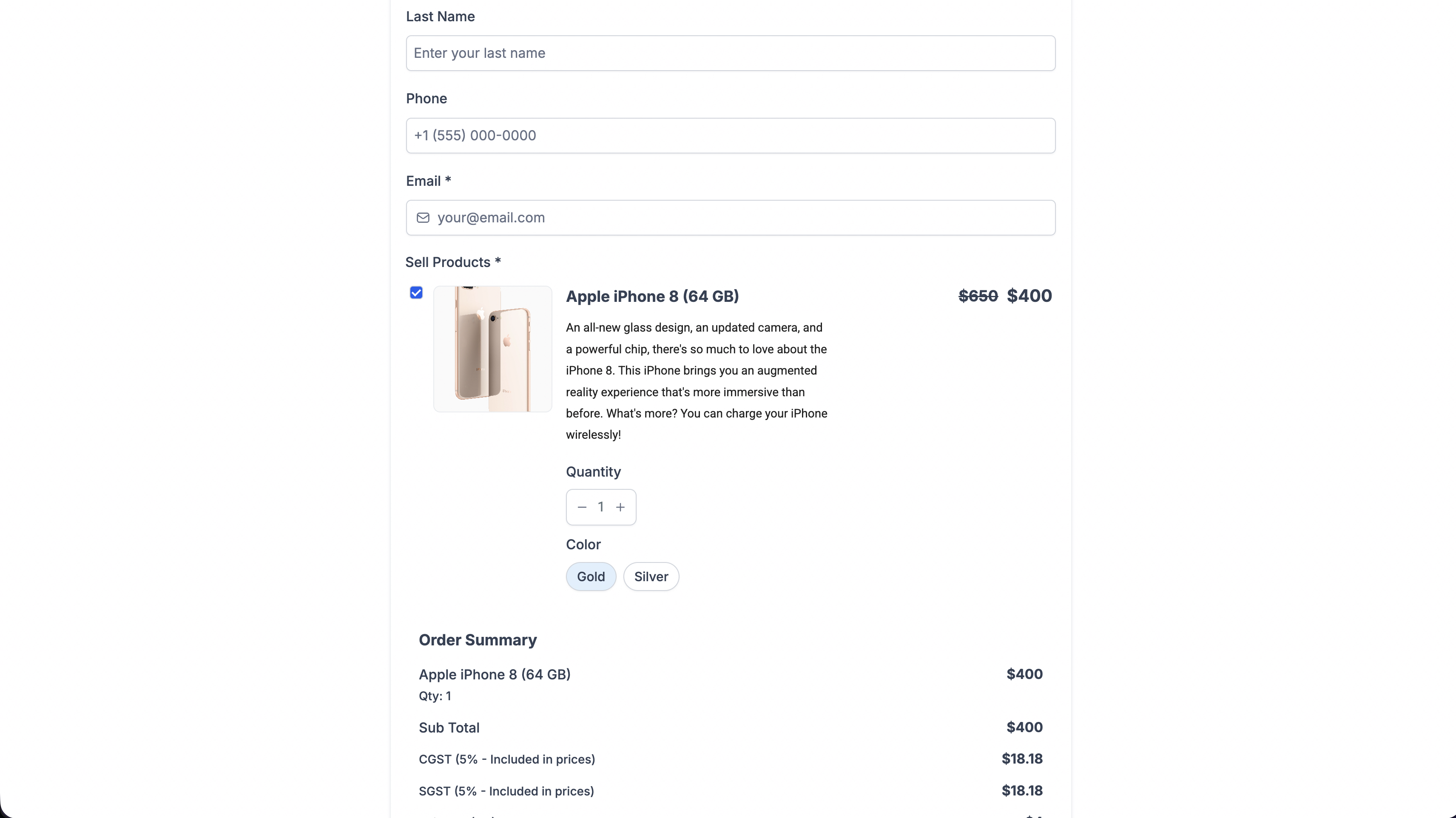
- Let customers choose from multiple price levels where your product supports them
- Offer product variant selection (for example, different sizes or versions) where variants are available
- Show the selected price level and variants clearly in the payment summary for the customer
- Pass the chosen price and variant details through correctly to checkout, invoicing, and payment processing
- Validate required price and variant selections before the form or survey can be submitted, to avoid incomplete orders
- Keep all existing payment settings working as before, so your current forms and surveys do not break
How it works
- Add a Sell products element to your form or survey in the builder.
- Open the unified Payment panel that appears on the right side.
- If you have not connected a payment provider yet, connect your preferred provider directly from this panel.
- Select the products you want to sell and set which price levels and variants should be available to customers.
- Your customers choose their preferred price level and product options before submitting the form or survey.
- The selections your customers make are carried through to checkout, invoicing, and payment processing so you have accurate order details.
Notes
- All of your existing forms and surveys continue to function as they do today.
- Price level and variant selection are available only for products that are configured with multiple prices or variants.
- No existing form or survey will change automatically. Updates apply only if you open one and change its payment configuration.
- The new experience works on both desktop and mobile, for you in the builder and for your customers filling out the form or survey.
Need help with this?
If you'd like help setting this up or want to know what it means for your account, book a quick call and we'll walk you through it.
