Enhanced Calendly reschedule handling in EveryCatch calendars
Overview
Calendly reschedules now work more consistently inside EveryCatch calendars and workflow automations.
When someone reschedules through Calendly, EveryCatch now treats it like a normal appointment reschedule. Reschedule tags, workflow conditions, and tracking can all work from the same appointment record.
What changed
- Calendly reschedules are now treated as true appointment reschedules in EveryCatch.
- Existing appointments are updated instead of recreated.
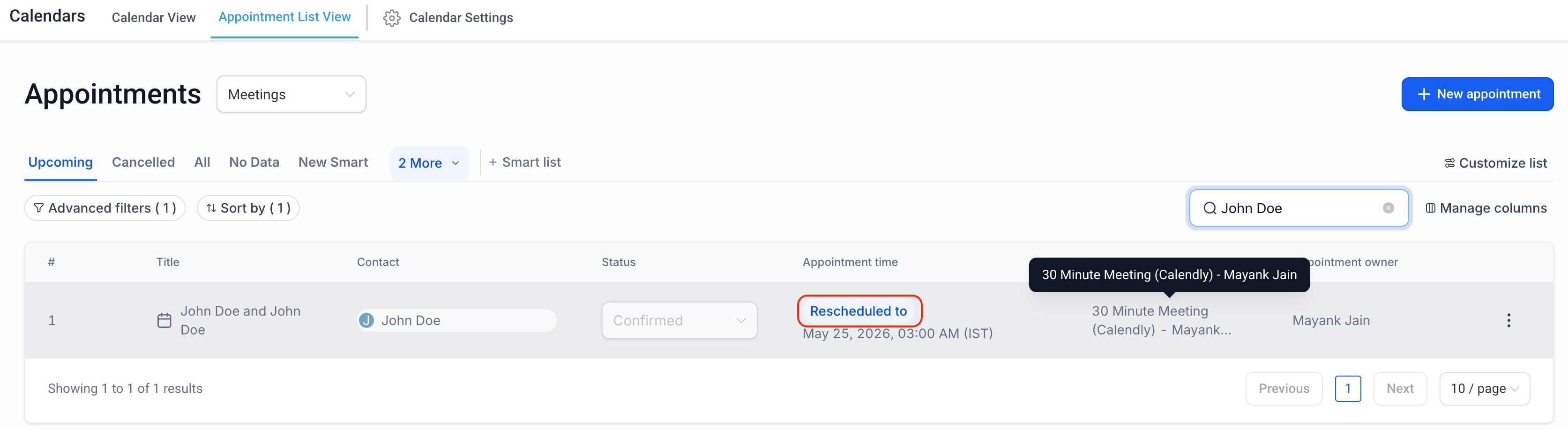
- Rescheduled appointments are correctly marked as Rescheduled.
- Reschedule-based automations and conditions now work consistently for Calendly appointments.
How it works
When an appointment is rescheduled in Calendly
- The existing EveryCatch appointment is updated with the new date/time
- The appointment is marked as Rescheduled
- Previous appointment date/time is preserved for tracking
- Rescheduled tags and workflow conditions are applied correctly
Workflows using the Rescheduled = True filter now also work for Calendly reschedules.
Why this matters
- Creates a more consistent scheduling experience across Calendly and EveryCatch.
- Improves reliability for reschedule-based workflows and automations.
- Enhances appointment tracking and accuracy.
Need help with this?
If you'd like help setting this up or want to know what it means for your account, book a quick call and we'll walk you through it.
