Email sequences now available in beta labs
Email sequences are now available in EveryCatch Beta Labs, so you can automate threaded email conversations with delays, conditions, and smart scheduling.
After a successful private beta with over 60 agencies actively using email sequences and asking to keep access, we have seen that this feature supports a clear need for structured, automated email follow-up.
Key features
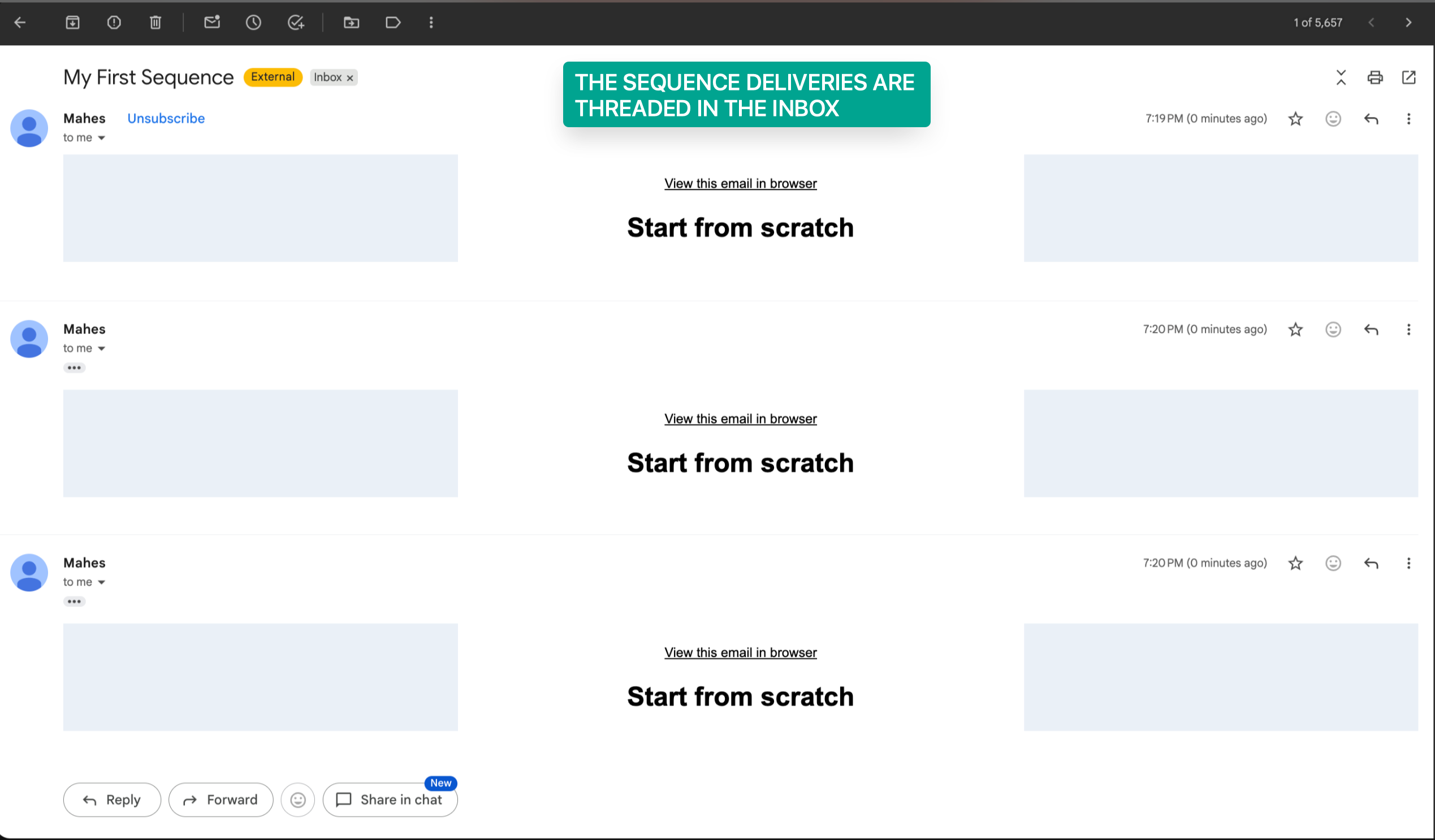
- Create single-threaded automated email conversations so each follow-up stays in the same email thread
- Use conditional sending based on open and delivery status so each next step reflects how contacts engaged
- Turn on Stop on reply automation so the sequence pauses as soon as someone responds
- Choose between designed emails and plain text emails for each step
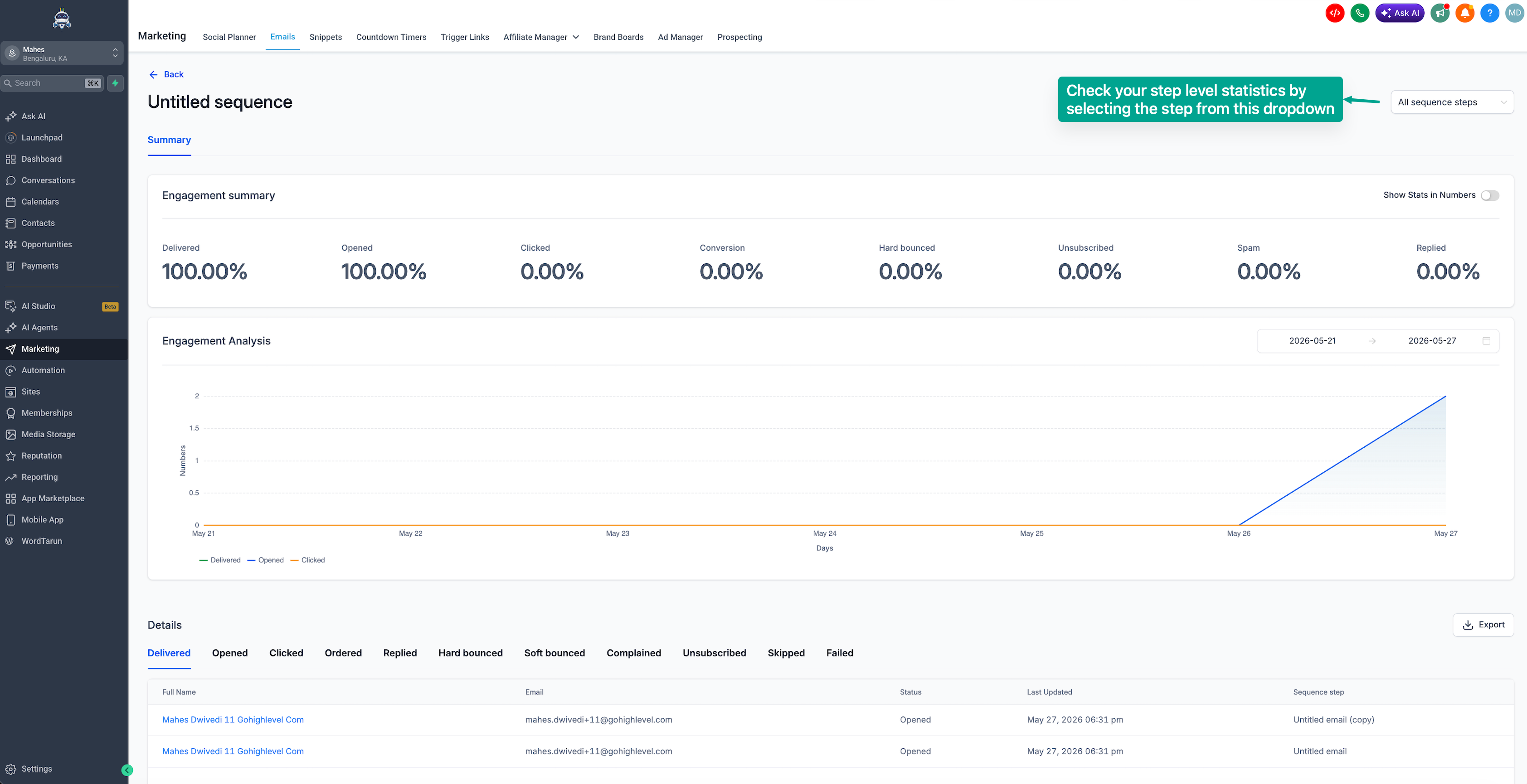
- View sequence-level and step-level analytics to understand performance in detail
How this helps you
- Automate follow-ups, reminders, and nurture campaigns without manual sending
- Improve engagement with behavior-based outreach that adapts to opens and deliveries
- Keep the full conversation in one place with threaded emails that preserve context
- Set up effective email automation without having to build full workflows first
How to access email sequences
- Go to Settings → Beta Labs in your EveryCatch account
- Enable Email sequences to turn on the beta feature for your workspace
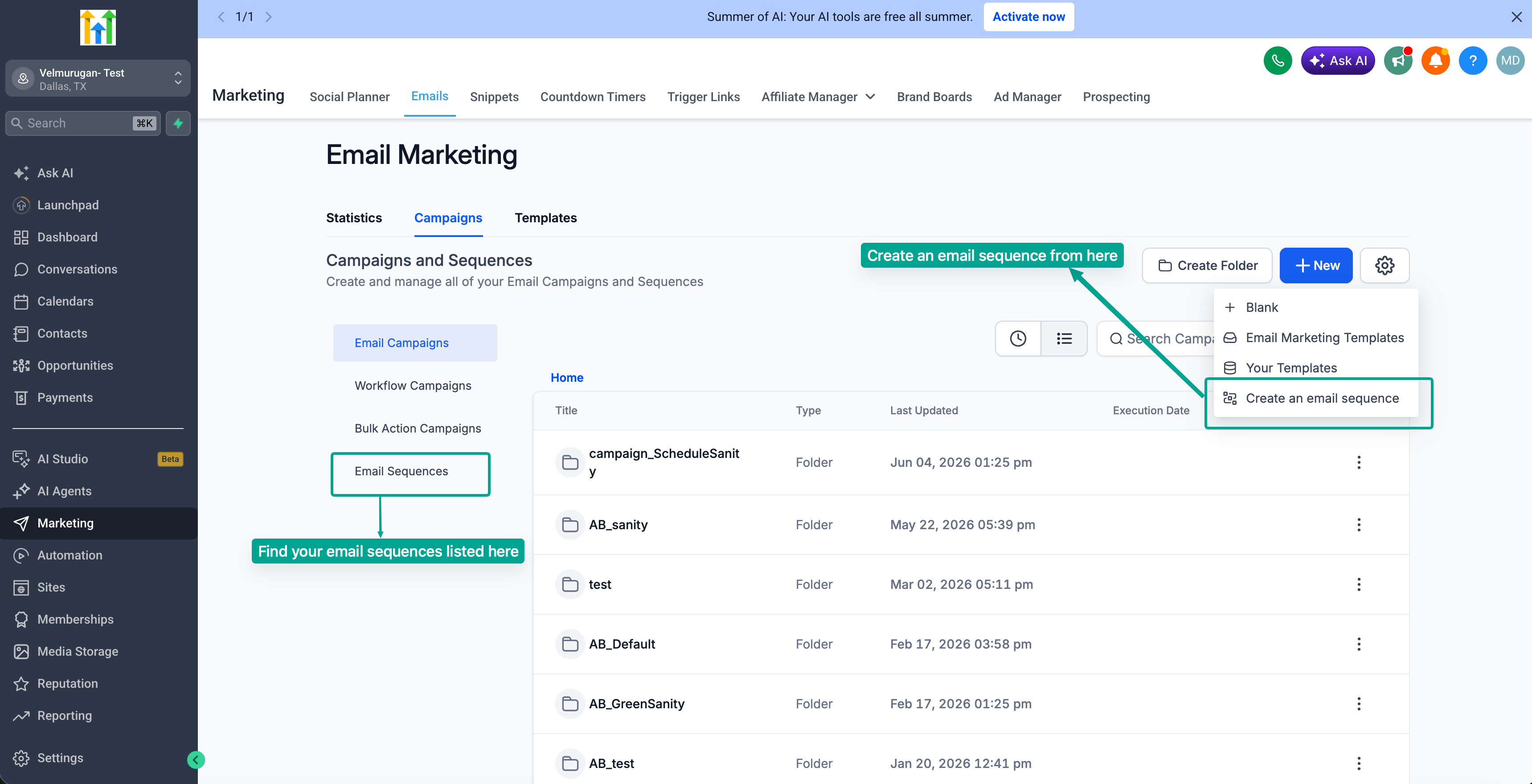
- Go to Marketing → Email → Campaigns
- Click Create new sequence
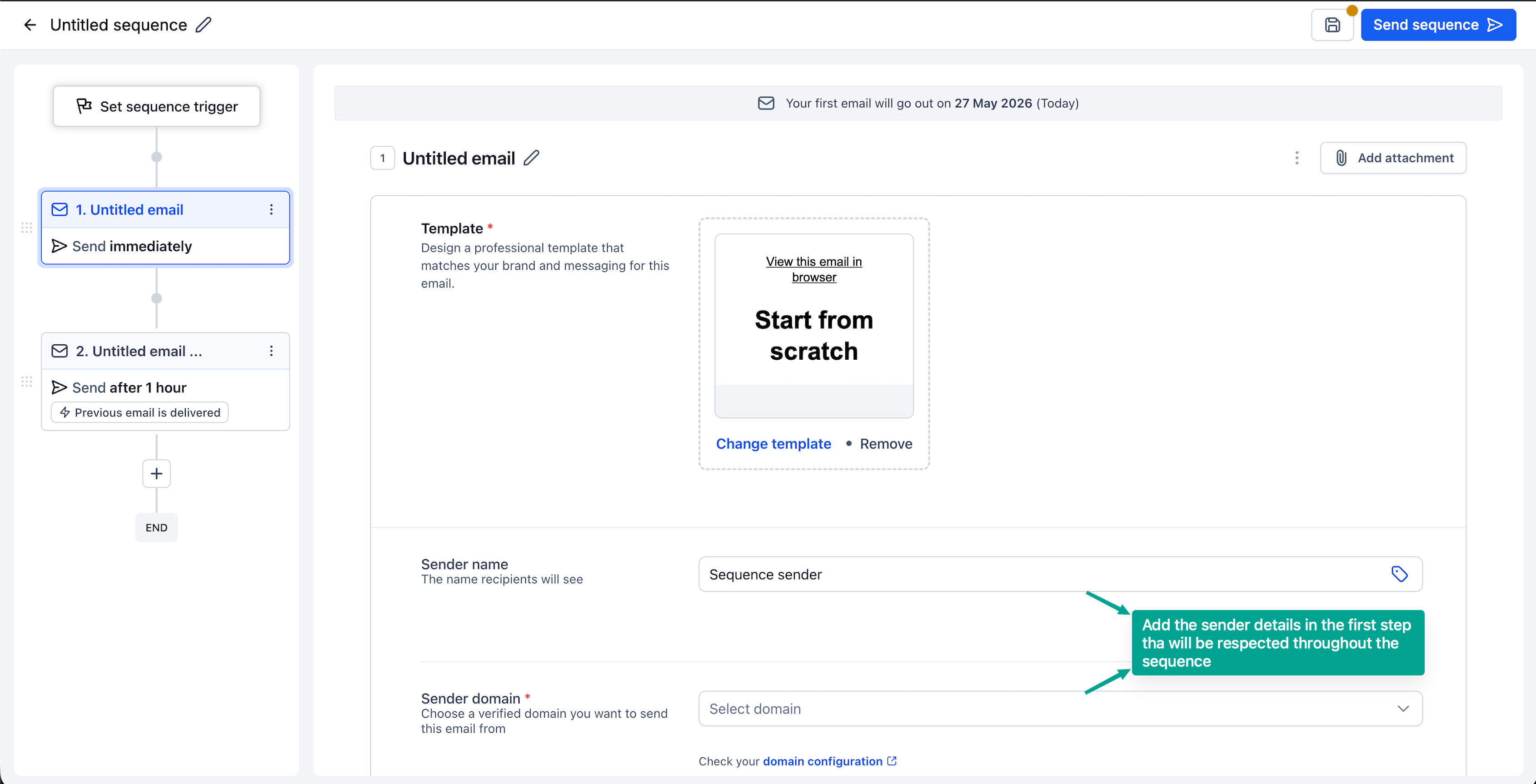
- Configure your audience, timing delays, conditions, and individual email steps for the sequence
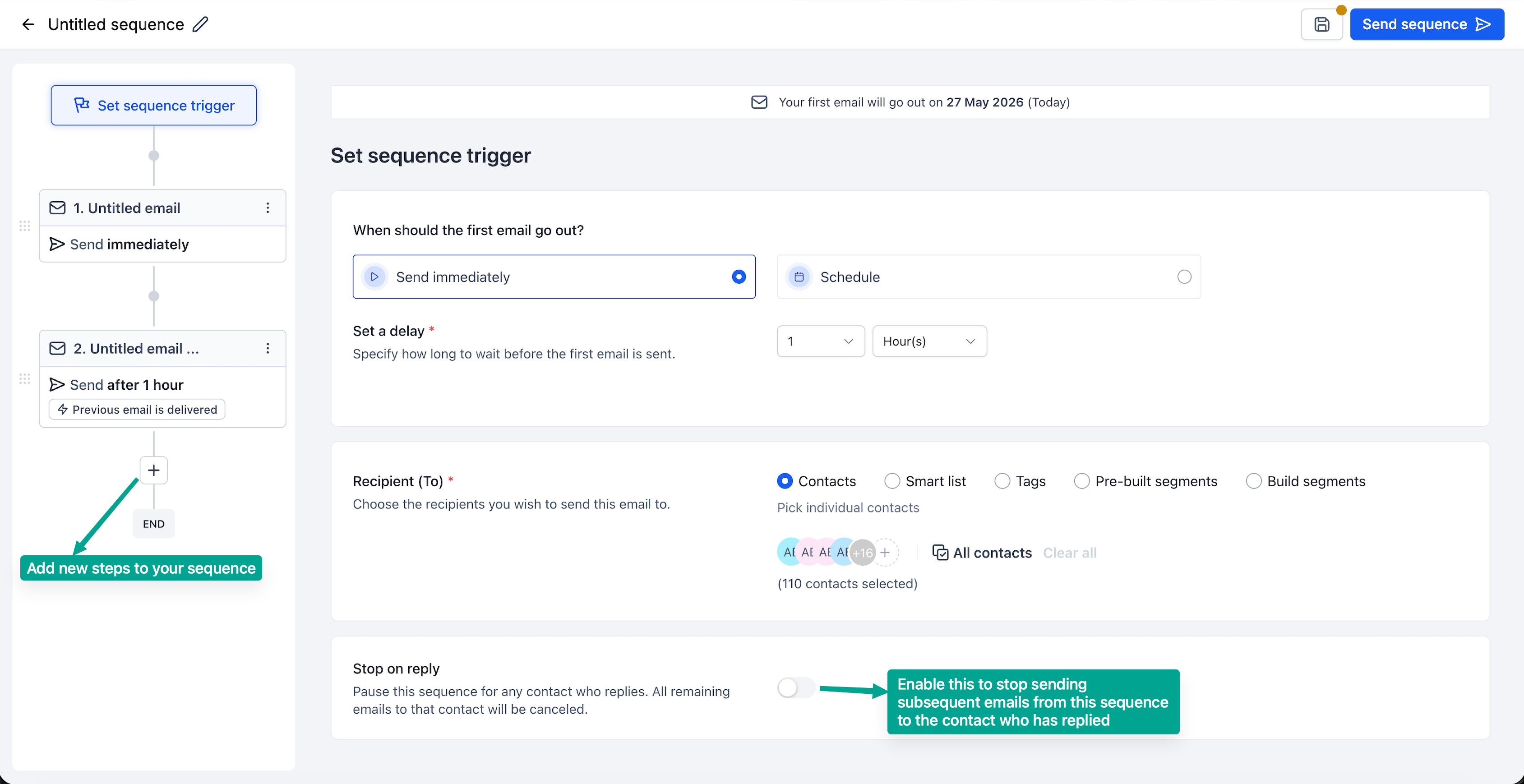
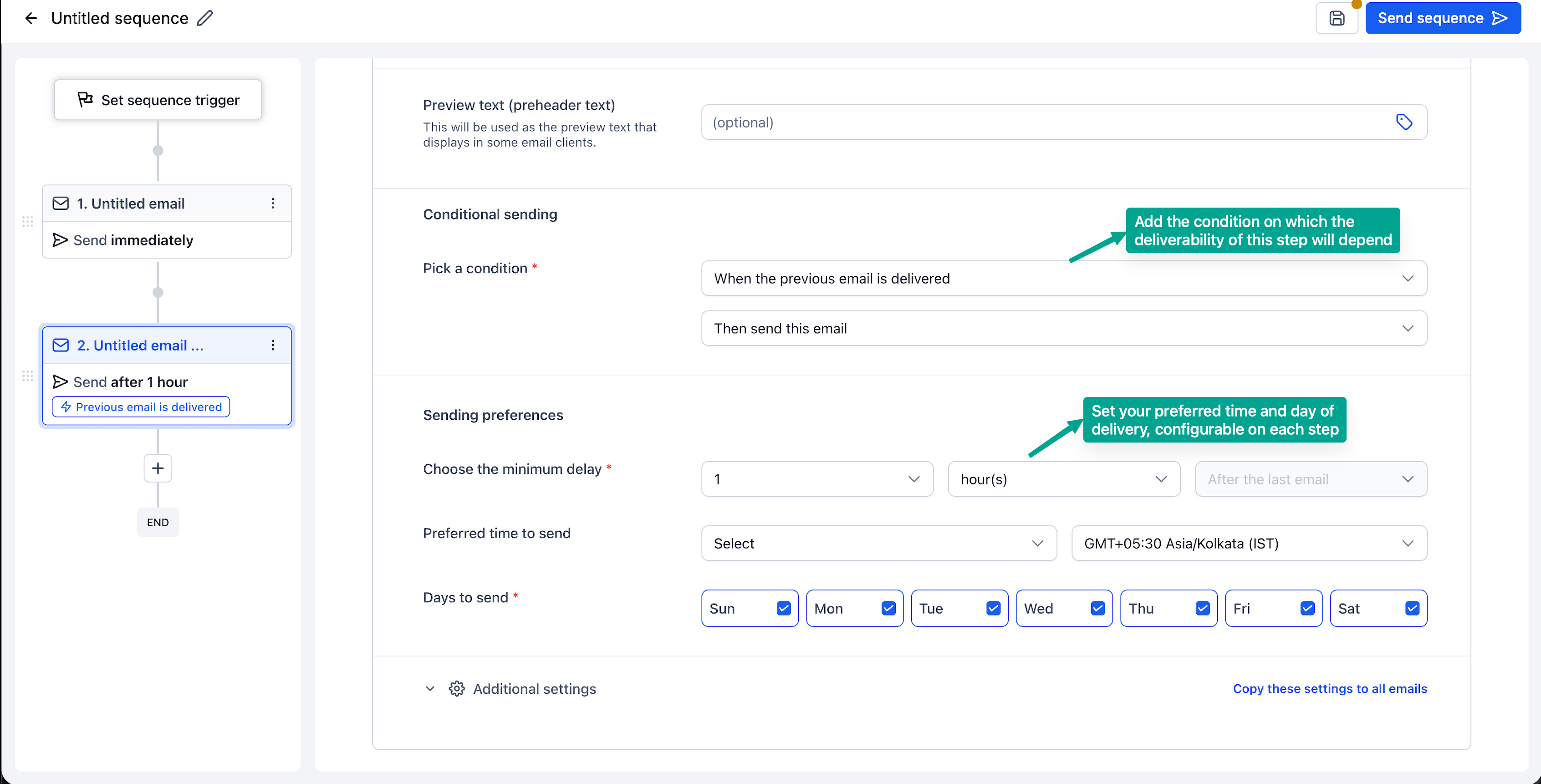
- Enable Stop on reply so the sequence automatically halts when a contact replies, then launch your sequence
- Click on Statistics to review overall performance metrics and detailed metrics for each step.
What’s coming next
- Enroll contacts into a sequence directly from a workflow
- Create a sequence with the help of Email AI
- Run A/B tests for each step in your sequence to compare different versions.
Need help with this?
If you'd like help setting this up or want to know what it means for your account, book a quick call and we'll walk you through it.
