Customer replied trigger: improved message filters
What changed
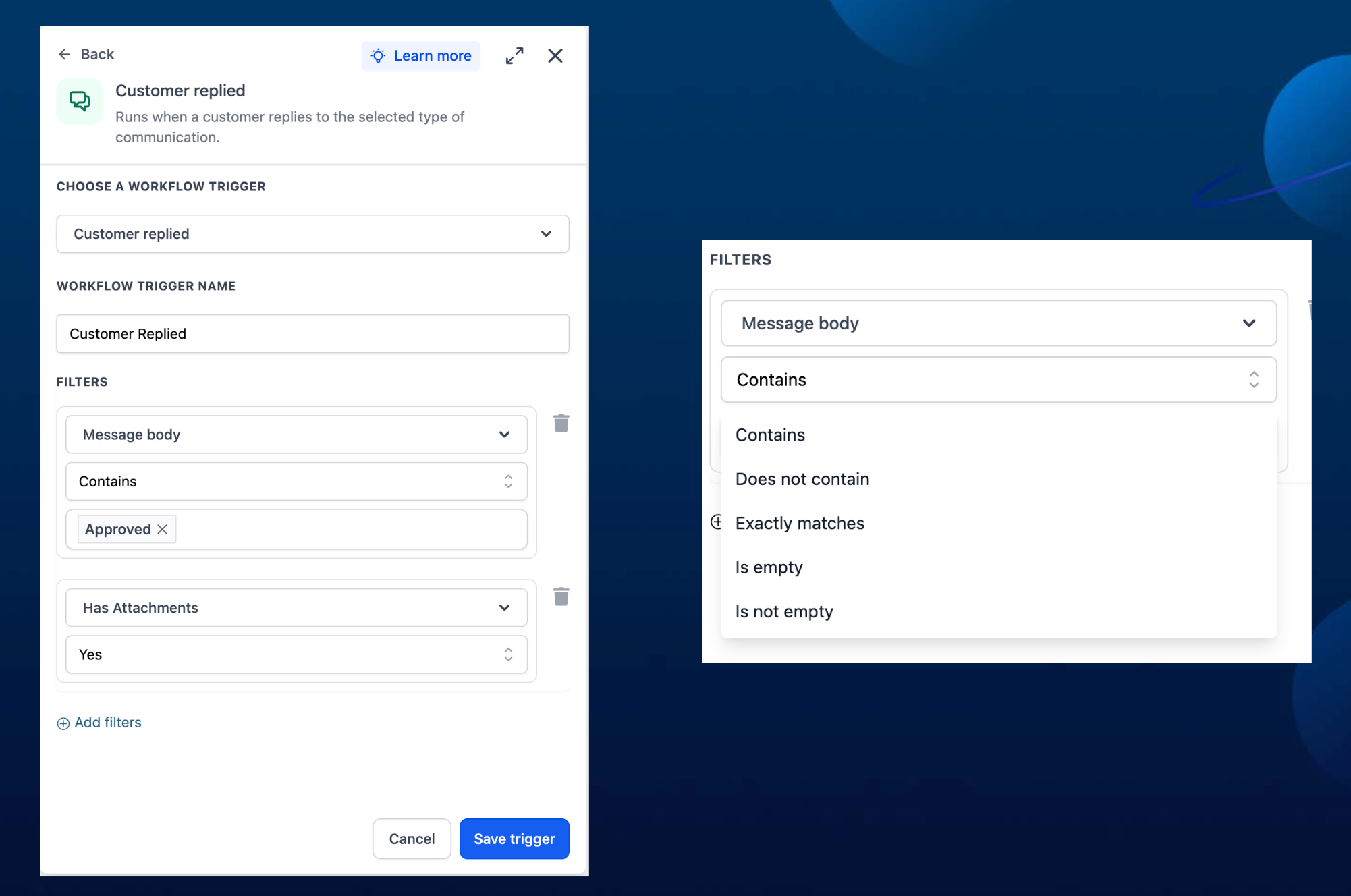
EveryCatch has improved the Customer Replied trigger with two message filter updates. You now have a Has attachments filter with simple yes/no options, and a new Message body filter that brings the older Contains phrase and Exact match phrase options together in one place.
How it works
Use Has attachments when you want to check if a customer’s message includes any files, such as images, documents, or other uploads. Use Message body to filter incoming messages based on the text content. You can choose whether the body contains, does not contain, exactly matches a phrase, is empty, or is not empty. Any existing workflows that use the old Contains phrase or Exact match phrase filters will keep working without changes.
How to use it
- Open your workflow and edit the Customer Replied trigger message filter settings.
- Choose either Has attachments or Message body as the filter type.
- Select the condition you want and enter the phrase or pick the yes/no value, then save your changes.
Why we built it
These updates make it easier to understand and manage message filters, while giving you more control over how replies are routed. At the same time, your current workflows stay intact so you can upgrade filters at your own pace.
Simple example
- A marketing agency sets Has attachments = Yes to send any message with uploaded creative files directly to the design team for review.
- A real estate team uses Message body contains "showing" to automatically route property showing requests into a dedicated pipeline.
Additional notes
- Has attachments accepts only yes/no values to indicate whether any file is present in the message.
- Message body supports contains, does not contain, exact match, empty, and not empty checks so you can be as broad or specific as you need.
- The older Contains phrase and Exact match phrase filters are still available and remain fully backward compatible with any workflows already using them.
Preview
Need help with this?
If you'd like help setting this up or want to know what it means for your account, book a quick call and we'll walk you through it.
