Courses experience improvements
Overview
EveryCatch Courses now gives you three updates that make it easier to work with learners: a quick way to open member progress directly from a contact, smarter post-login redirects for shared course and lesson links, and drip scheduling that can release content in hourly intervals.
These changes help you review learner progress faster and control when content appears with more precise timing.
What changed
- Course progress quick link in Contacts
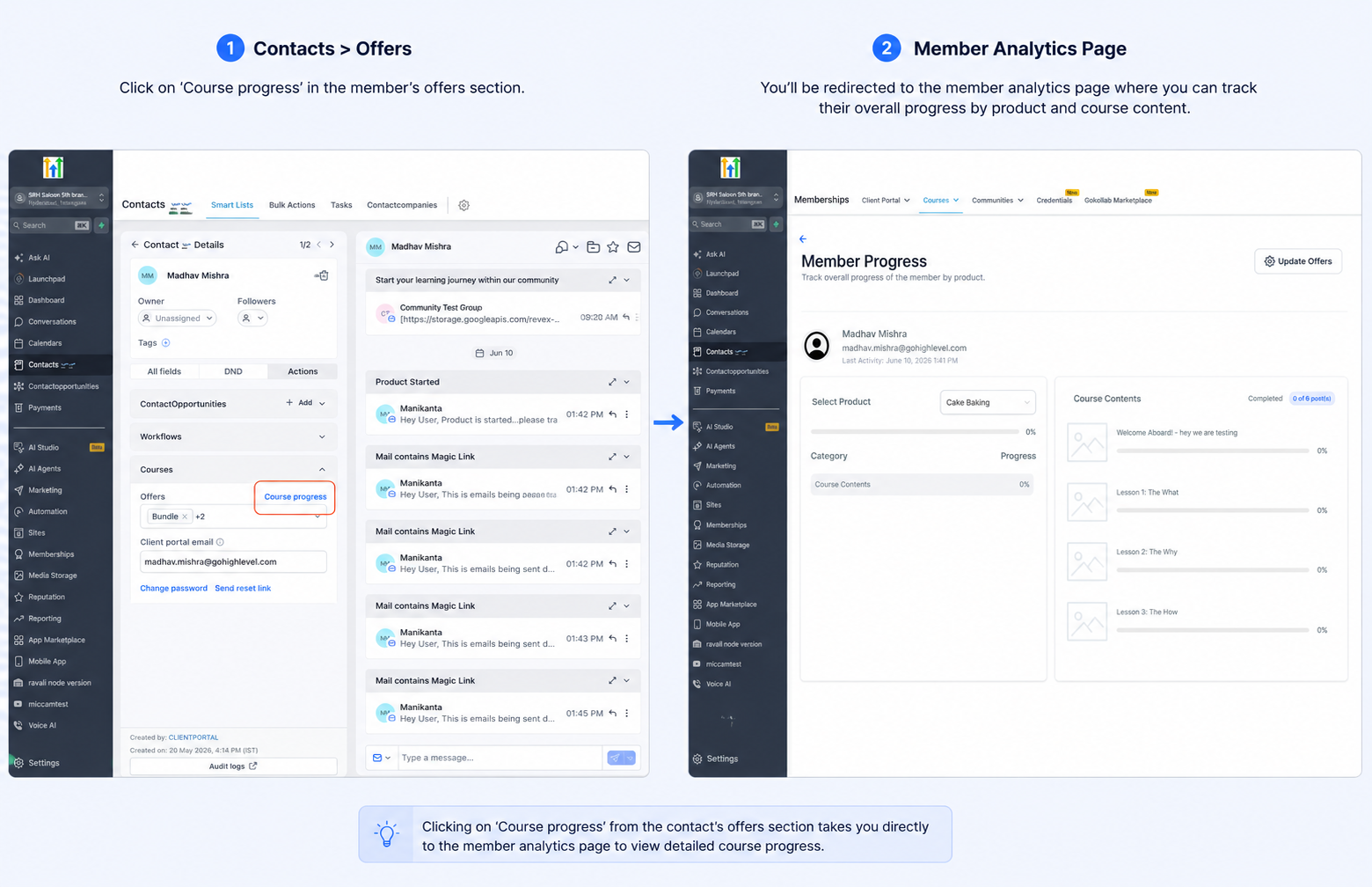
You will now see a Course Progress shortcut inside the Offers section under Contact Actions for each contact who has an offer.
This shortcut takes you straight into Member Analytics for that person, so you can immediately check their course completion, activity, and engagement without first browsing through course lists.
- Improved post-login redirects for shared course and lesson links
When a learner opens a shared course or lesson link while logged out, EveryCatch will now bring them back to that exact course or lesson as soon as they sign in.
Previously, they were sent to the course library homepage after login and then needed to search again for the course or lesson they wanted to view.
- Drip scheduling now supports hours
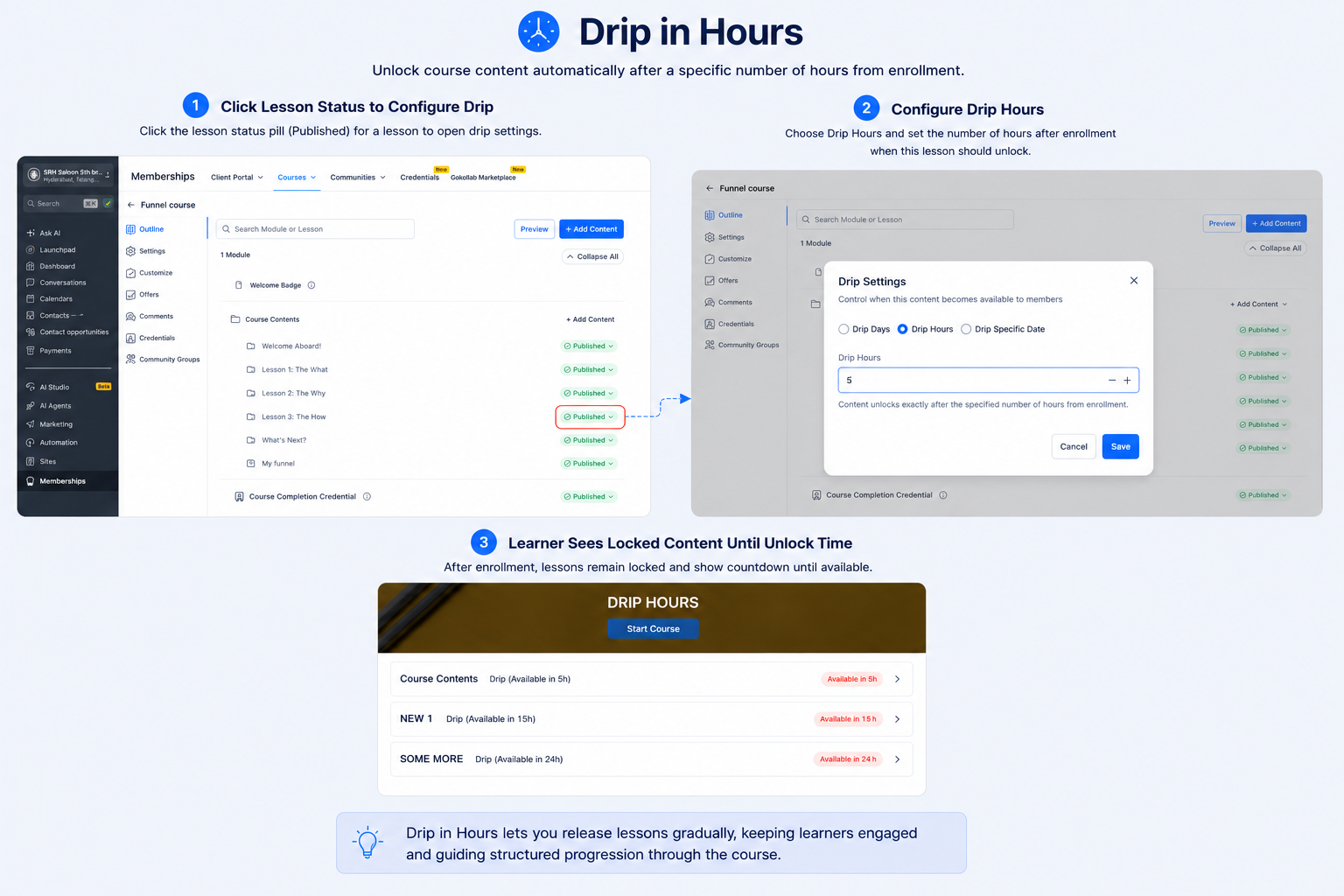
You can now set content to become available based on the number of hours after a learner enrolls in a course or gains access to it.
Hourly drip settings can be configured from 1 to 23 hours, so you can design faster-paced learning paths, structured onboarding sequences, or time-bound training flows that align more closely with your schedule.
How to use
Course progress shortcut
- Open a contact who has an assigned offer
- Go to Contact Actions → Client Portal → Offers
- Click Course Progress
- You will be taken directly to Member Analytics for that contact
Drip in hours
- Open your course outline
- Click the status pill on the lesson or module (for example, Published)
- Select Drip Hours
- Choose a release interval between 1–23 hours
Why this matters
These improvements focus on common issues creators experience when managing Courses.
You get faster access to an individual learner’s progress and analytics without moving through several pages first.
Learners have a smoother experience because login now returns them to the specific course or lesson link they originally tried to open.
You can fine-tune content delivery using shorter drip intervals, which is especially useful for onboarding, coaching, and intensive or time-sensitive programs.
Together, these updates make Courses simpler to run and help your learners move through content in a more focused, uninterrupted way.
Need help with this?
If you'd like help setting this up or want to know what it means for your account, book a quick call and we'll walk you through it.
