Control Google sign-in on your client portal
Overview
EveryCatch now lets you decide whether the "Sign in with Google" option appears on your client portal sign-up and login pages. As an admin, you can turn Google sign-in on or off directly in the client portal app permissions. This gives you flexibility to match your login experience to your internal policies and any regional privacy or data-handling rules you follow, such as GDPR and other European regulations.
Key highlights
- Google sign-in toggle – Choose to show or hide the Google button on your portal sign-up and login screens.
- Managed in app permissions – Account admins can change this setting themselves without contacting support.
- Compliance flexibility – Remove third-party sign-in options if you need to follow regional privacy requirements (for example, GDPR).
How to use it
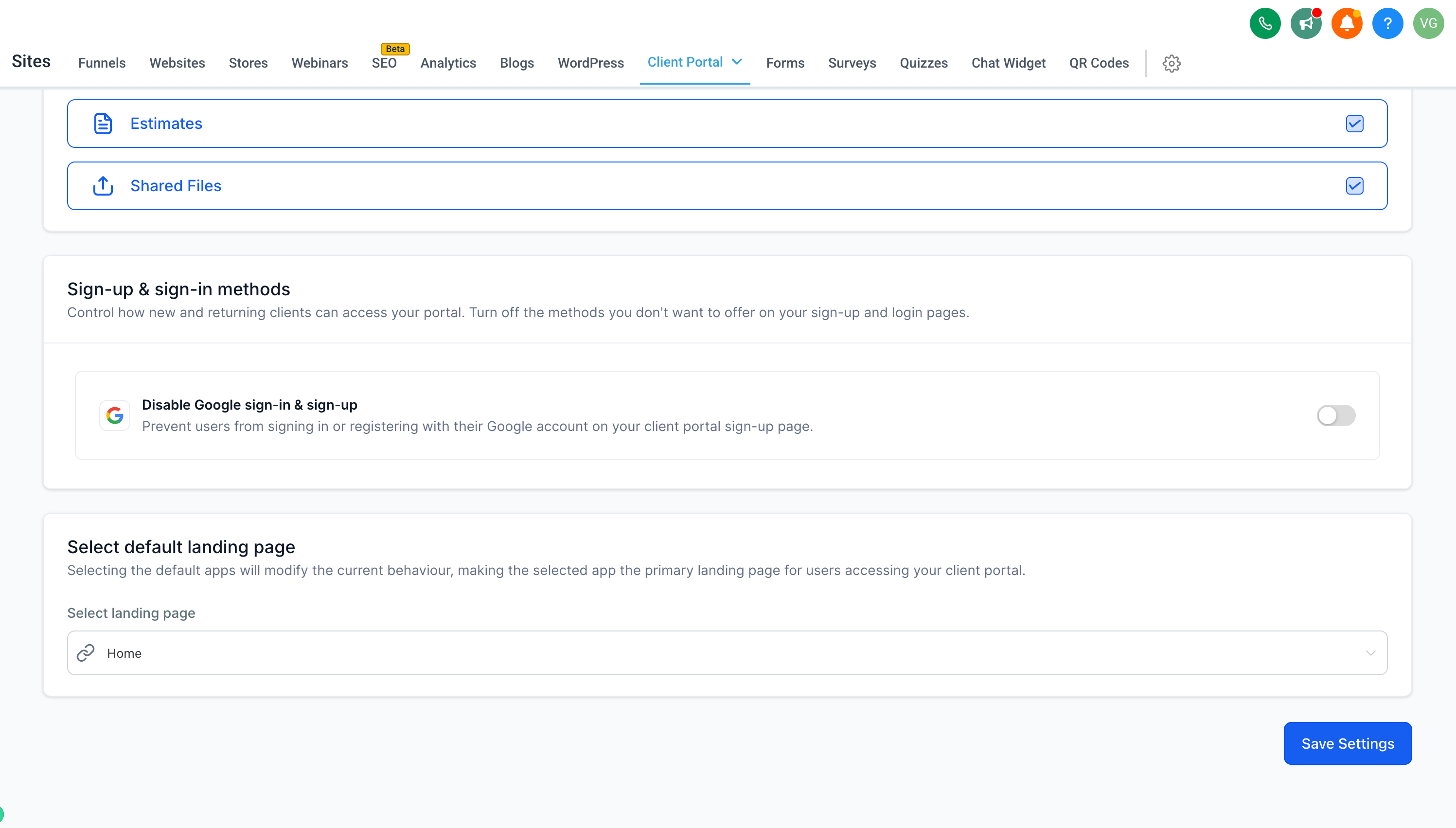
- In your account, go to Sites > Client portal settings.
- Open App permissions and scroll to the Sign-up & sign-in methods section.
- Use the Disable Google sign-in & sign-up toggle to turn the option ON or OFF, depending on your preference.
- Click Save settings to apply the change.
Why this feature is helpful
- Previously, Google sign-in was always enabled and you could not remove it, which created potential compliance issues for some businesses working under GDPR and similar data-handling rules in Europe.
- You now have direct control over which login methods appear on your portal, so you can configure sign-up in a way that fits your regulatory requirements and your preferred user experience.
Notes
- If you disable Google sign-in, contacts can create an account and log in using email and password, or by using a secure code login method where available.
- This setting is configured per account in the client portal app permissions.
This option is available on the client portal web experience.
Need help with this?
If you'd like help setting this up or want to know what it means for your account, book a quick call and we'll walk you through it.
