Contact detail page customization enhancements
EveryCatch now gives you finer control over how your contact detail page looks and works, so you can shape it around the way your team actually manages relationships. You can adjust layouts to use space efficiently, surface important details at a glance, and keep the contact record focused on what matters most to you, while still keeping the interface clean and easy to work in.
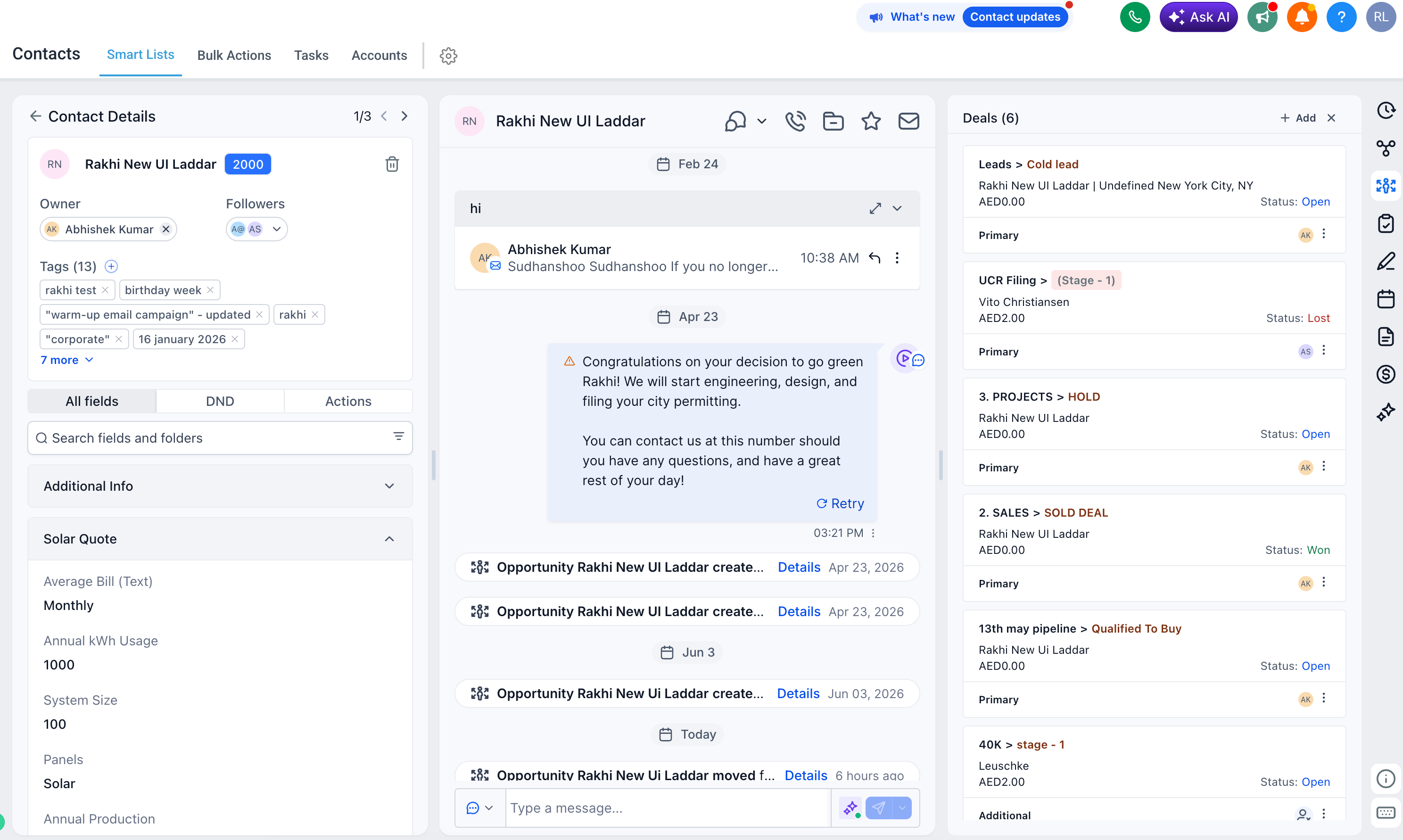
1. Resizable panels
You can now resize panels on the contact detail page to better match your workflow.
The left panel is no longer locked to a narrow width. Drag its edge to expand or shrink it so you can see longer field values, more tags, or additional information without constant scrolling.
2. Owners & followers decoupled
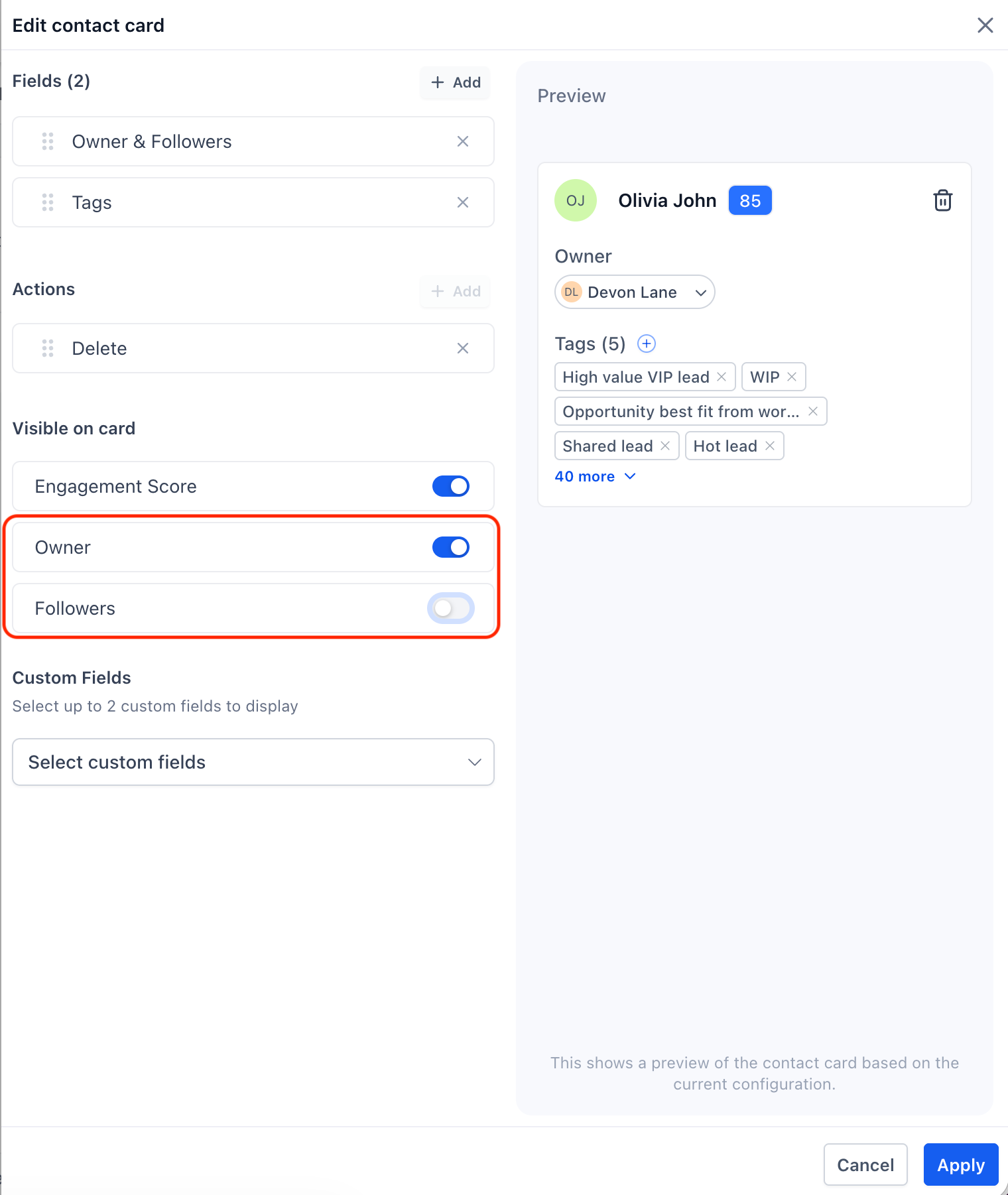
Owners and followers on a contact can now be controlled separately.
You can choose to show only owners, only followers, both, or hide them from the contact card entirely, depending on what your team needs to see at a glance.
3. Custom fields in contact card
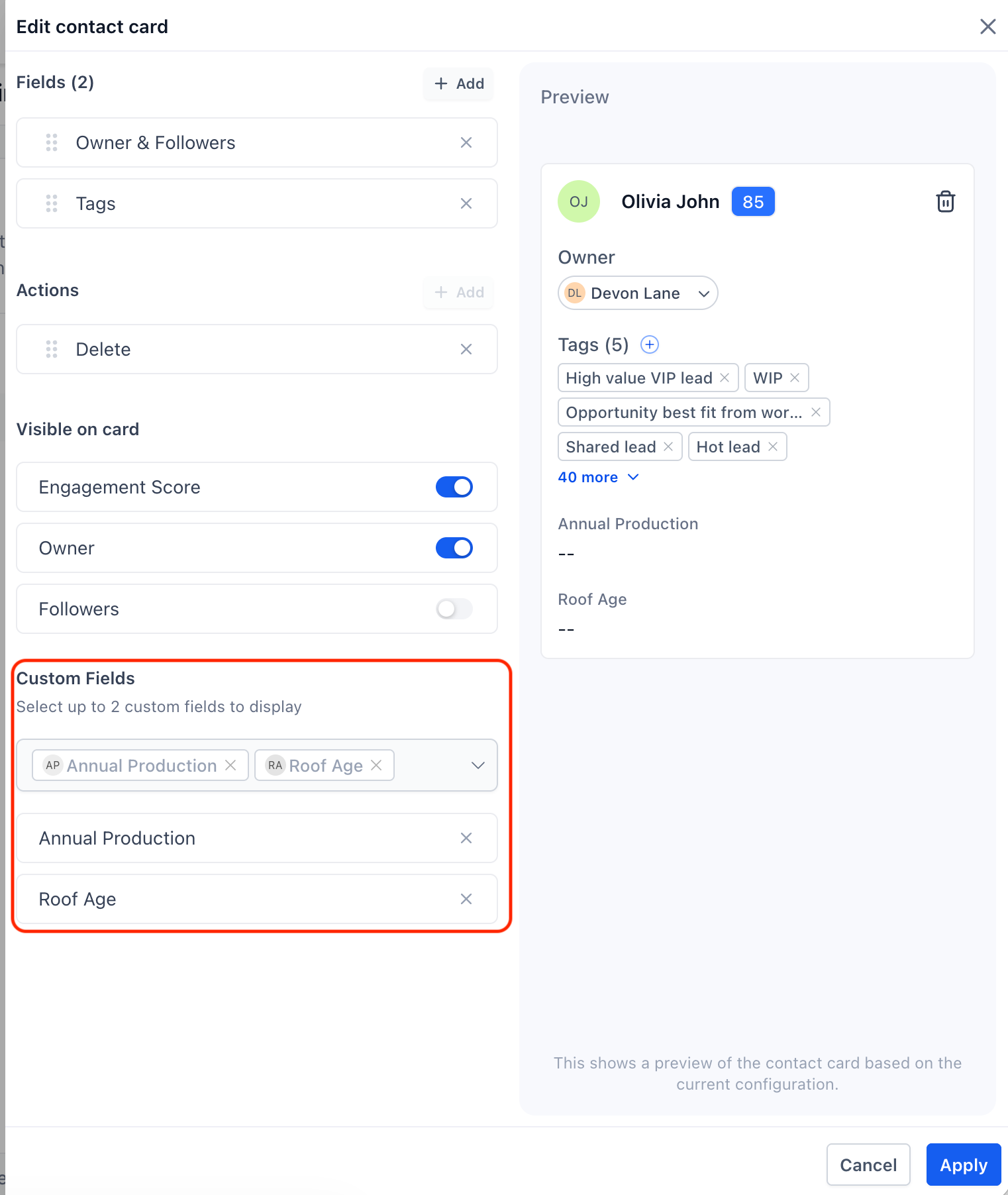
You can now pin up to two custom fields directly into the main contact card so key information is always visible without switching tabs.
These custom fields appear in read-only mode on the card, which keeps quick views consistent and prevents accidental edits.
If you need to change a custom field value, continue to use the All fields tab to open it in edit mode.
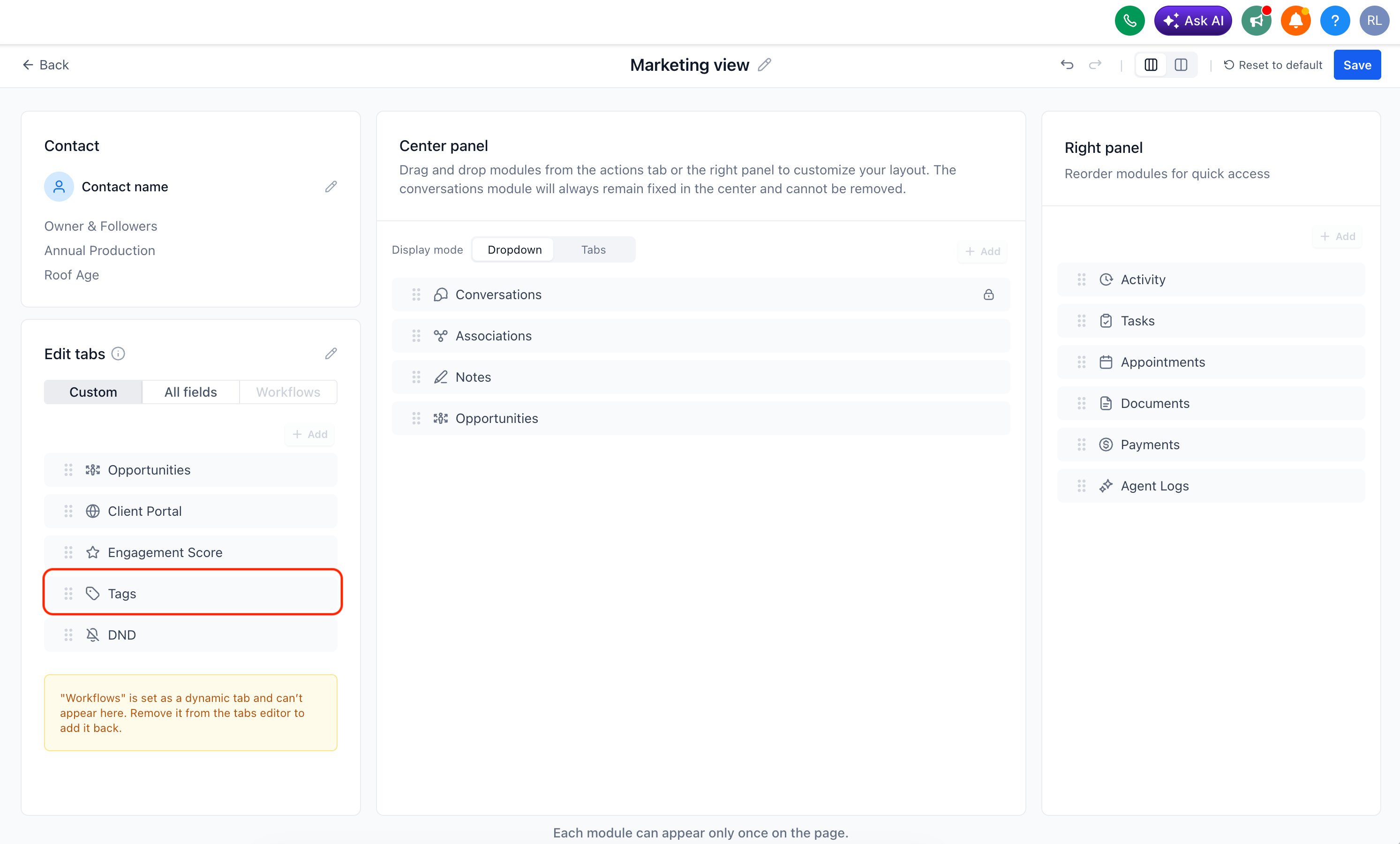
4. Flexible tag placement
Tags do not have to stay in the contact card if you would rather use that area for other fields.
You can choose where tags appear: either in the left panel or in the center panel, so the layout matches how your team scans and uses tag information.
5. Customizable tabs
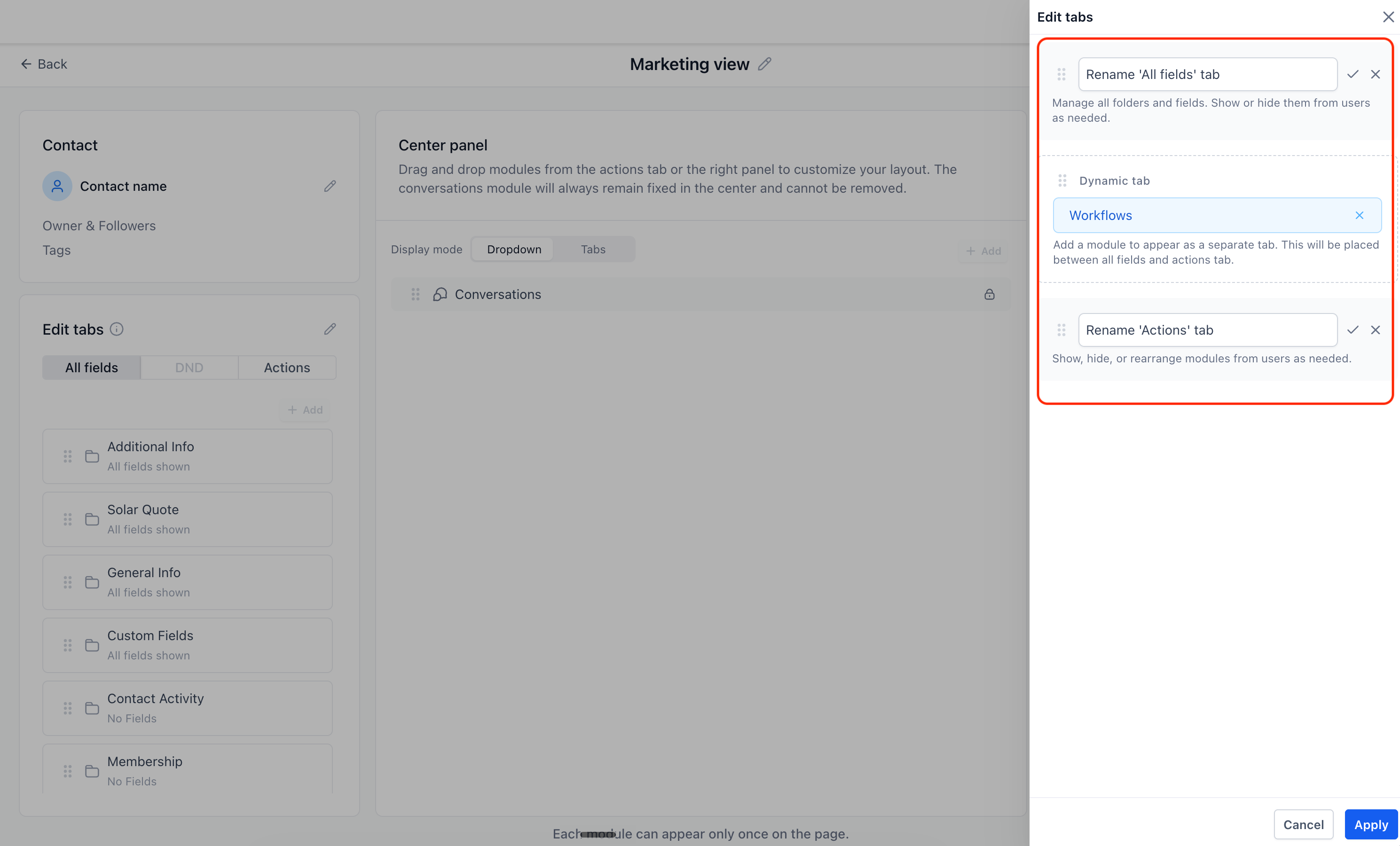
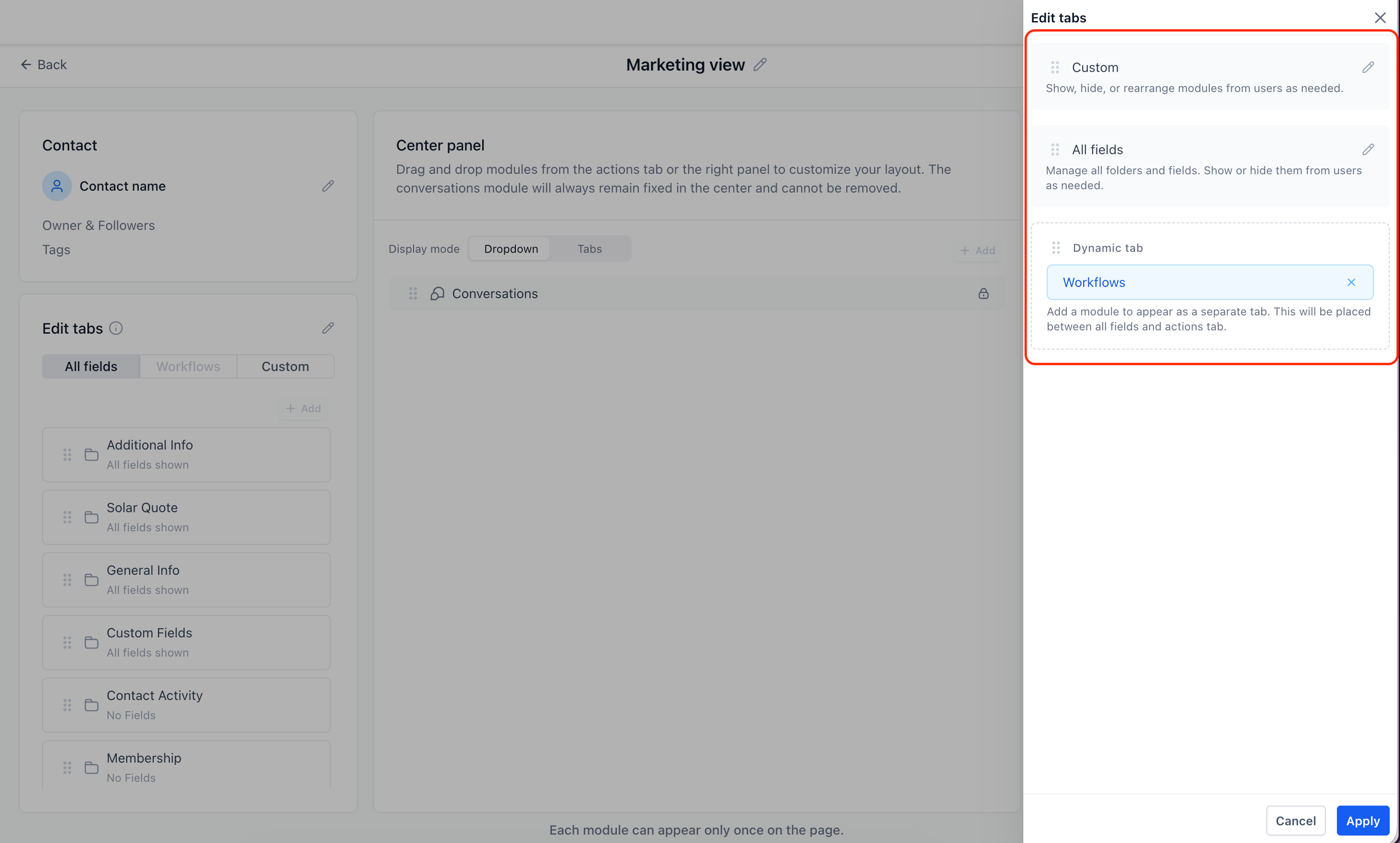
You can now rename the Actions and All fields tabs to match your internal naming or processes, which can help with onboarding and clarity for your team.
Tabs are also reorderable, so you can bring the ones your team uses most to the front and move less-used tabs out of the way.
6. Dynamic tabs open by default
When you open a Dynamic tab, any module you have placed inside it now opens expanded by default, so the content is immediately visible without extra clicks.
EveryCatch also lets you place the same module repeatedly on a contact page. You can position a module in any panel where it is helpful, so different teams or views can show the same information in the context where they need it.
Access to create or edit customized views follows user permissions, so only users with the right access level can change how contact layouts are configured for your account.
When you click a contact's email icon, the EveryCatch email composer now opens directly instead of your device's default email application, so you can stay in the same workspace while writing and tracking emails.
Need help with this?
If you'd like help setting this up or want to know what it means for your account, book a quick call and we'll walk you through it.
