Client portal shared file notifications for clients
Summary of the release
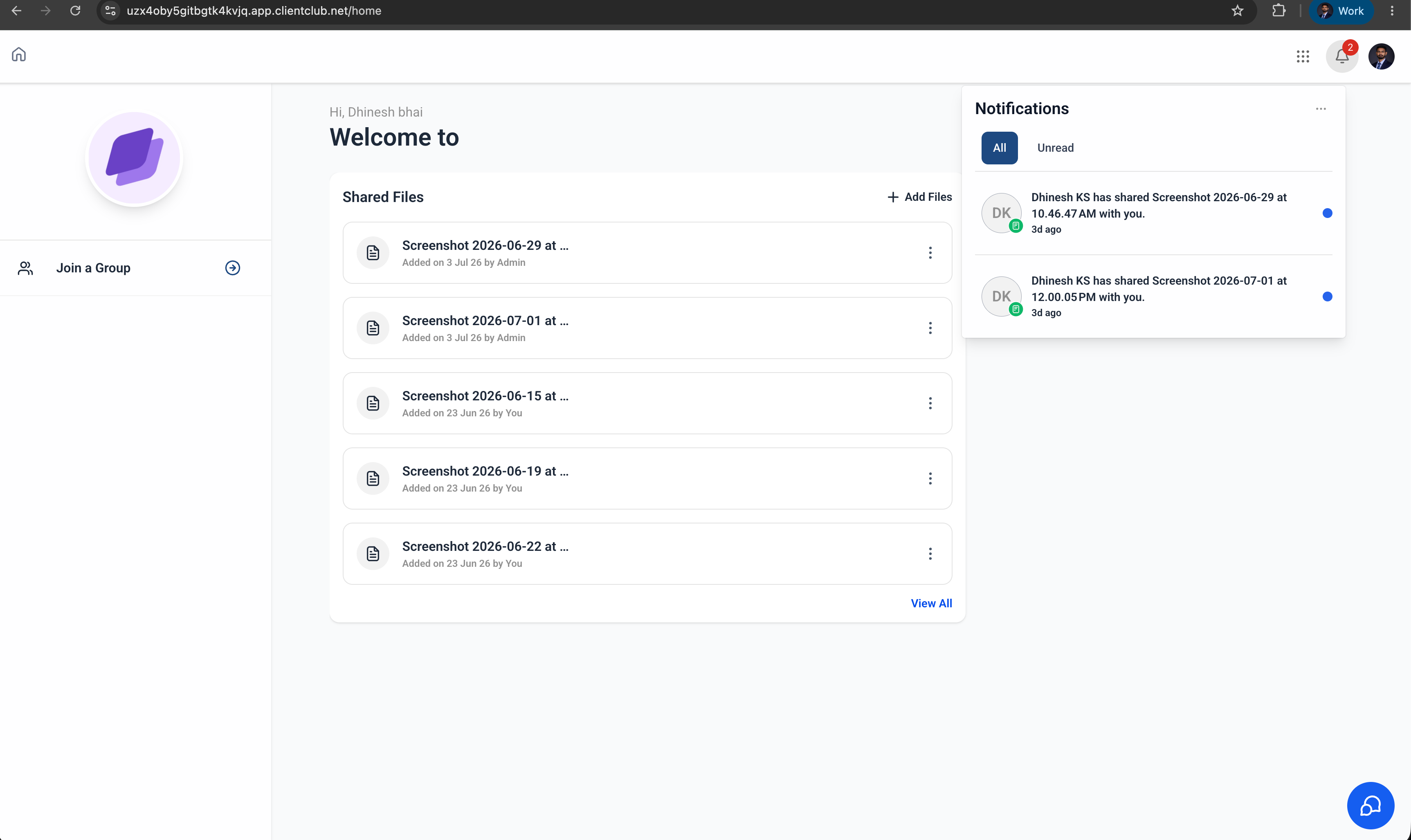
EveryCatch now alerts your contacts whenever a subaccount admin shares a file with them through the client portal. Your clients see real-time notifications in the client portal and in the White Label mobile app so they can quickly find new documents as soon as you add them. Clients can also control these alerts through their notification preferences in the client portal.
What's new and how it helps
- File share notifications for contacts
When an admin shares a file with a contact through the client portal, the contact automatically receives a notification that a new file is available for them to view or download. This helps clients spot new contracts, invoices, or documents without you needing to send a separate update.
- Manage notification preferences
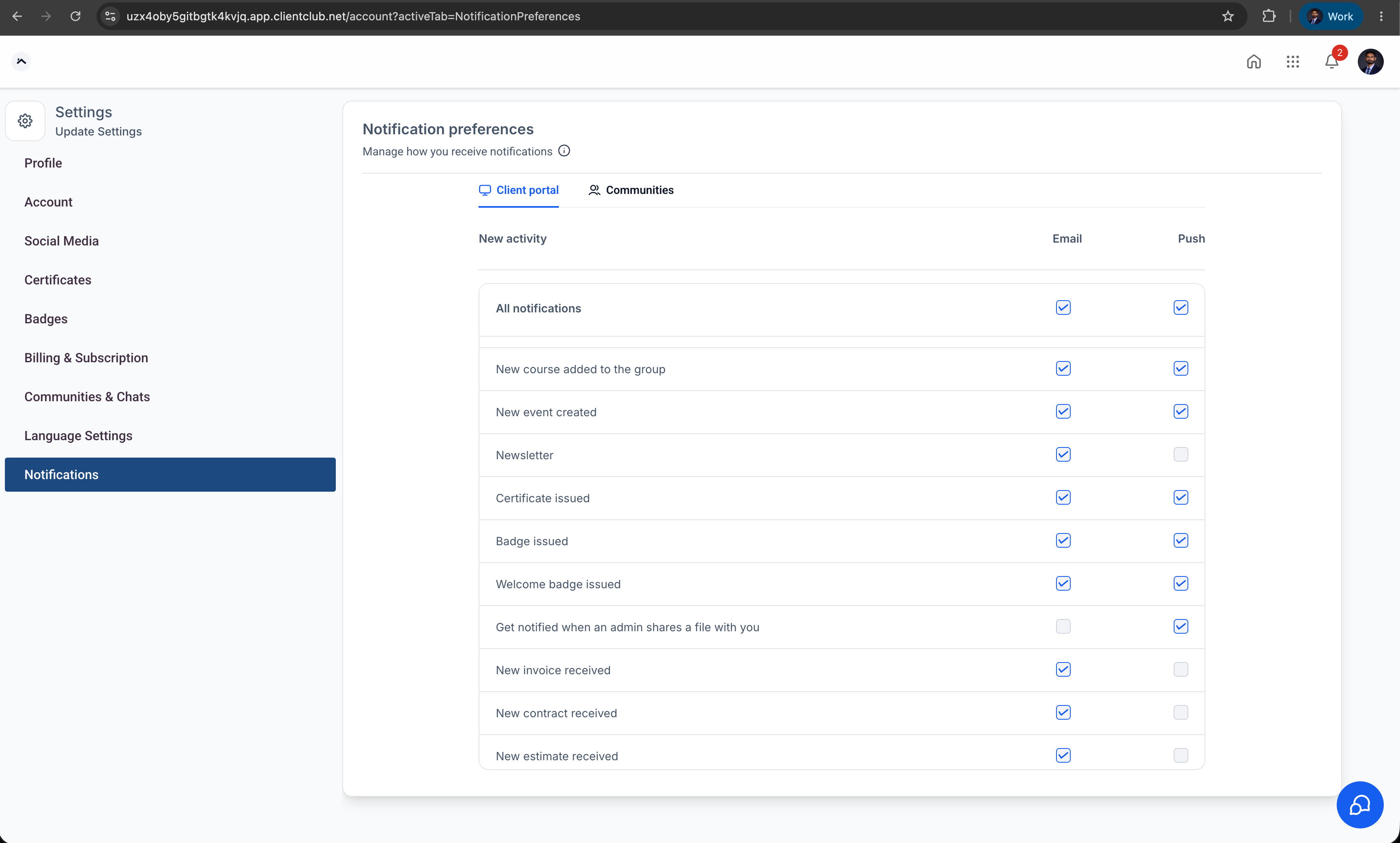
Your clients can choose whether they want to receive in-app and push notifications when you share files with them. They can adjust these notification settings at any time inside the client portal so the experience fits how they prefer to stay informed.
- Available across platforms
File share notifications are supported on:
- Client portal (web)
- White Label mobile app
Improve client communication
Keep clients informed whenever you share important documents, contracts, invoices, or other files. This reduces missed updates and supports a smoother, more consistent client experience, especially for ongoing projects or recurring work.
How to use it
- Share a file with a contact
- Open a contact record.
- Open the Files section in the right-side panel.
- Upload a new file or select an existing file.
- Turn on the Upload to Client Portal option.
- Save the file.
- After you share the file, the contact receives an in-app notification and, if they have it enabled, a push notification.
Manage notification preferences (client)
- Log in to the client portal.
- Go to Settings → Notification preferences.
- Turn in-app and push notifications on or off as desired.
- Save your preferences.
Why this feature matters
Many businesses use the client portal to share contracts, invoices, onboarding documents, and other key files with their clients. Previously, clients did not receive an automatic alert when a new document was added for them.
With file share notifications, clients are immediately informed when new files are ready in their portal. This improves visibility into shared documents, reduces missed communications, and supports a smoother and more reliable client experience.
Need help with this?
If you'd like help setting this up or want to know what it means for your account, book a quick call and we'll walk you through it.
