
Auto-suggestive mode for conversations AI
EveryCatch has upgraded Suggestive Mode in Conversations AI so your reply suggestions are prepared in the background as soon as a new message comes in. This gives you faster responses, fewer clicks, and full control over what gets sent.
What changed
- Suggestions now generate automatically: Conversations AI starts drafting a reply in the background the moment a new message arrives, so you are not waiting after you open the composer.
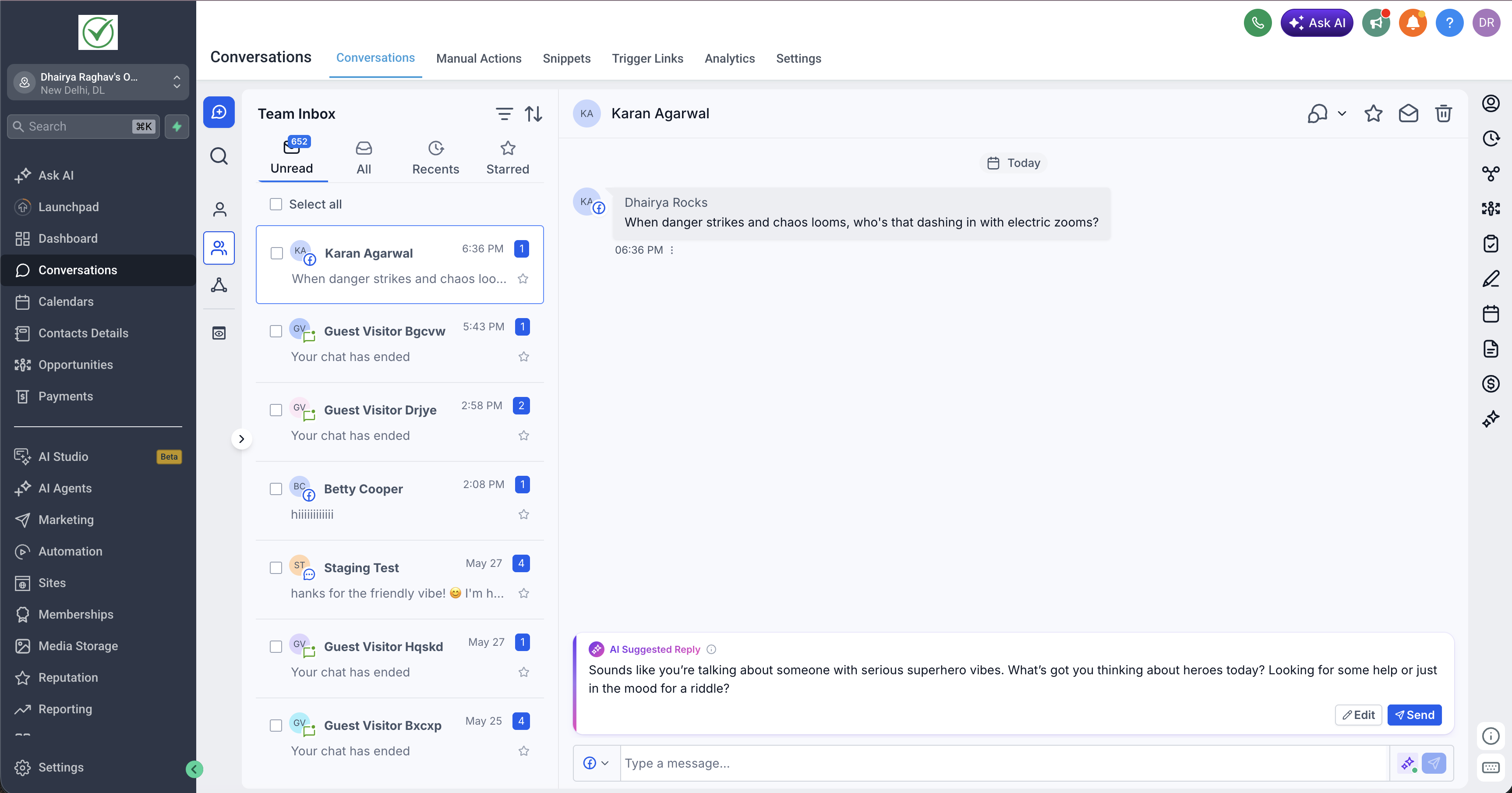
- Updated suggestion layout: a cleaner, redesigned suggestion card makes it easier to scan, adjust, and send AI replies while you stay focused on the conversation.
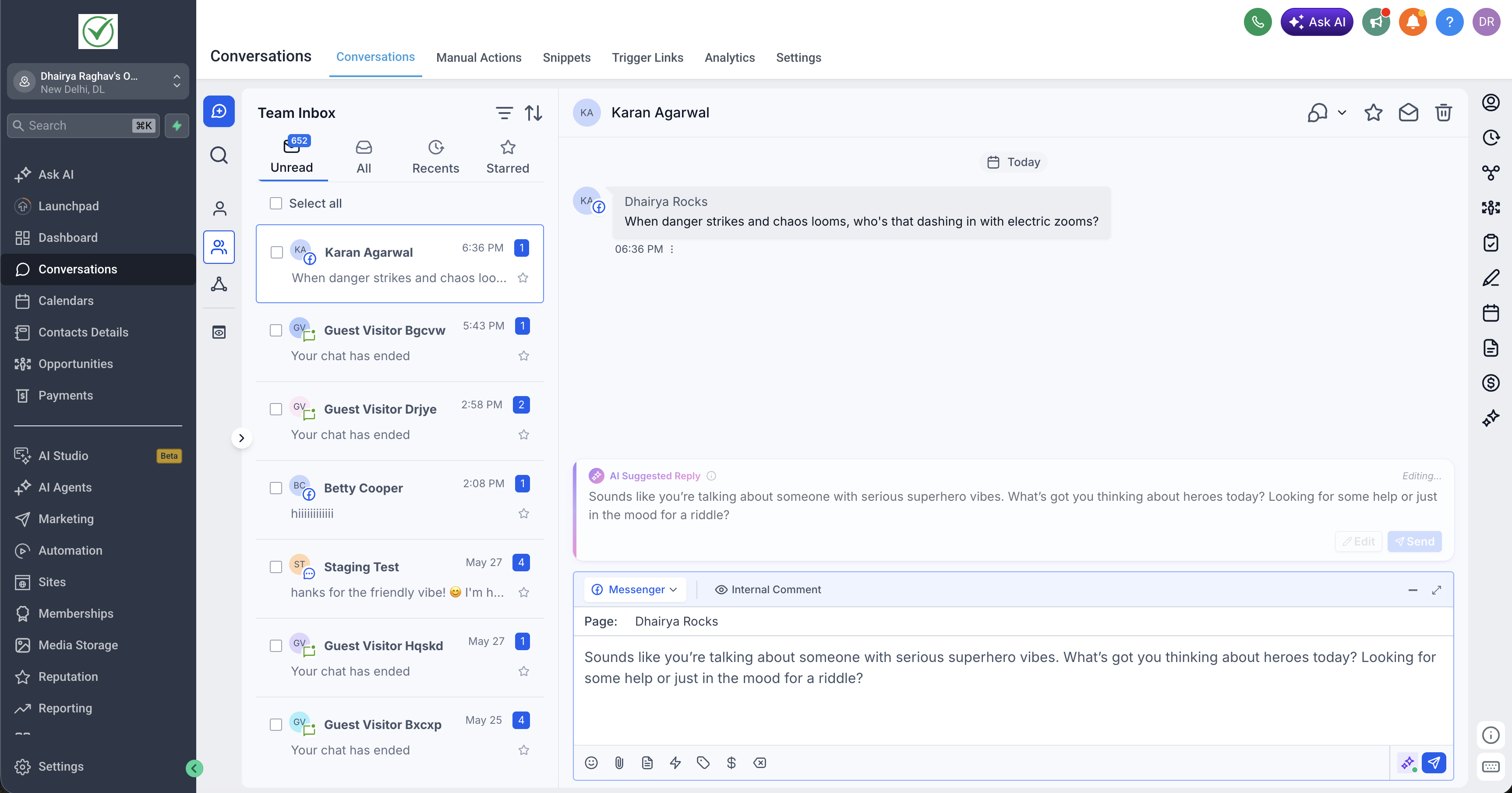
- Quicker editing and sending: you can accept a suggestion with a single click or lightly edit it so it better matches your tone before you send.
- You stay in control: suggestions remain drafts only. Messages are never sent automatically, so you always decide what is sent and when.
How it works
- A new message arrives: as soon as a contact replies, Conversations AI begins creating a suggested response in the background based on the conversation context.
- Your suggestion is ready when you open: when you open the conversation, the suggested reply is already in the new suggestion card. There is no loading screen or extra button to generate it.
- Review and edit: read through the suggestion, adjust the language so it sounds like you, or replace it entirely with your own text if you prefer.
- Send when you are ready: send the suggestion in one click once it looks right. If a more recent message from the contact comes in, Conversations AI refreshes the suggestion so it stays aligned with the latest context.
This gives you a responsive AI helper inside your inbox that prepares replies in advance while keeping every send action in your hands.
Need help with this?
If you'd like help setting this up or want to know what it means for your account, book a quick call and we'll walk you through it.
