Auto-detect and connect review profiles across 52+ platforms
What changed
EveryCatch Reputation now automatically detects your existing review profiles across 52+ supported platforms. This helps you quickly see where customers are already leaving feedback and connect your highest value profiles first, without needing to search for each listing manually.
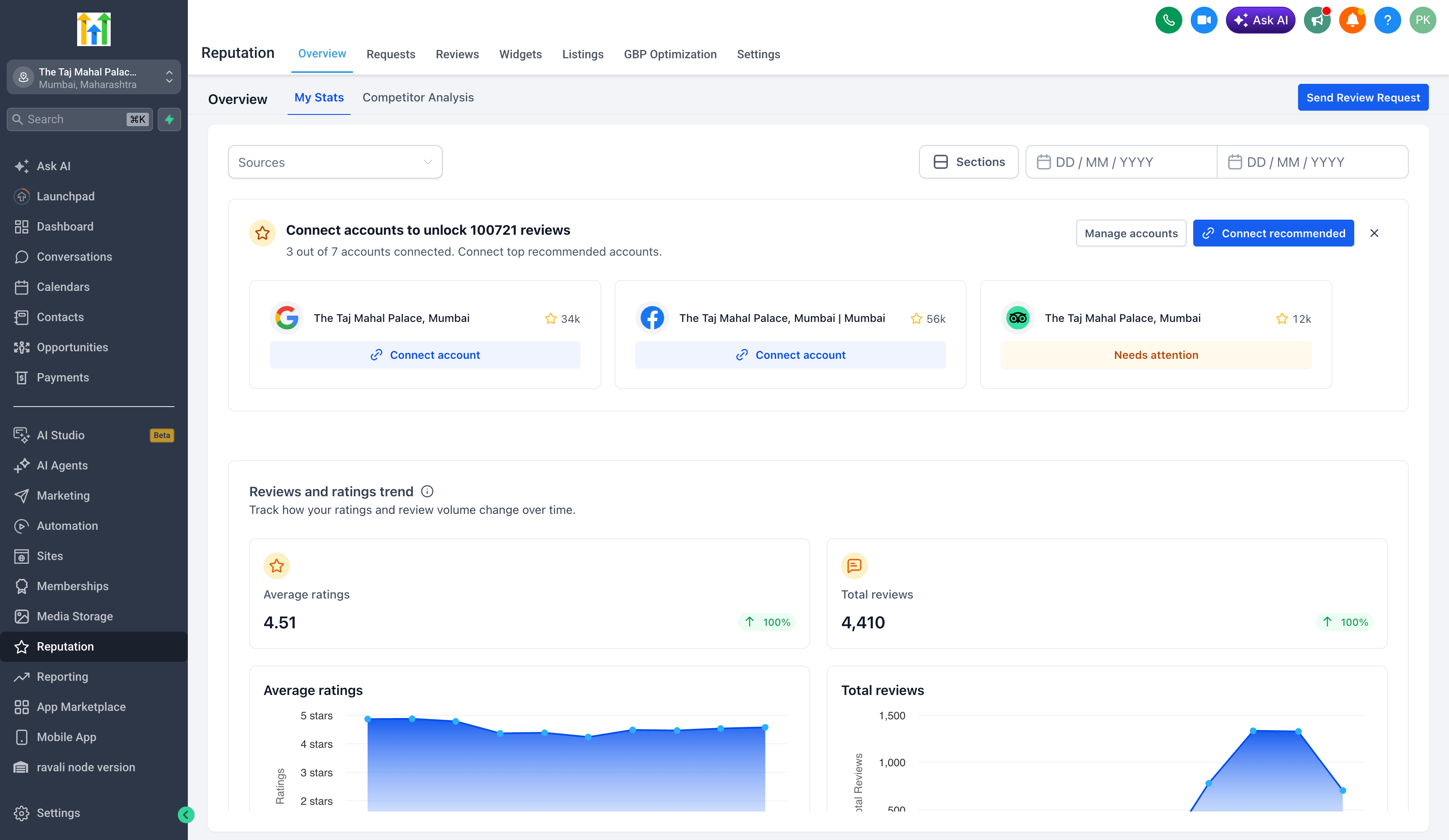
Inside Reputation, you will now see recommended review profiles with details such as detected review counts, match confidence, and key business information. This makes it easier to choose the right listings to connect so you can start managing reviews from one place in EveryCatch.
Key features
1. Auto-detected review profiles
- You can now see automatically detected review profiles across supported platforms, including Google Business Profile, Facebook, TripAdvisor, Agoda, Booking.com, Yelp, Trustpilot, and many others.
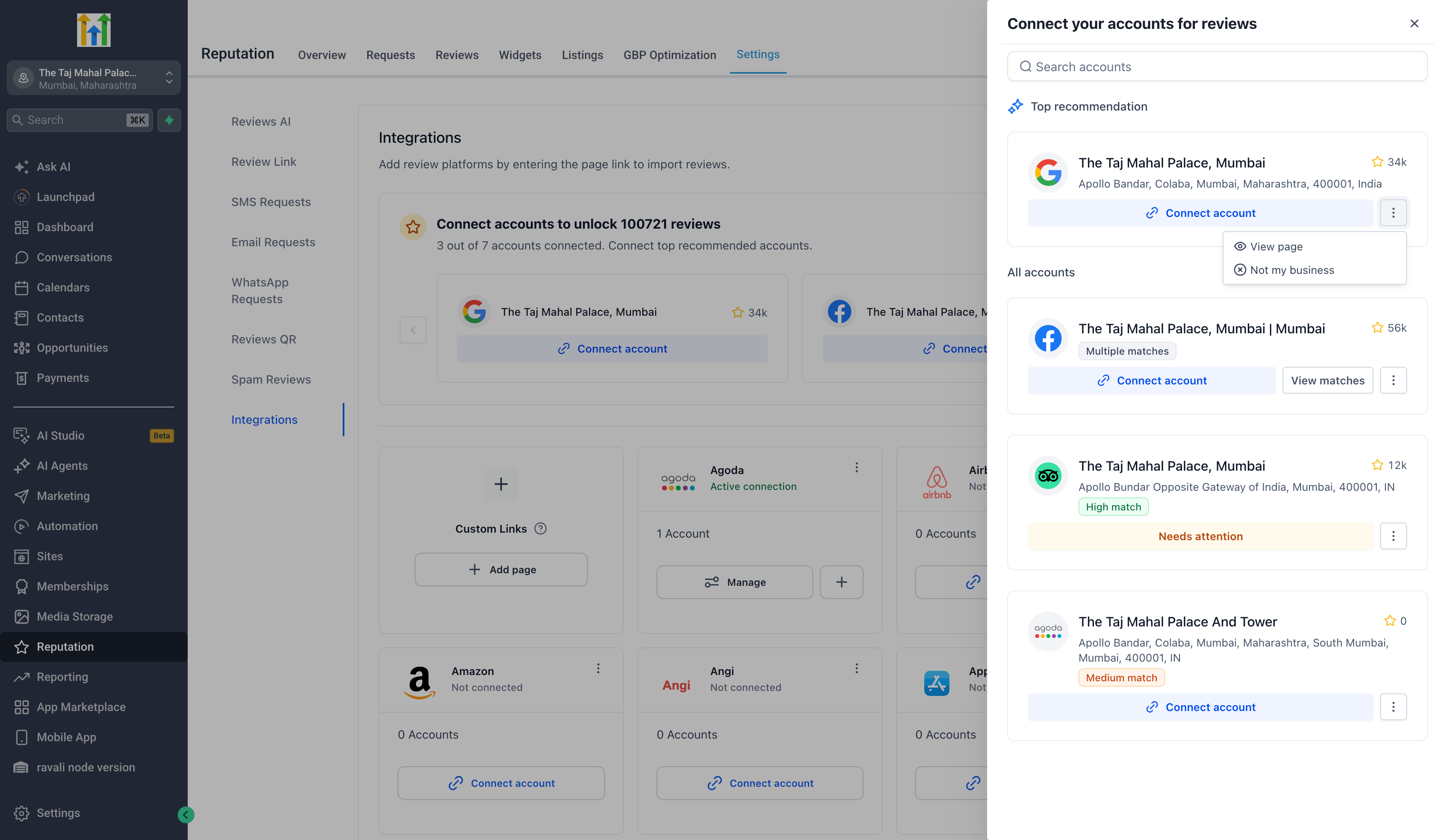
- Each detected profile shows important details before you connect, such as the platform, business name, a preview of the address, and the current review count. This helps you confirm at a glance that the listing belongs to your business.
2. Top recommendation card
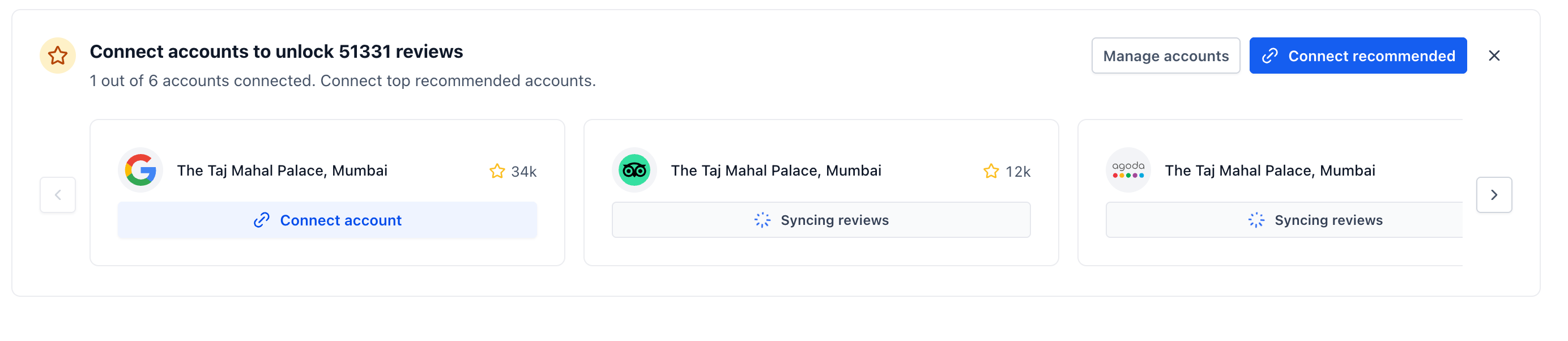
- A new top recommendation card highlights the best review profile to connect first. It guides you toward high-value listings with larger review counts, so you can start by connecting the profiles that are likely to have the biggest impact.
3. Review counts before connecting
- For each detected listing, EveryCatch now shows the number of existing reviews before you connect it. This lets you prioritise which platforms to link first based on where you already have the most customer feedback.
4. In-app notifications for newly found review sites
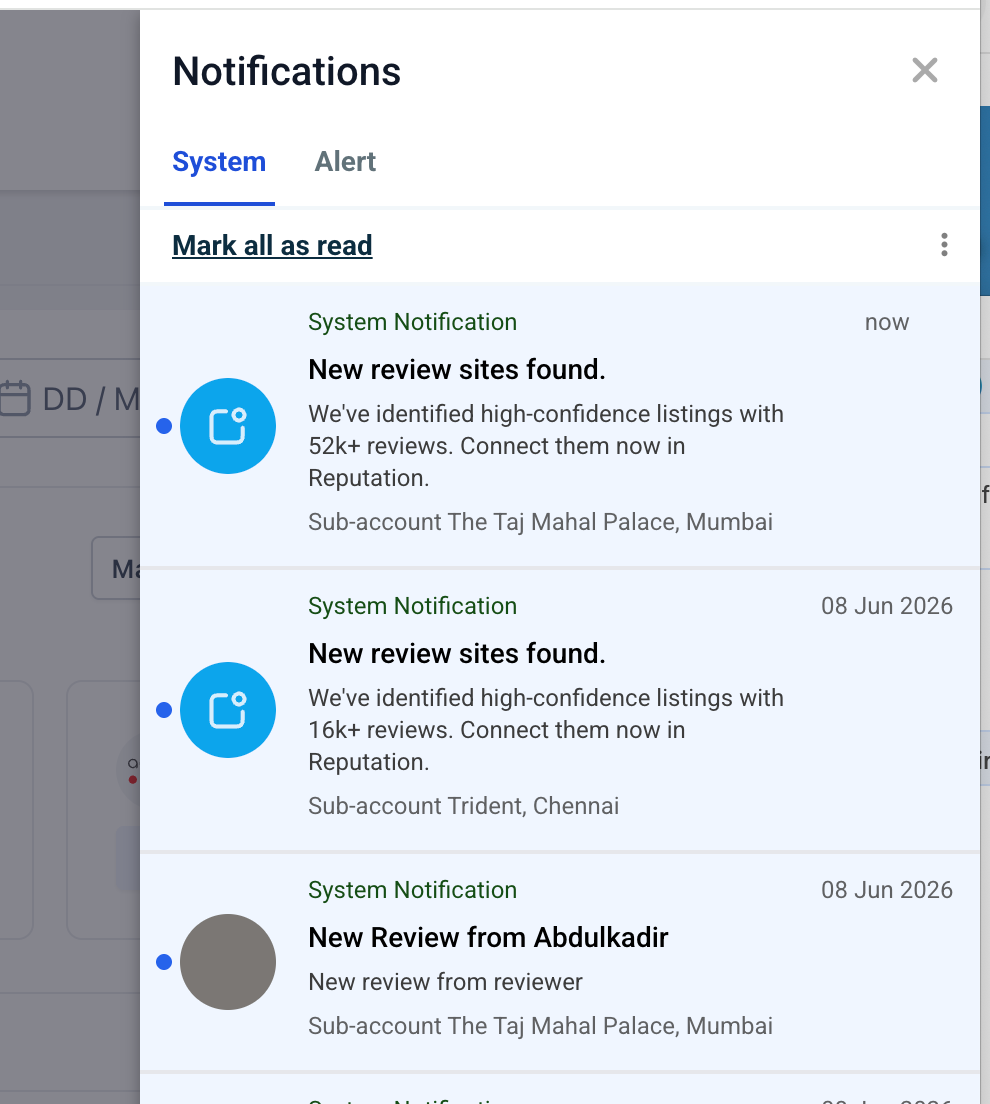
- You will now receive in-app notifications when EveryCatch finds high-confidence review profiles for an account. These alerts highlight the total review opportunity and take you straight into Reputation, where you can review and connect the recommended profiles.
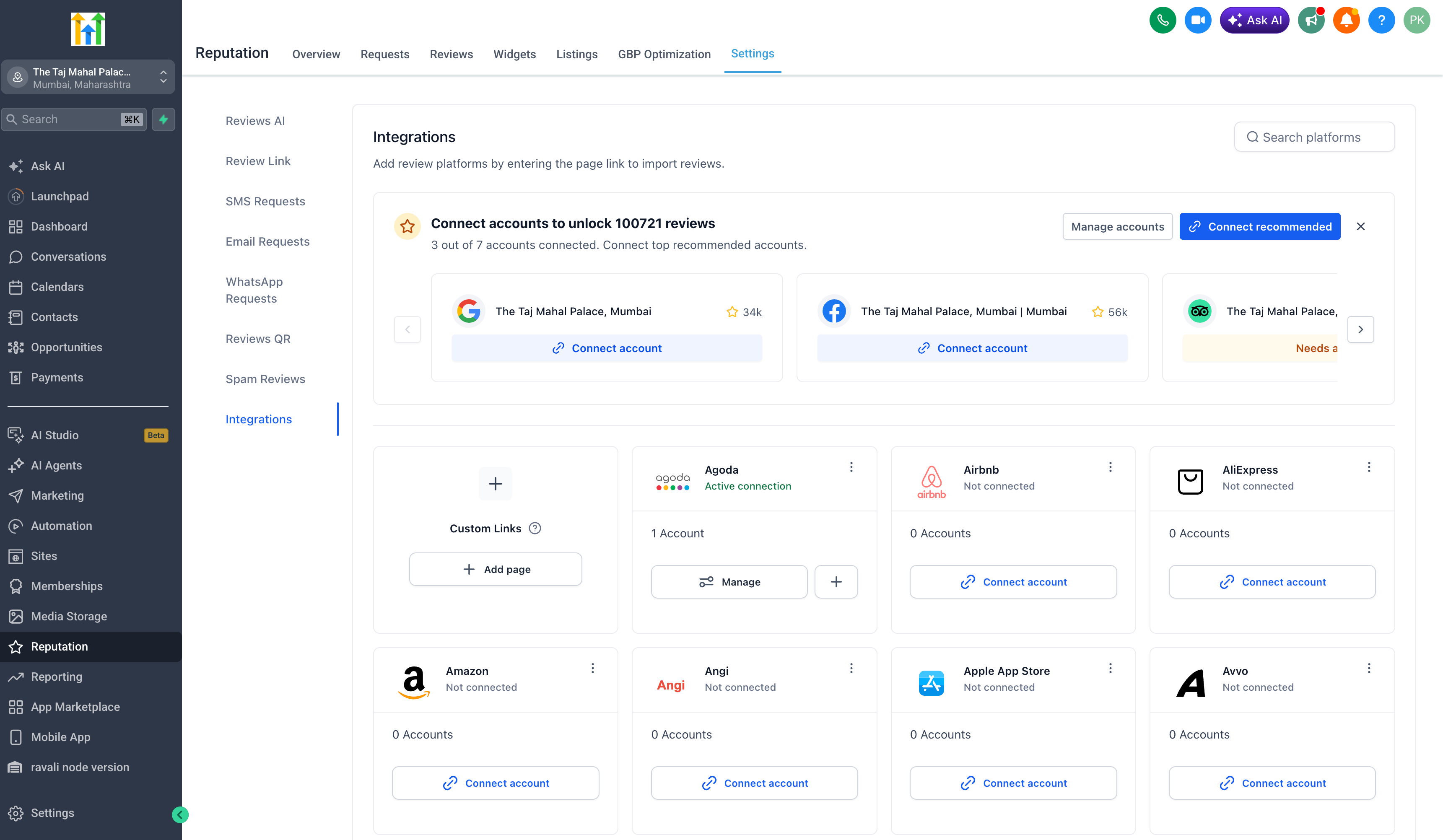
5. Faster connect flow
You can now connect recommended review profiles directly from either of these areas in EveryCatch:
- Reputation → Overview
- Reputation → Settings → Integrations
This streamlined flow reduces setup time and helps you discover and link review platforms quickly, without jumping between different sections of your account.
6. Confidence-based suggestions
- Detected listings now include confidence indicators such as High match, Medium match, and Multiple matches. These labels help you judge how likely it is that a suggested profile belongs to your business, so you can connect with confidence and avoid selecting incorrect listings.
7. Multiple matches support
When EveryCatch finds several possible listings for the same platform, you can review and compare each suggested match before choosing the correct business profile to connect.
All supported platforms allow multi-page connections, so you can link multiple review pages for a single platform when your business operates in several locations or has different listings.
8. User control for incorrect matches
You stay in control of which profiles are connected, with clear actions available for each suggestion:
- View page
- Integrate different profile
- Not my business
These options help keep your connected profiles accurate and let you quickly dismiss any irrelevant or incorrect listings.
Why it matters
- This update helps you uncover existing review profiles you may not have been actively tracking, see the social proof available on each platform before connecting, and manage reviews from many sites in one place inside EveryCatch Reputation.
- It also cuts down on manual setup, speeds up profile connections, and helps you focus first on the platforms where you already have the strongest review presence.
We would love your feedback. Share your thoughts through your EveryCatch account or reach out to our team using your usual support channels.
Need help with this?
If you'd like help setting this up or want to know what it means for your account, book a quick call and we'll walk you through it.
