Ask AI artifacts: interactive AI responses on mobile app
Ask AI V2 upgrades the EveryCatch mobile AI assistant so you can get detailed answers and take real action from anywhere, without waiting until you are back at your laptop. Ten interactive response types, searchable history, and live streaming all render natively on your phone so you can work quickly and confidently.
The challenge
You rarely run your business from a desk, but until now the mobile AI experience has been limited. Responses appeared as plain text with no easy way to revisit past answers or act directly on what the AI suggested. That often meant decisions and follow-up work had to wait until you were in front of a computer.
Solution
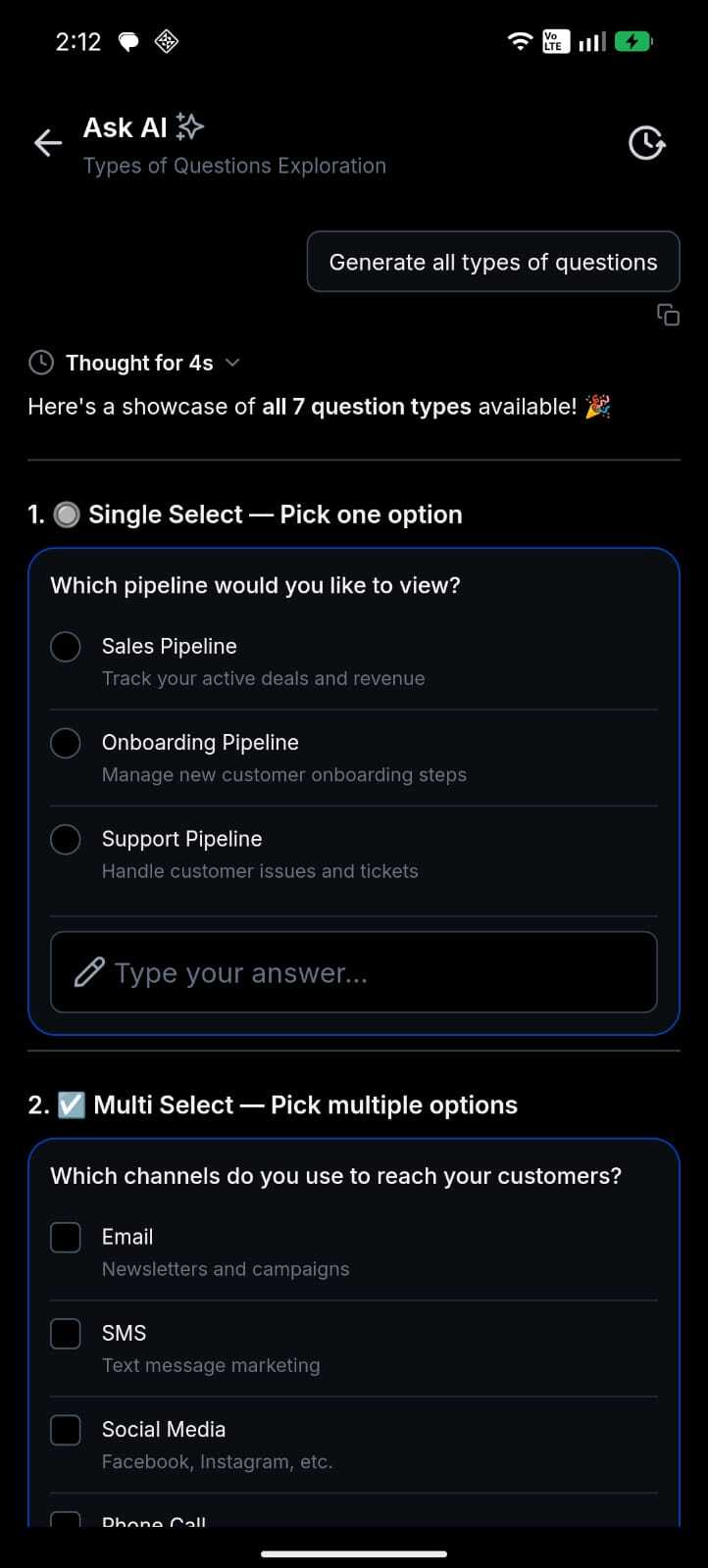
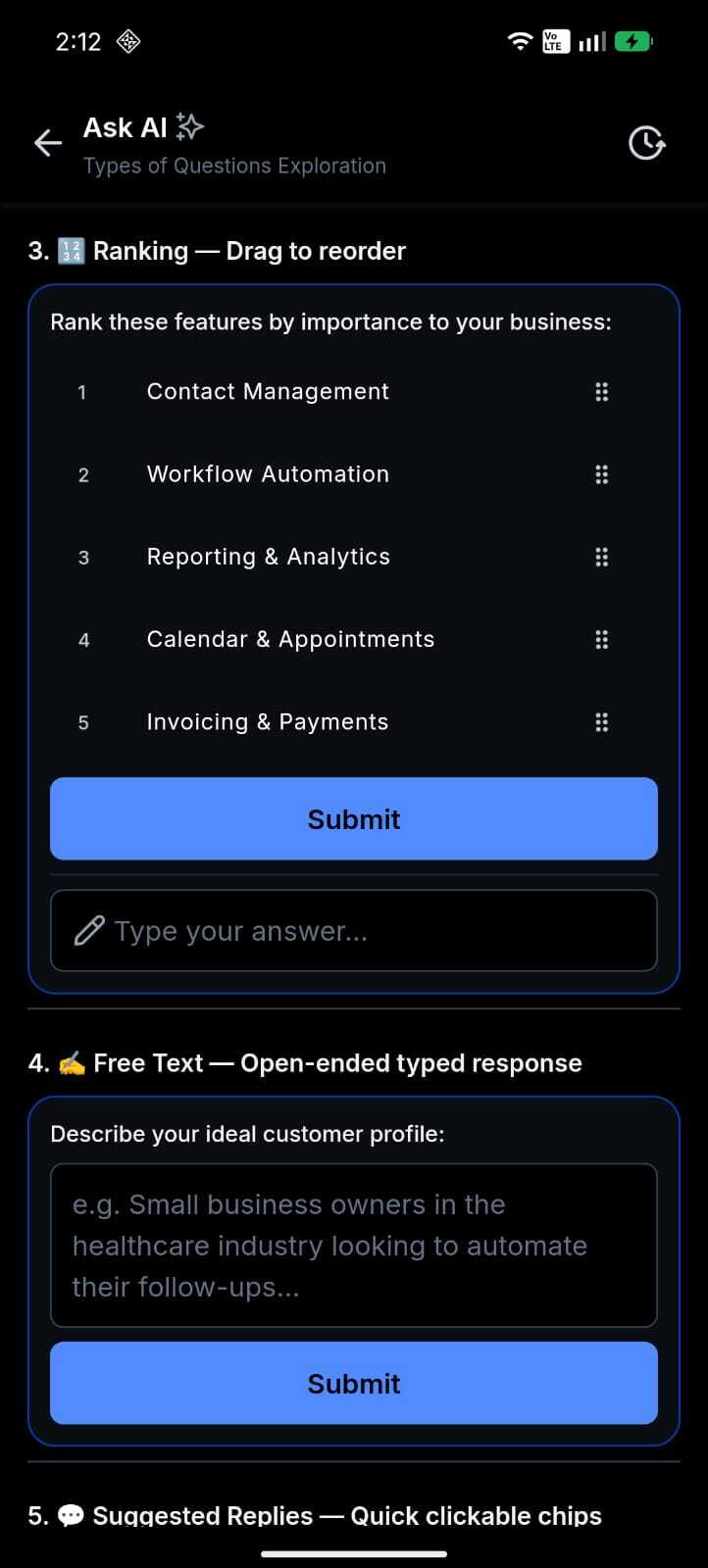
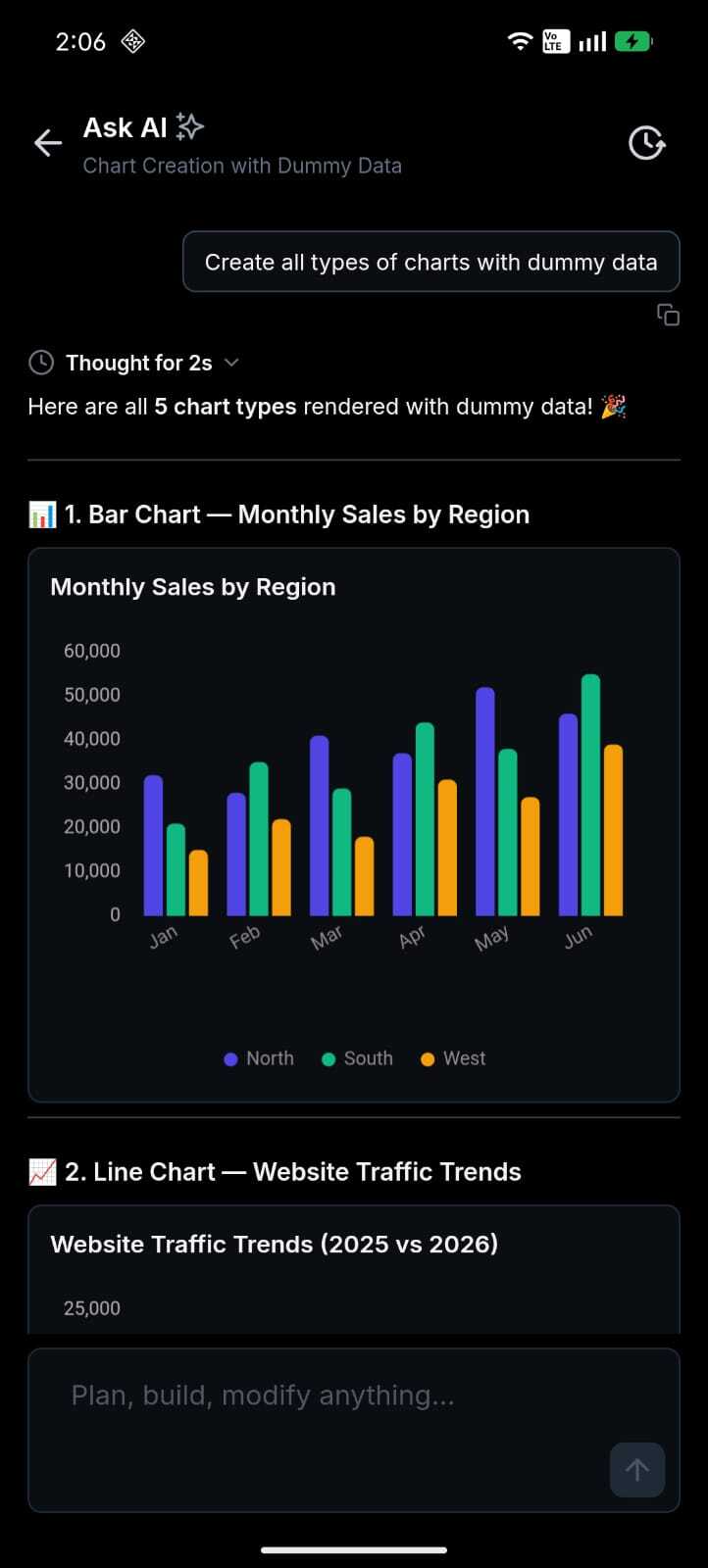
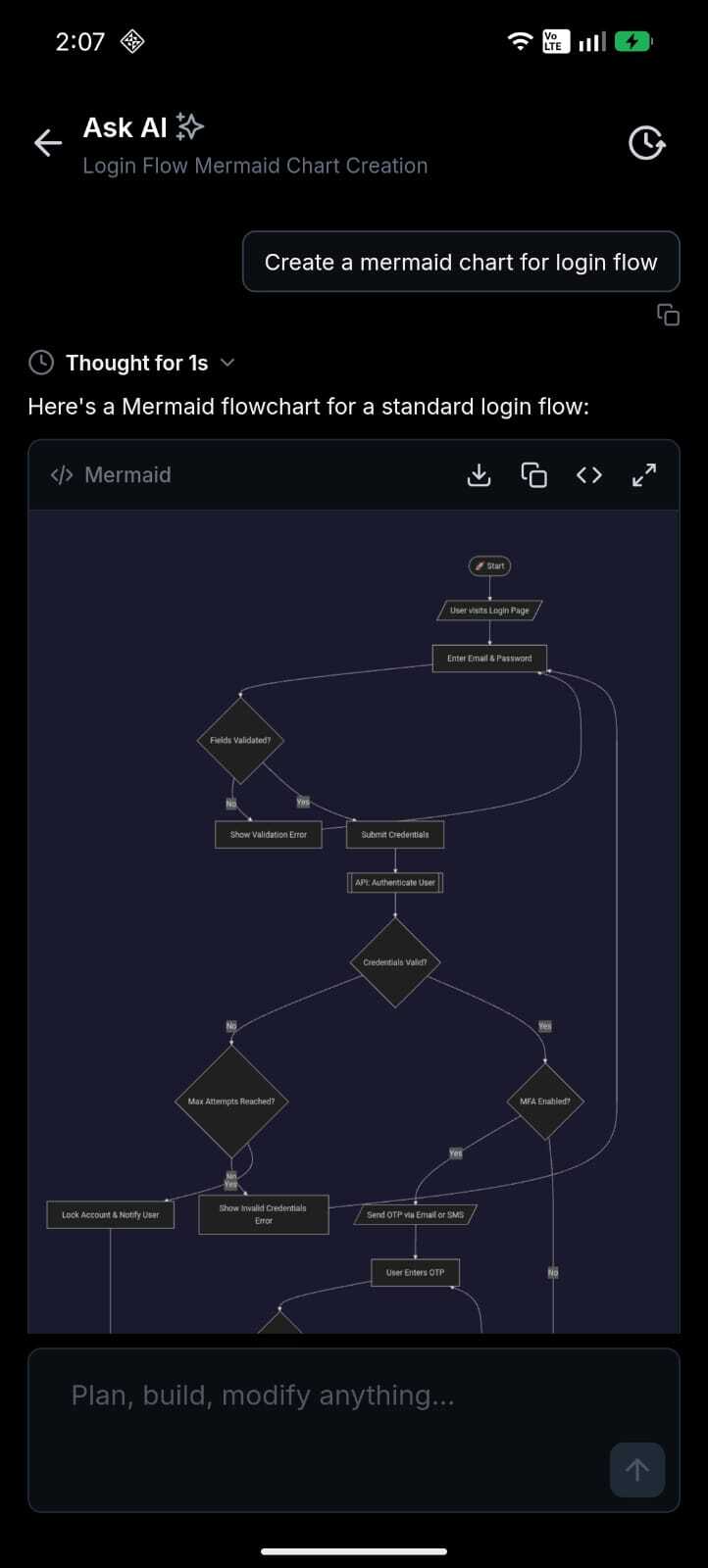
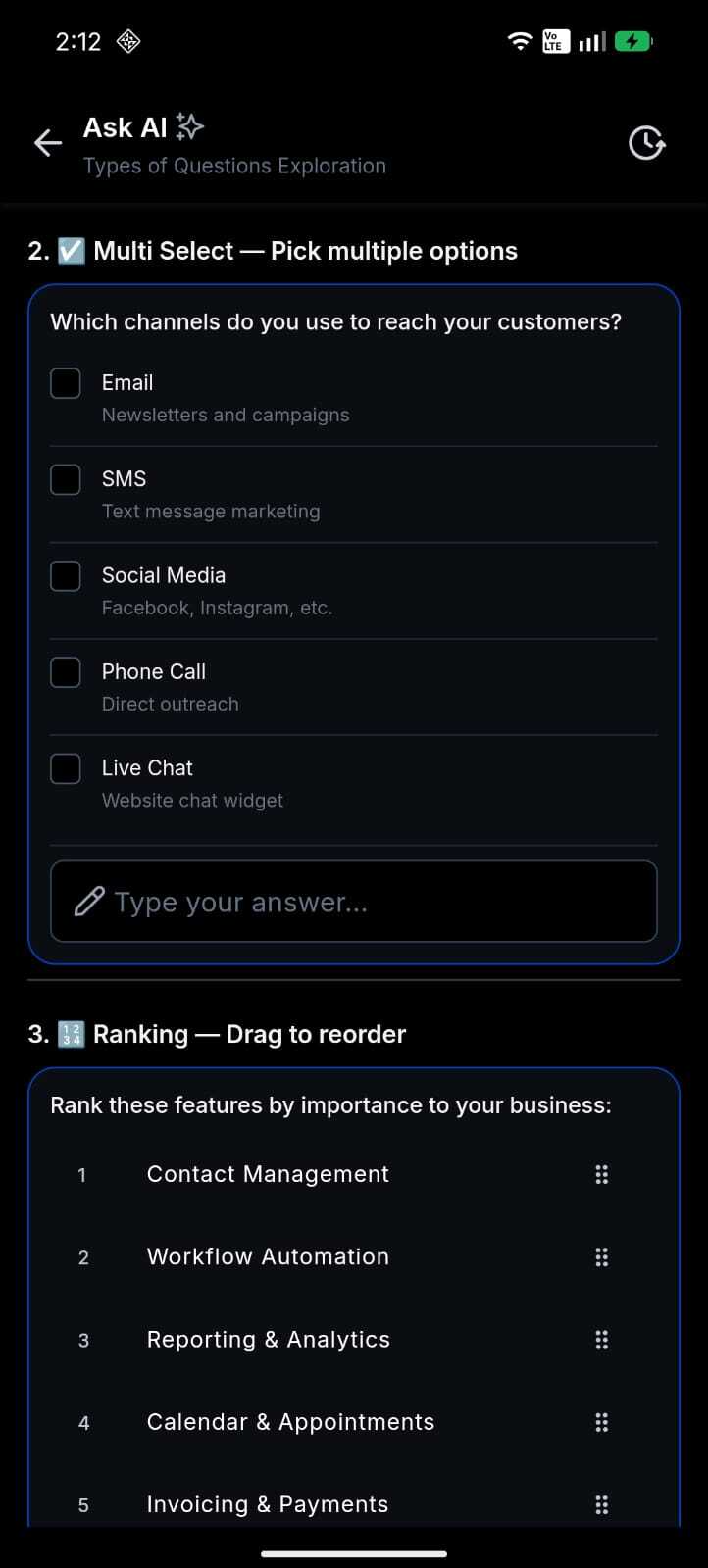
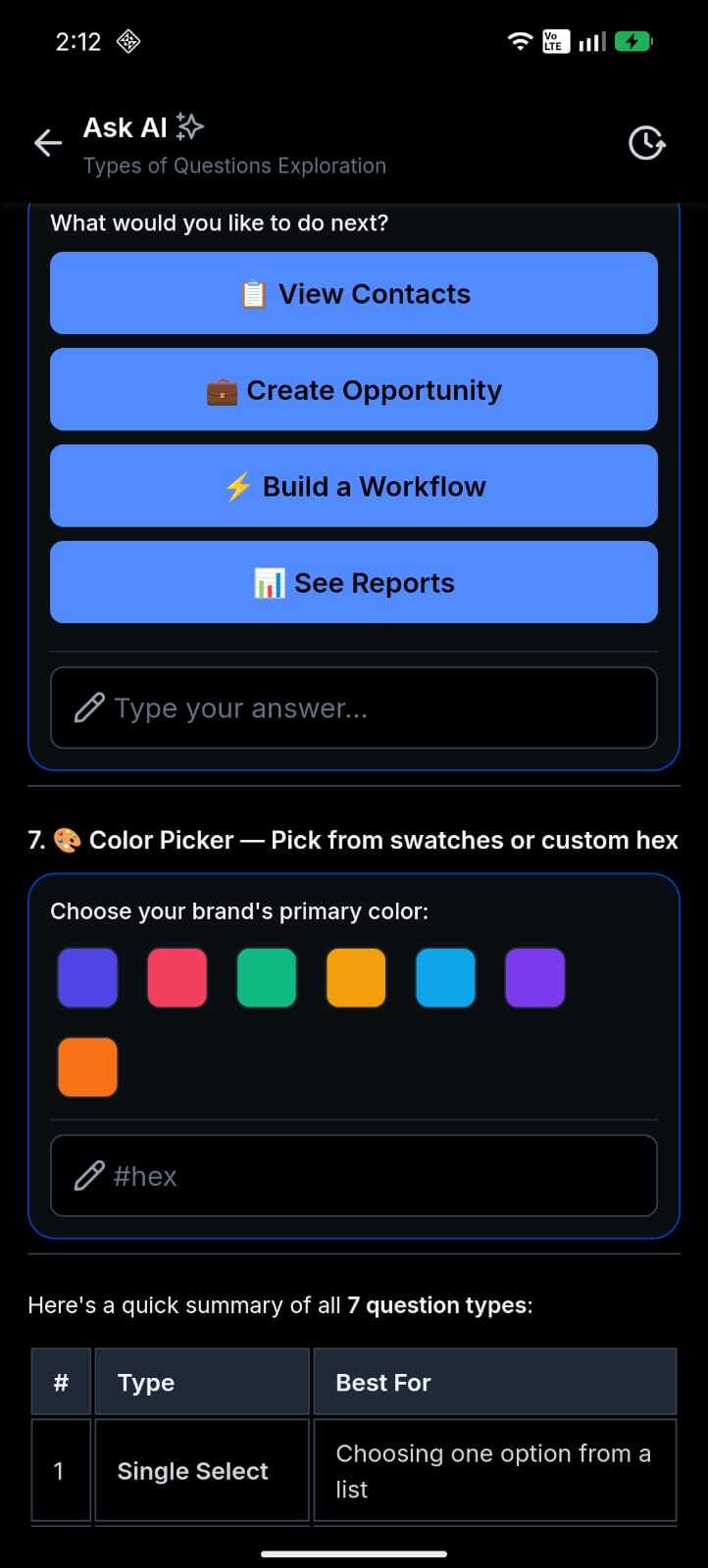
Ask AI V2 brings the full artifact experience to your phone. Ten response types, including charts, data tables, code blocks, approval flows, question wizards, and others, now render natively and respond to touch. Answers stream in real time, and your full conversation history is searchable. You can review insights, adjust inputs, and act on the outcome while you are on the move.
How this helps your daily work
- Decide on the move: Interactive charts and data tables give you current business insights on your phone between meetings, on client visits, or while traveling.
- Act directly in the app: Approval flows and multi-step question wizards let you complete structured workflows from your phone so you can keep tasks moving without a laptop.
- Keep context across sessions: Searchable conversation history lets you quickly find and resume any previous Ask AI session when you pick your phone back up.
- See work as it happens: Real-time streaming and a live thinking indicator show the AI as it develops an answer, so you can follow along and trust how the result was produced.
How to get started
Open Ask AI: In the EveryCatch mobile app, tap Ask AI from the main navigation or the relevant workspace, depending on your app layout.
Ask anything: Type your question in the composer bar, then send. You can ask about your data, request summaries, draft content, or start a structured workflow such as an approval or decision flow.
Interact with responses: Tap charts to explore data, scroll and sort tables, copy code blocks, follow interactive wizards step by step, or tap Sources to review what web search or connected data sources provided for the answer.
What’s next
EveryCatch is expanding which artifacts render natively on mobile. The Canvas preview pipeline, which supports 9 preview types, is already included in the app and will be turned on with a backend toggle when ready, so you will not need to install an update. Additional artifact types and deeper touch interactions are planned for upcoming releases.
Rollout and availability details
Ask AI V2 artifacts are included in this release and will appear as your account receives the update. If you do not see artifacts yet, your workspace may still be completing the rollout.
Release date | June 18, 2026
Available version | 4.18.1 (build 833)
Status | Public
Product | EveryCatch core mobile
Feature area | Ask AI
App type | WL app
Platforms | iOS & Android
Good to know
- Full dark mode support is available across all artifact types and automatically follows your device theme settings.
- You can select your model in Ask AI (including Claude Sonnet 4.6 by Anthropic), subject to what is enabled for your account.
- The Canvas preview pipeline (9 preview types) ships inactive and will be enabled through a backend toggle once your account is ready. No additional mobile app update is required.
We want your feedback
Share your thoughts or use cases so we can continue improving Ask AI on mobile: speak with us at https://speakwith.us/nikhilsatish or email the product manager at [email protected].
Need help with this?
If you'd like help setting this up or want to know what it means for your account, book a quick call and we'll walk you through it.
