Analytics and discovery sub agent in AI builder in workflows
EveryCatch AI Builder used to focus only on creating and editing workflows. It now also helps you answer analytics and performance questions directly on live data from your account. You can ask in plain language, get a clear, structured answer, and even ask it to locate any workflow in your account, so you have a single place to build, review, and troubleshoot inside workflows.
What changed
Performance insights
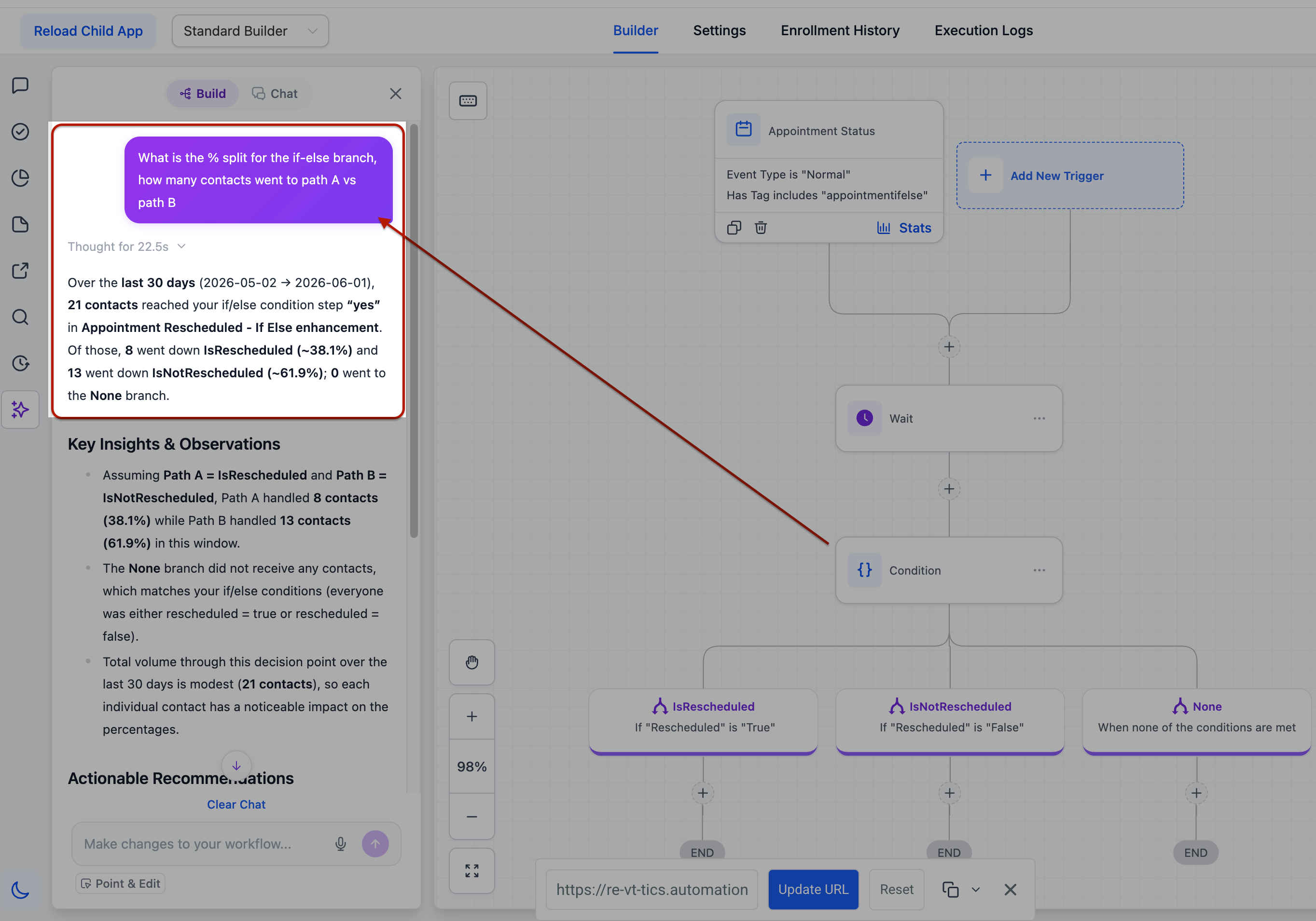
You can now ask how any workflow is performing and get a detailed breakdown over any time period. See total entries, how that compares to the previous period (up or down), status counts by step (completed, failed, waiting, skipped), completion rate, goal conversions, and where contacts are dropping off. You can review trends by week, day, or hour, and see how many contacts are currently sitting at each step in the workflow.
Email and SMS results
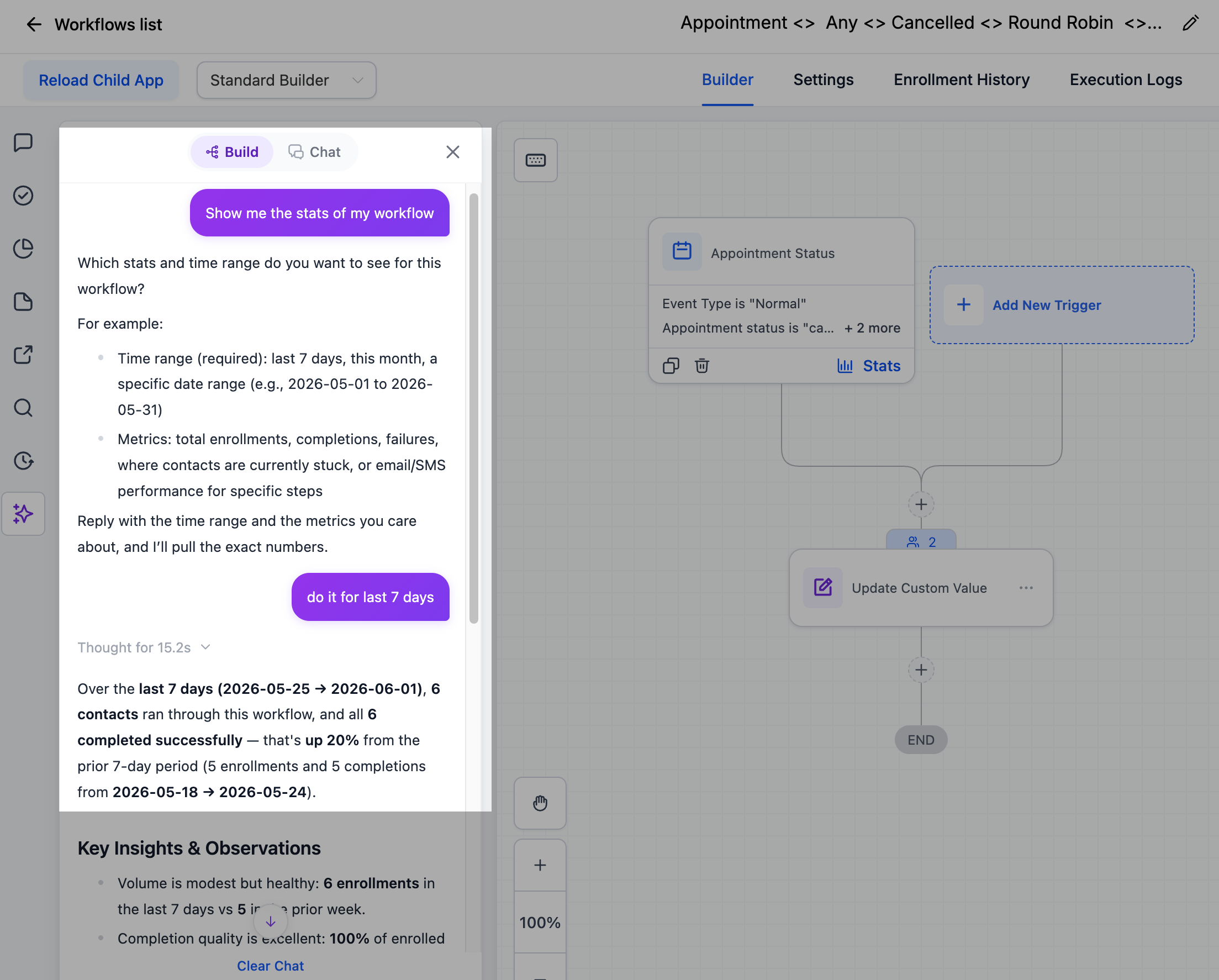
EveryCatch now lets you pull delivery and engagement metrics for any email or SMS step in a workflow. Ask for the results of a specific step and see how many messages were delivered, opened, clicked, replied to, bounced, unsubscribed, opted out, and related engagement details, all in one place.
Branch and path insights
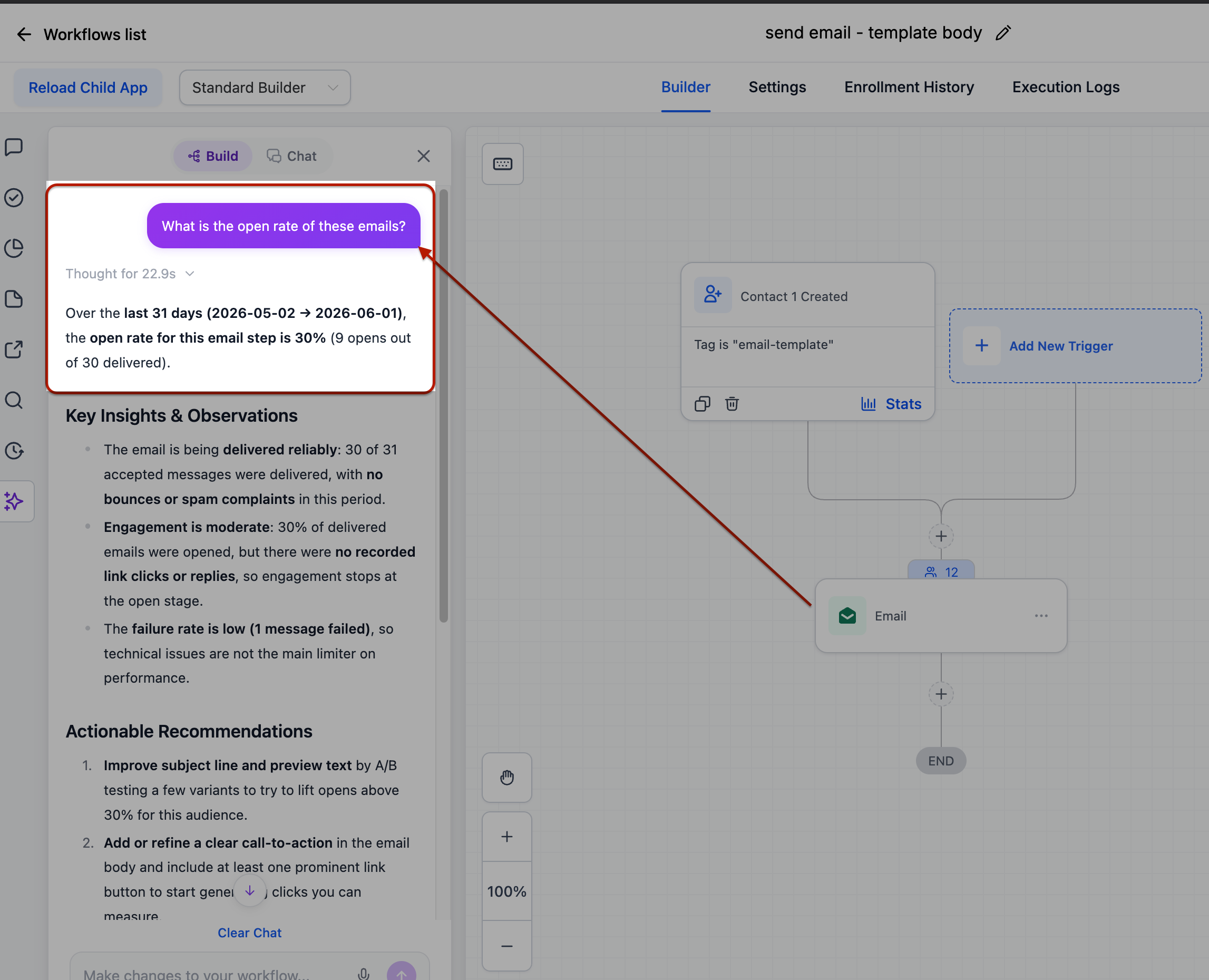
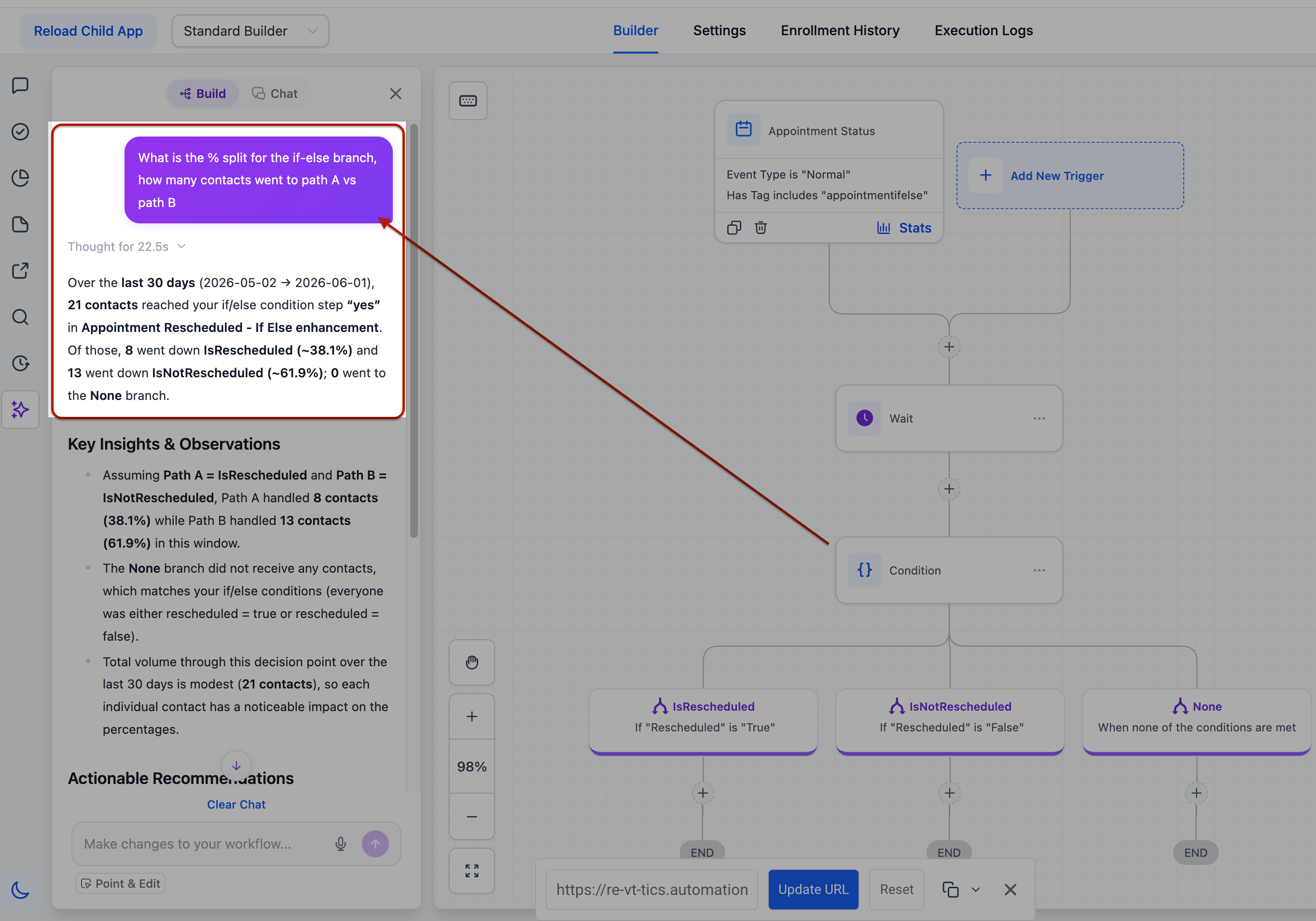
For if/else and split steps, you can ask the Assistant what percentage of contacts took each branch. This lets you see how traffic is flowing through different paths and whether your conditions are routing contacts as expected.
Contact tracking
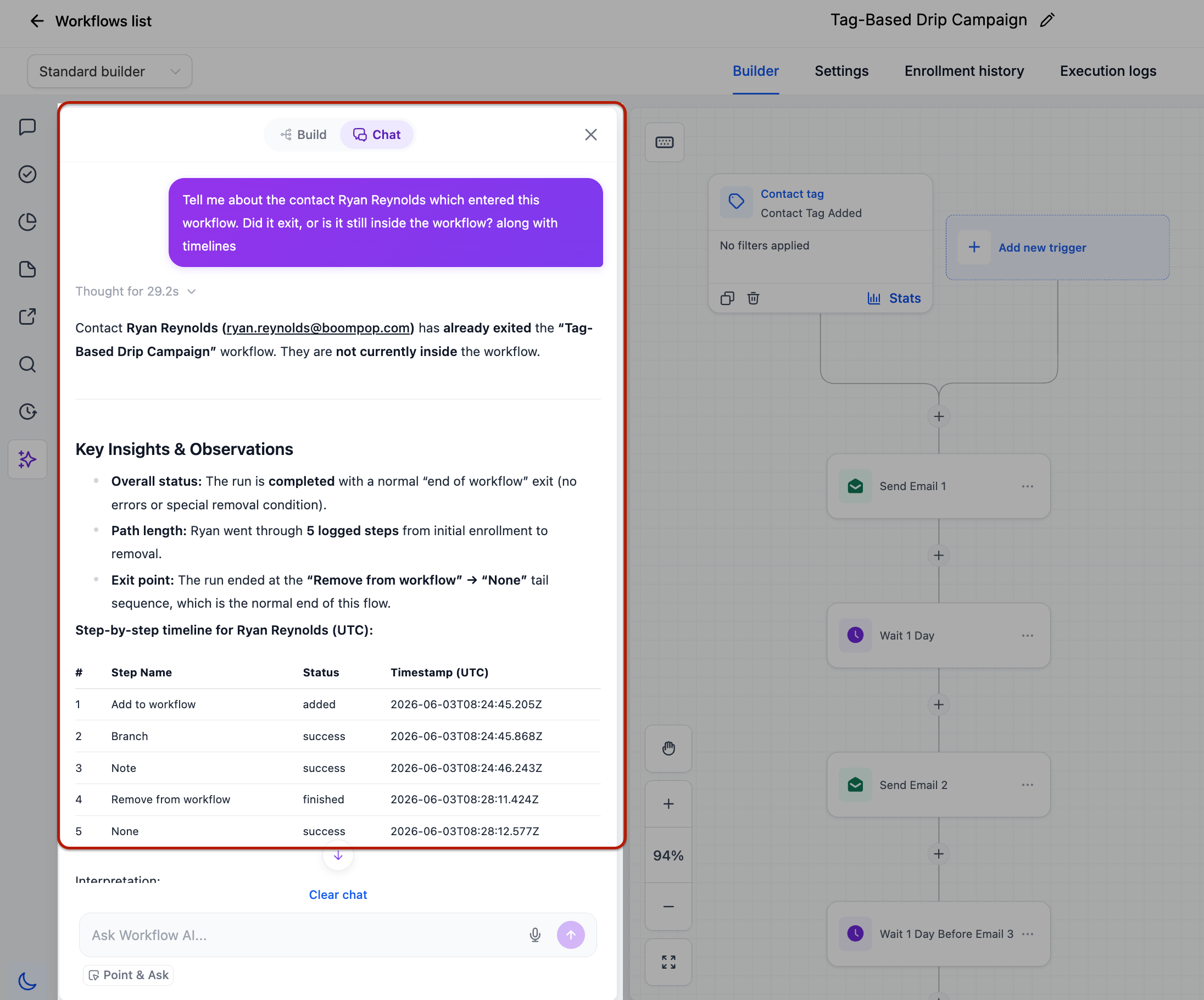
You can now track individual contacts inside a workflow. Ask whether a specific person completed, failed, or is still active, when they entered, how long they took to move through, and where they are right now. You can also turn metrics into people: ask "who entered last week?" or "which contacts failed at the SMS step?" and get back names, emails, and other identifiers for follow-up.
Trigger diagnostics
You can use the Assistant to debug workflow triggers. Ask whether a trigger is firing, what percentage of fires actually qualified into the workflow, and the most common reasons contacts get rejected. You can also inspect a single trigger event to compare the value that was checked against the value the trigger expected. This makes it easier to spot silent rejections that were hard to find before.
Workflow search
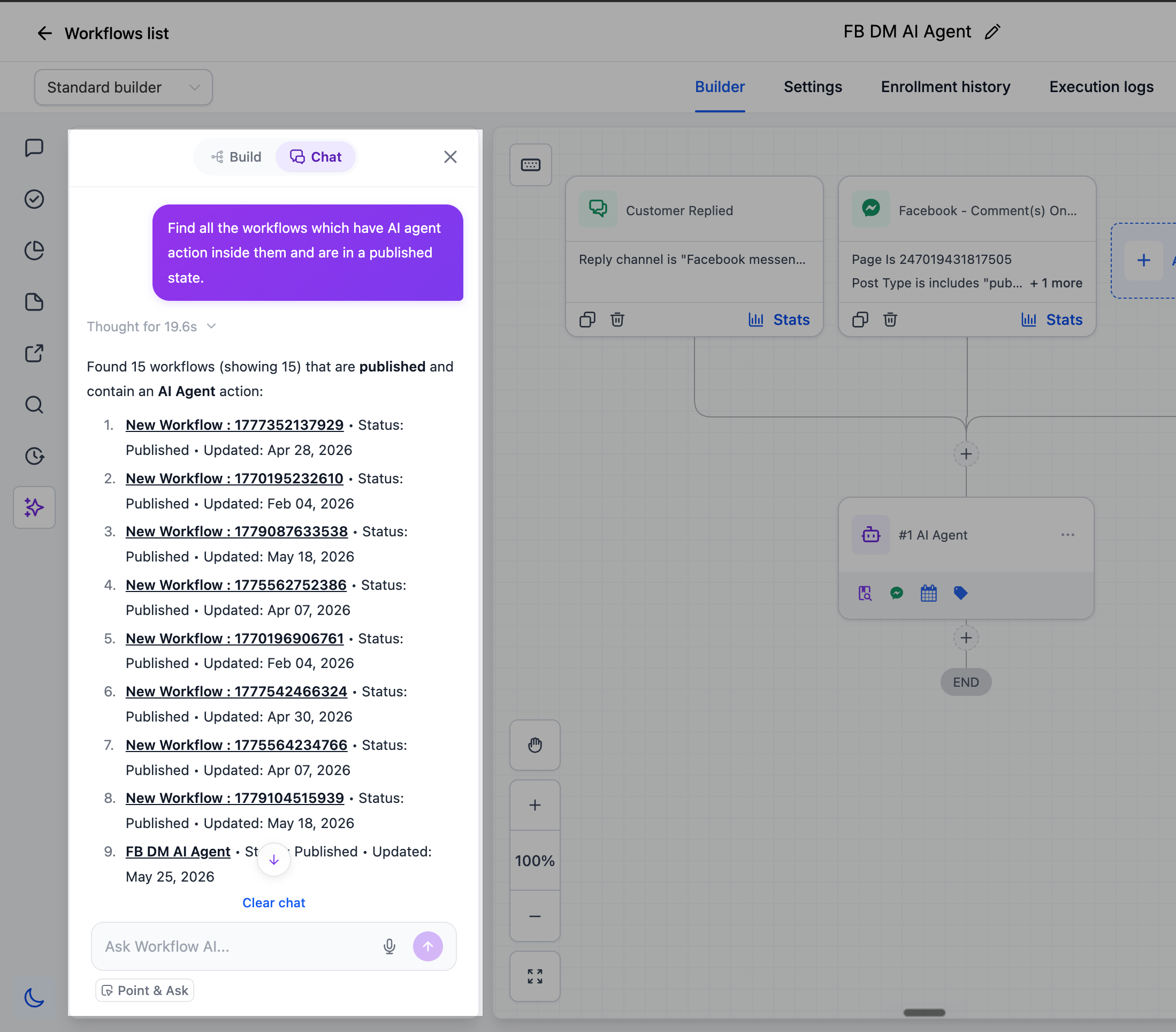
You can now search across every workflow in your account using natural language. Filter by workflow name, status, tags, included triggers or actions, or who last edited it. For example, ask "which workflows use a Wait step?" or "which workflows use the Invoice Paid tag?" and get an instant list without manually browsing through folders or filters.
Version history
You can ask the Assistant who last edited a workflow and how many versions it has. This helps you quickly see who made recent changes and understand how often a workflow has been updated.
How to use
Open the AI Assistant panel in any workflow and start asking questions in plain language. There is no configuration or extra setup required. Just describe what you want to know, for example: "show performance for the last 7 days" or "which emails in this workflow have the highest click rate?"
Built to be trusted
The AI Assistant only reads your data when answering questions; it does not modify your workflows or settings. Time-based phrases like "last 7 days" use your account timezone so numbers line up with your reports. It does not invent figures. If there is no data, it tells you that directly and points you to what you might check instead. Each answer highlights the key metrics first, compares them to the previous period, and then suggests next steps you can take.
Why this matters
Questions that used to require digging through execution logs or multiple reports can now be answered in a few seconds, directly from the workflow canvas, using your live data. The Assistant helps close the gap between building workflows and understanding how they perform, so you can diagnose issues, optimize steps, and discover workflows without leaving the editor or learning a separate analytics interface.
Need help with this?
If you'd like help setting this up or want to know what it means for your account, book a quick call and we'll walk you through it.
