Alt text support for images in social planner
EveryCatch now lets you add descriptive alt text to your images directly inside Social Planner. This helps make your social content more accessible and inclusive for people using screen readers, without needing to edit posts in each native social platform.
- Add alt text to images
You can now add custom alt text to every image you upload in Social Planner so each one has a clear, meaningful description.
- Works for single-image posts
- Works for multi-image posts and carousels
- Alt text is stored individually for each image
- Fully editable before publishing
- Quick add, edit & preview
After you upload an image, hover over it and select the Alt Text option to open the description editor.
From there, you can:
- Add alt text to a new image
- Edit existing alt text at any time before publishing
- Remove alt text if it is no longer needed
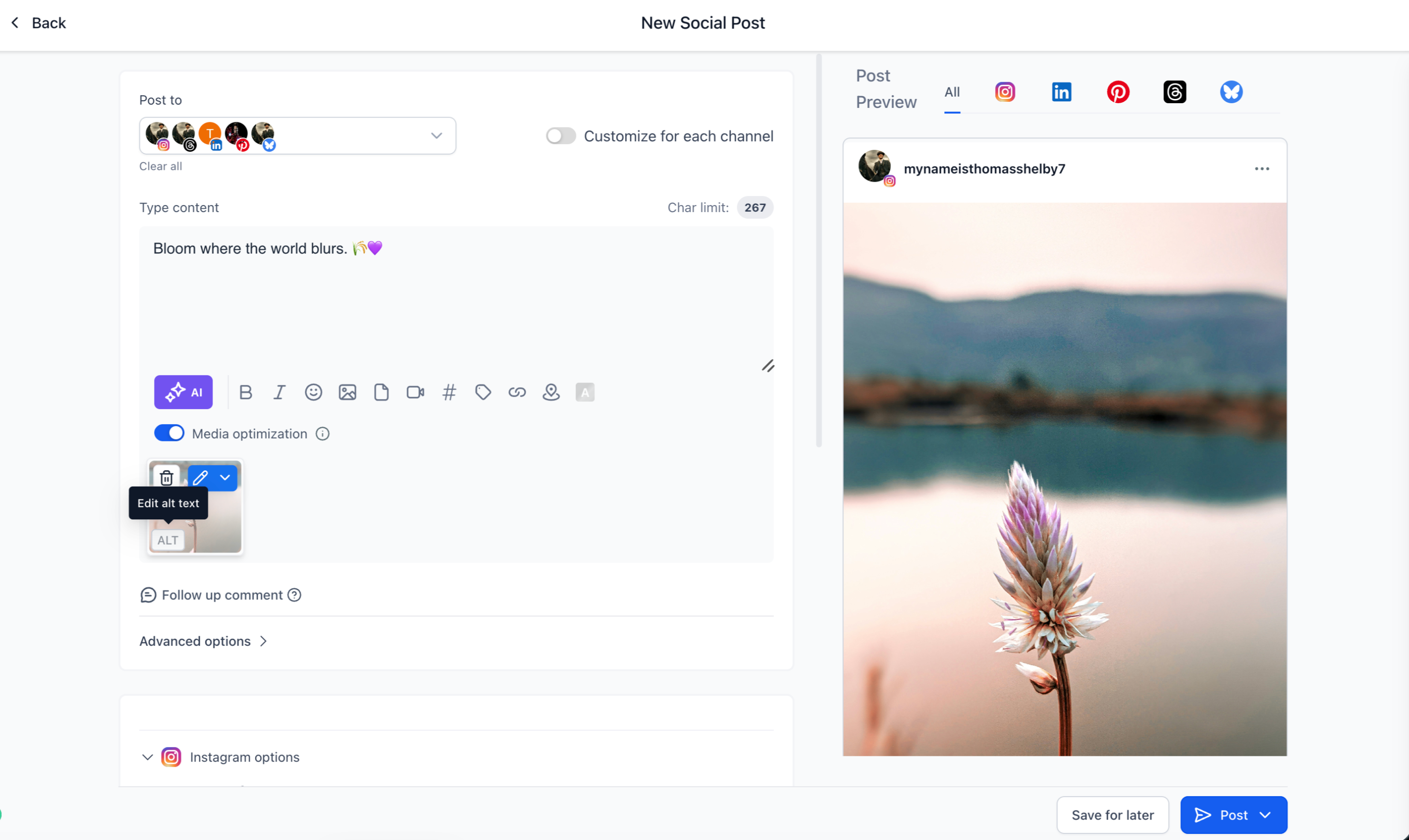
- Quickly spot images with alt text using the visual indicator shown on each configured image
- Multi-image support
- Each image in a carousel or multi-image post can have its own unique description.
- This gives every image accurate context instead of using one generic description for the entire post.
- Platform-aware publishing
- Social Planner automatically includes alt text for platforms that support it and simply skips it for platforms that do not support alt text.
- Go to Marketing → Social Planner
- Create a new post
- Upload one or more images
- Hover over an image and click Alt Text
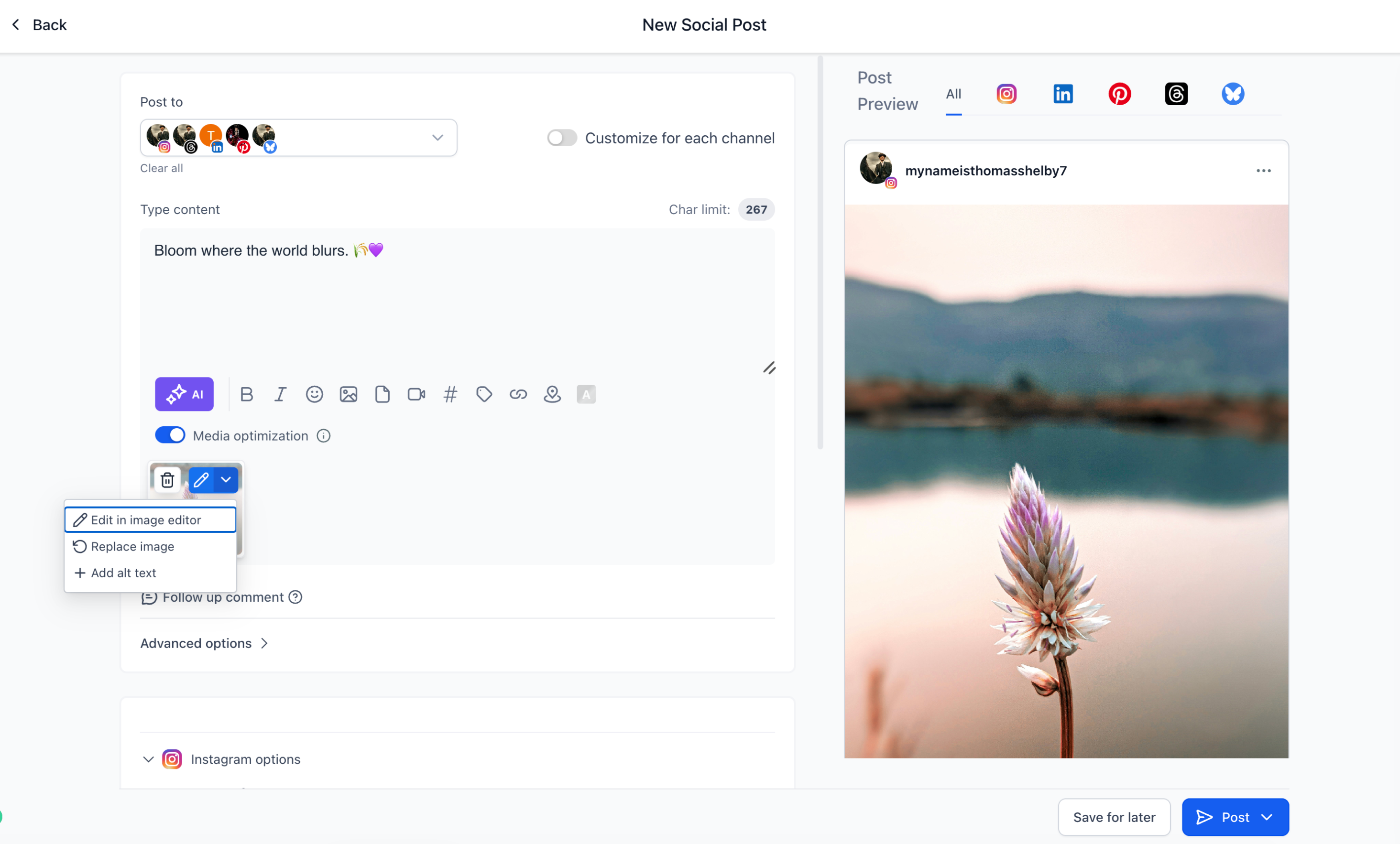
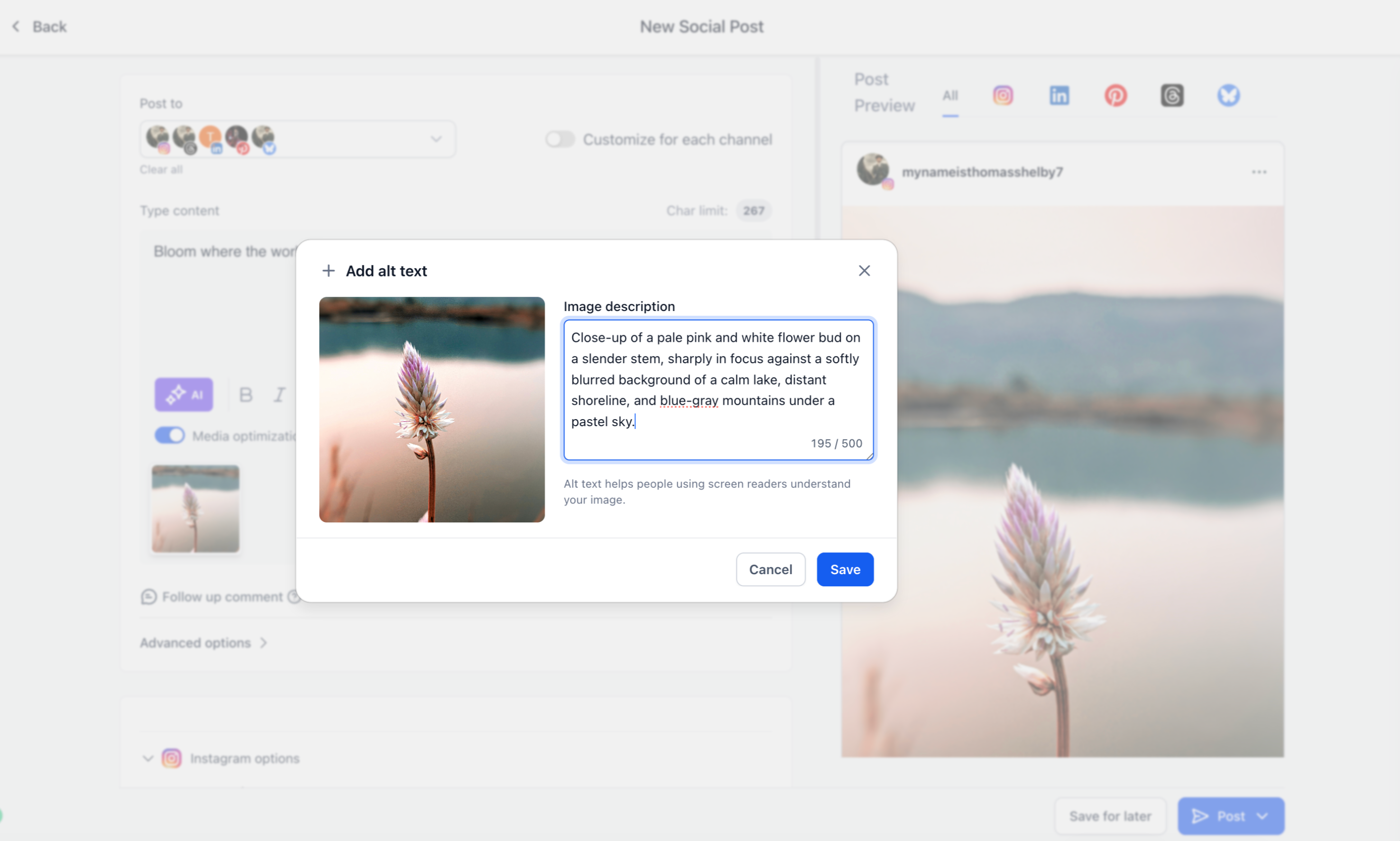
- Enter a short, clear description that explains what is important or relevant about the image
- If you want to edit or update the alt text, click the Alt Text icon again, make your changes, and save
- Save, schedule, or publish your post once you are happy with both the visuals and the alt text
- Improve accessibility for audiences who use screen readers or have visual impairments
- Create more inclusive social media content for your followers
- Follow accessibility best practices recommended for modern social platforms
- Keep everything in a single publishing workflow without extra tools
- Reduce the need to open each platform to add or fix alt text after publishing
- Alt text is configured per image, not per post, so each image can have its own description
- Alt text is automatically applied only on platforms that accept it
- Images and their alt text can be updated or edited any time before you publish
Need help with this?
If you'd like help setting this up or want to know what it means for your account, book a quick call and we'll walk you through it.
