All pipelines option in the pipeline dropdown
EveryCatch now includes an All pipelines option in the pipeline dropdown so you can see every opportunity from every pipeline in one consolidated view.
What changed
You will now see a new All pipelines option in the pipeline dropdown in Opportunities.
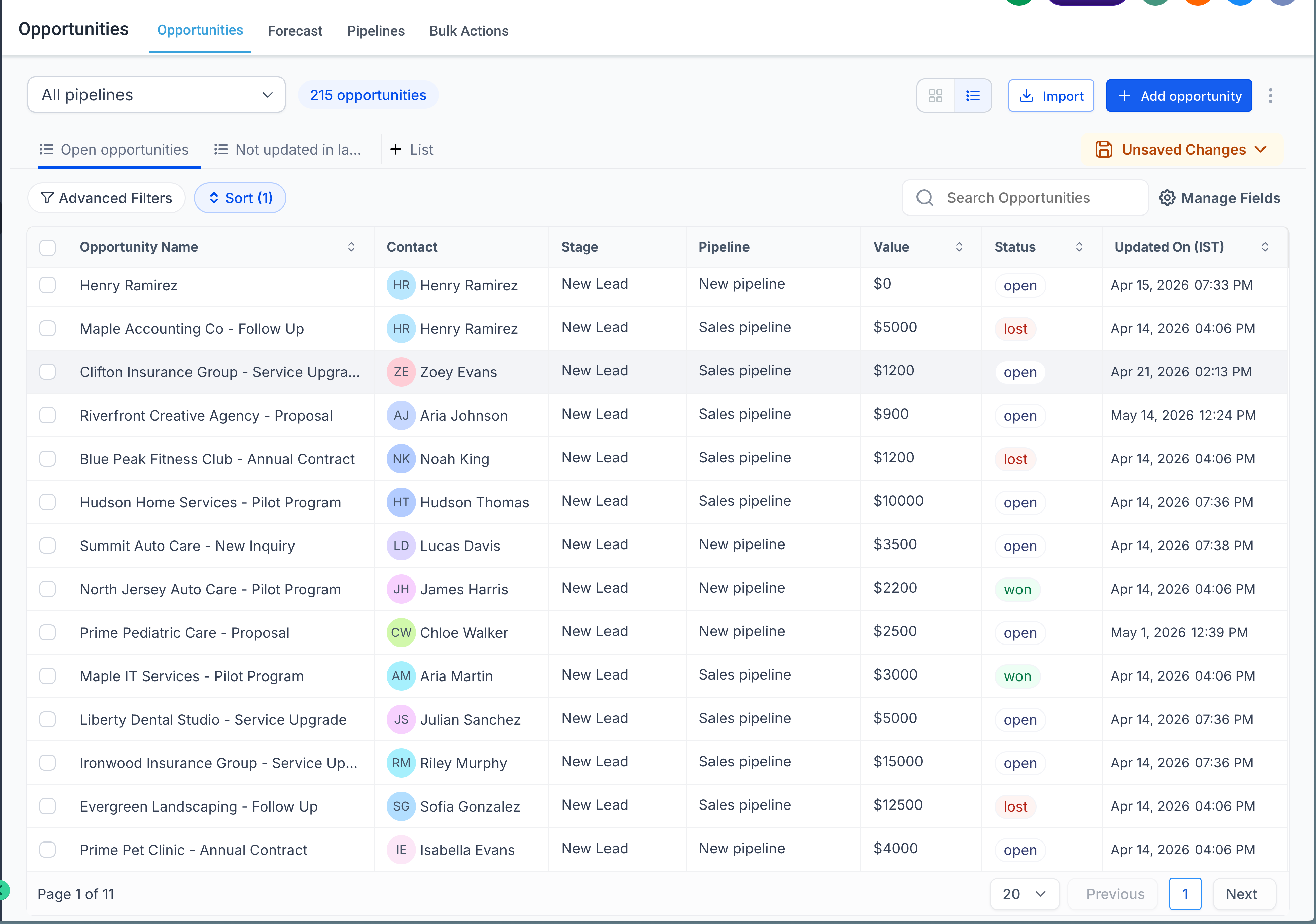
When you select All pipelines while using List view, EveryCatch shows opportunities from all of your pipelines together in a single, unified list.
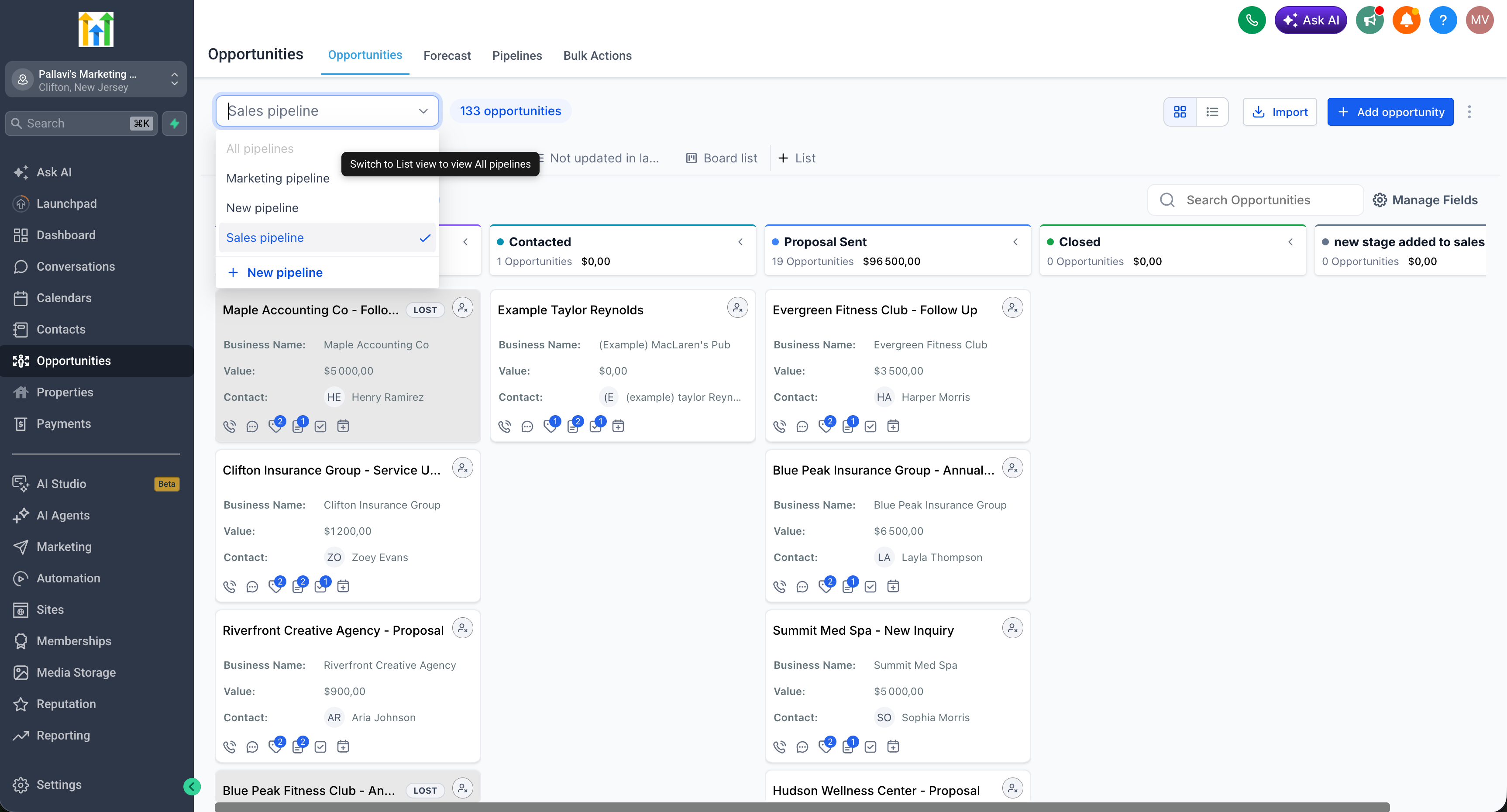
This option is only available in List view. It is disabled when you are using Kanban (Board) view.
If you save a Smartlist while using the All pipelines view, it will always be a List-type Smartlist. Kanban board Smartlists are not supported for the All pipelines view.
How to use
- Go to Opportunities.
- Switch to List view.
- Open the Pipeline dropdown and select All pipelines.
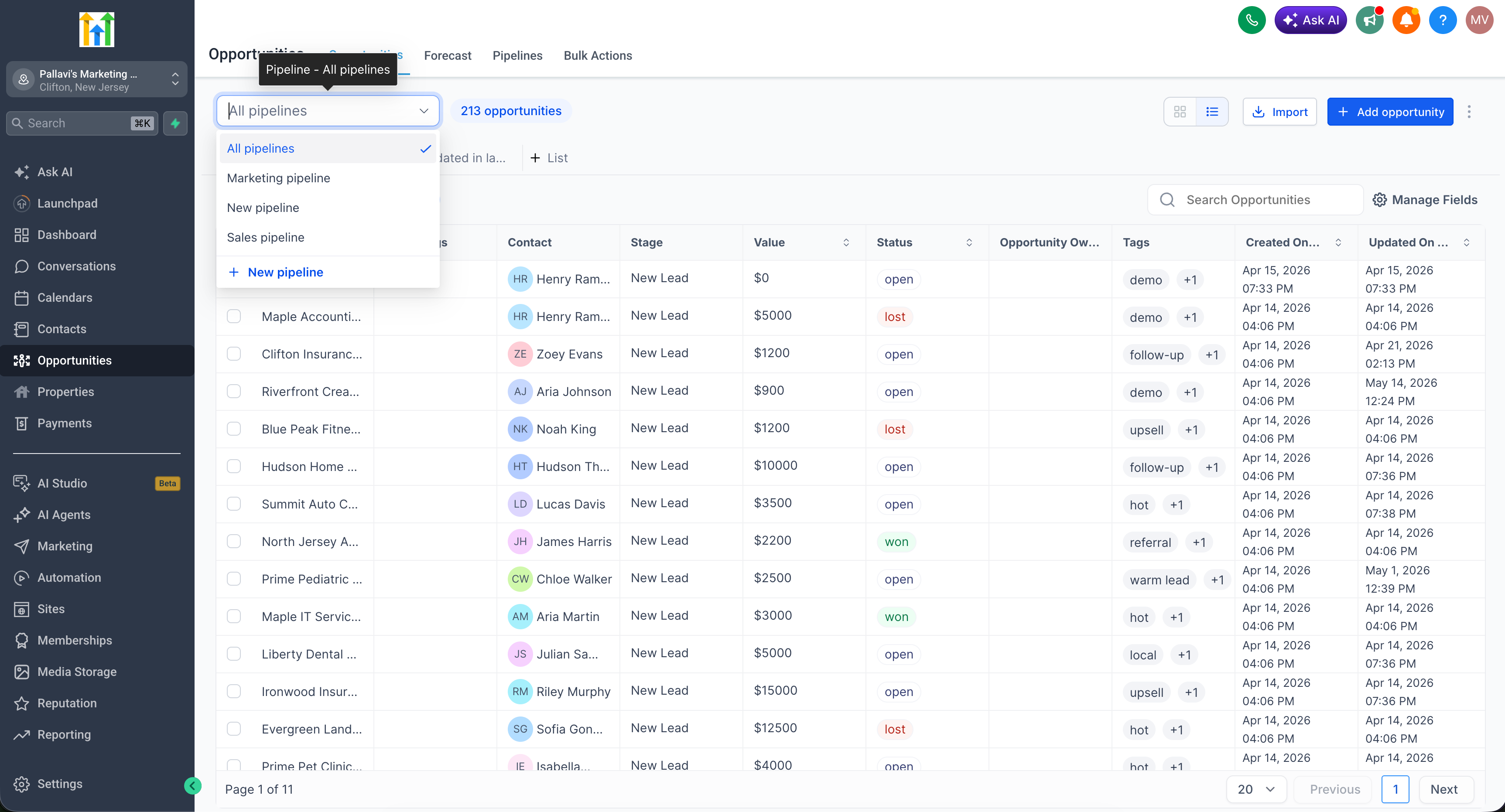
- Browse and manage opportunities from all pipelines together in one place.
- If you want to reuse this view, save it as a Smartlist (List type only).
Note: The All pipelines option is disabled in Kanban view. Switch to List view to turn it on. Any Smartlist you create from All pipelines will always be List type, and the Kanban board view is not supported for these Smartlists.
Need help with this?
If you'd like help setting this up or want to know what it means for your account, book a quick call and we'll walk you through it.
