All new task manager in the EveryCatch mobile app
Tasks V2 is the updated way to stay on top of your work in the EveryCatch mobile app. It gives you a faster, repeatable, and team-friendly task manager that fits how you handle daily follow-ups.
This new Tasks experience adds the features many of you requested: recurring tasks, links to opportunities, support for multiple contacts on one task, a flexible board view, and a cleaner interface that helps you act quickly. It is built so you and your team can move through your day with fewer blockers.
Your typical day is full of follow-ups, reminders, and deal updates, and the previous Tasks experience made parts of that workflow harder. You could not repeat tasks, tasks only supported one contact, there was no way to connect tasks directly to an opportunity, and everything appeared in a single long list. You often had to open tasks to see who they were for, which made it easier for important work to blend in and get missed.
How Tasks V2 helps you work
Tasks V2 solves those issues. You can now set tasks to repeat on the schedule that suits you, link each task to the right contacts and a specific opportunity, and see those details at a glance on the task card without extra taps. You can move between List and Board views, let your tasks sort into clear sections automatically, and watch how much of your day you have completed as you go.
What is new in Tasks V2
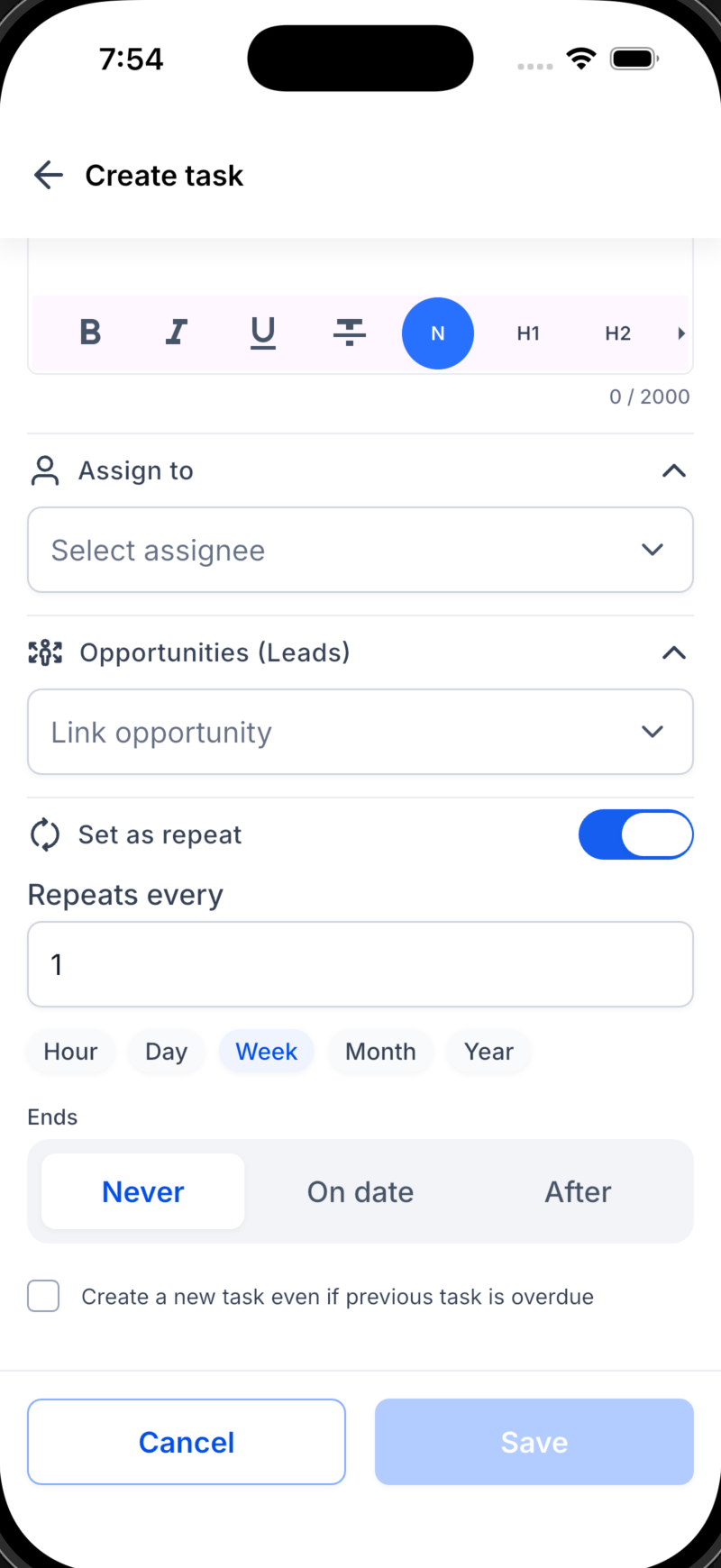
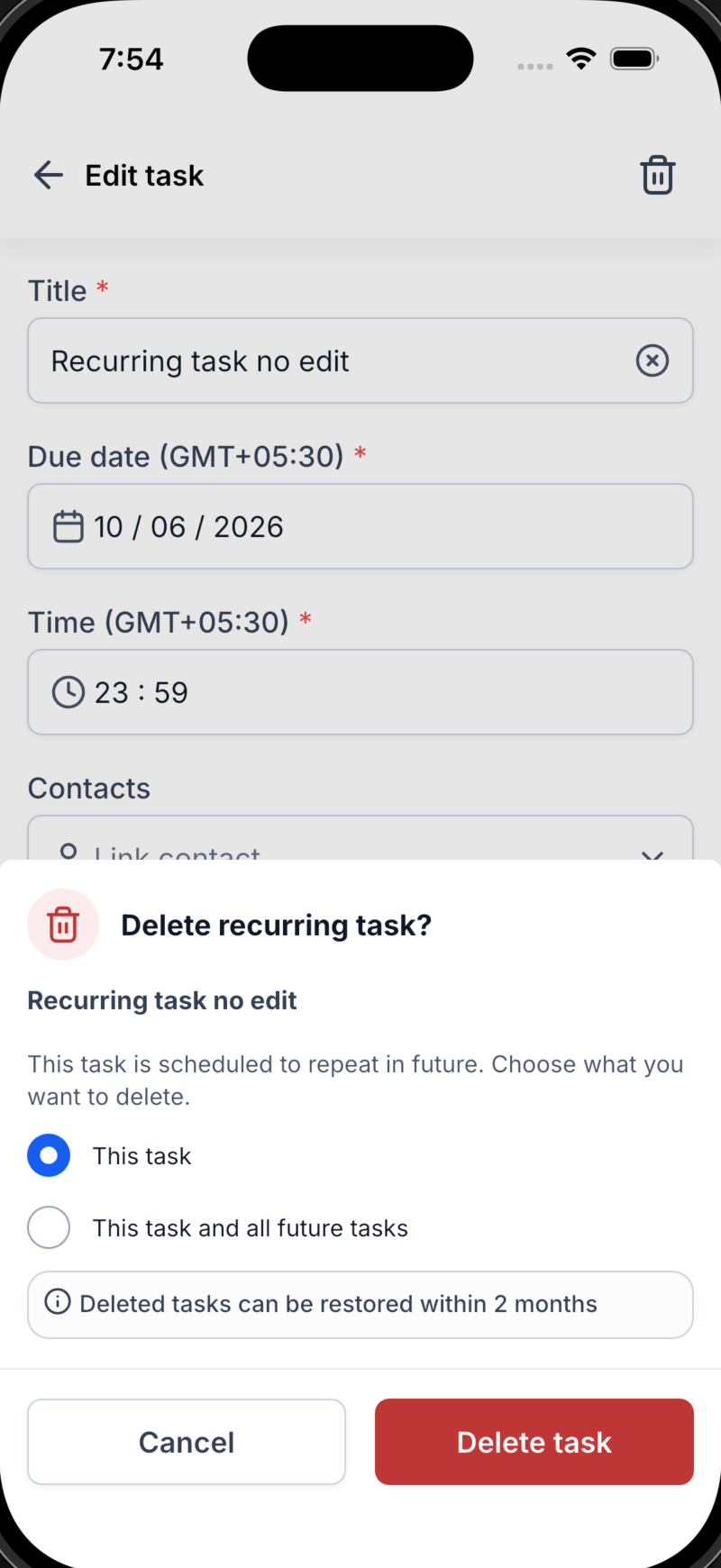
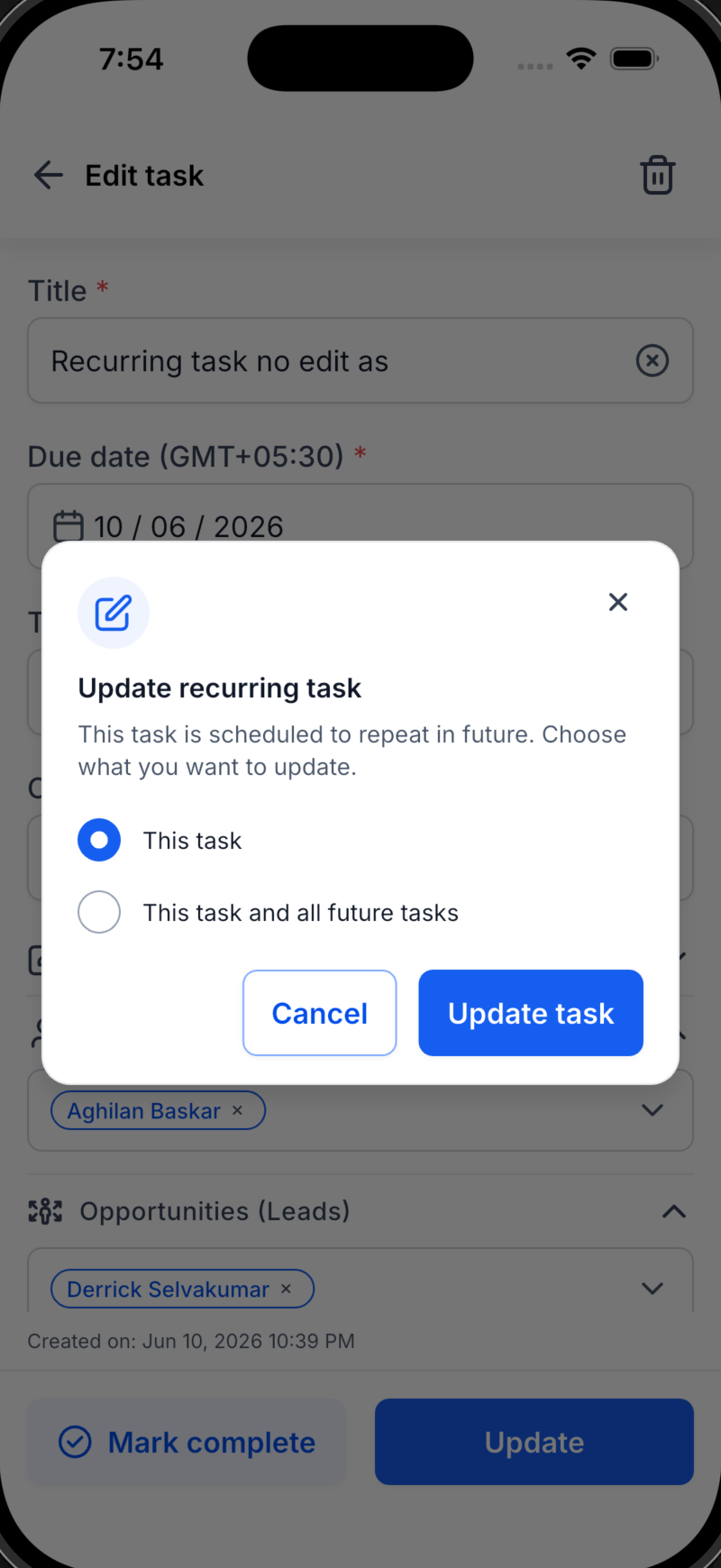
Recurring tasks (new): You can set any task to repeat hourly, daily, weekly, or monthly and choose when it should stop, either on a specific date or after a certain number of repetitions. This is especially helpful for routine follow-ups, regular check-ins, or scheduled admin work, so you do not have to recreate the same task each time.
Link to opportunities (new): EveryCatch now lets you connect a task directly to an opportunity as well as a contact. This lets each follow-up tie back to a specific deal, so you always see how your tasks support your pipeline and revenue.
Multiple contacts (new): You can now add several contacts to a single task. This is useful when a follow-up involves multiple stakeholders or a group conversation, and it reduces duplicate tasks that previously existed only so you could track each person separately.
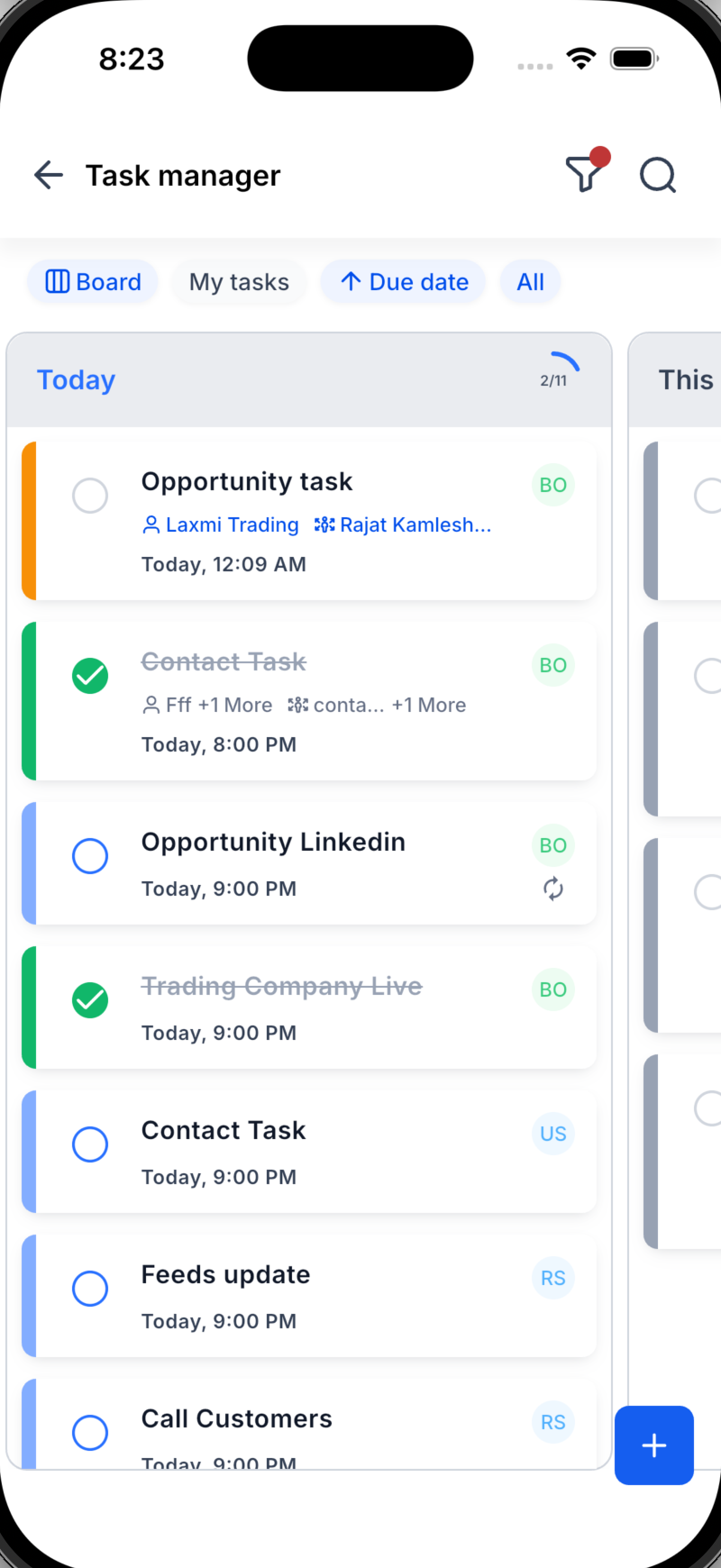
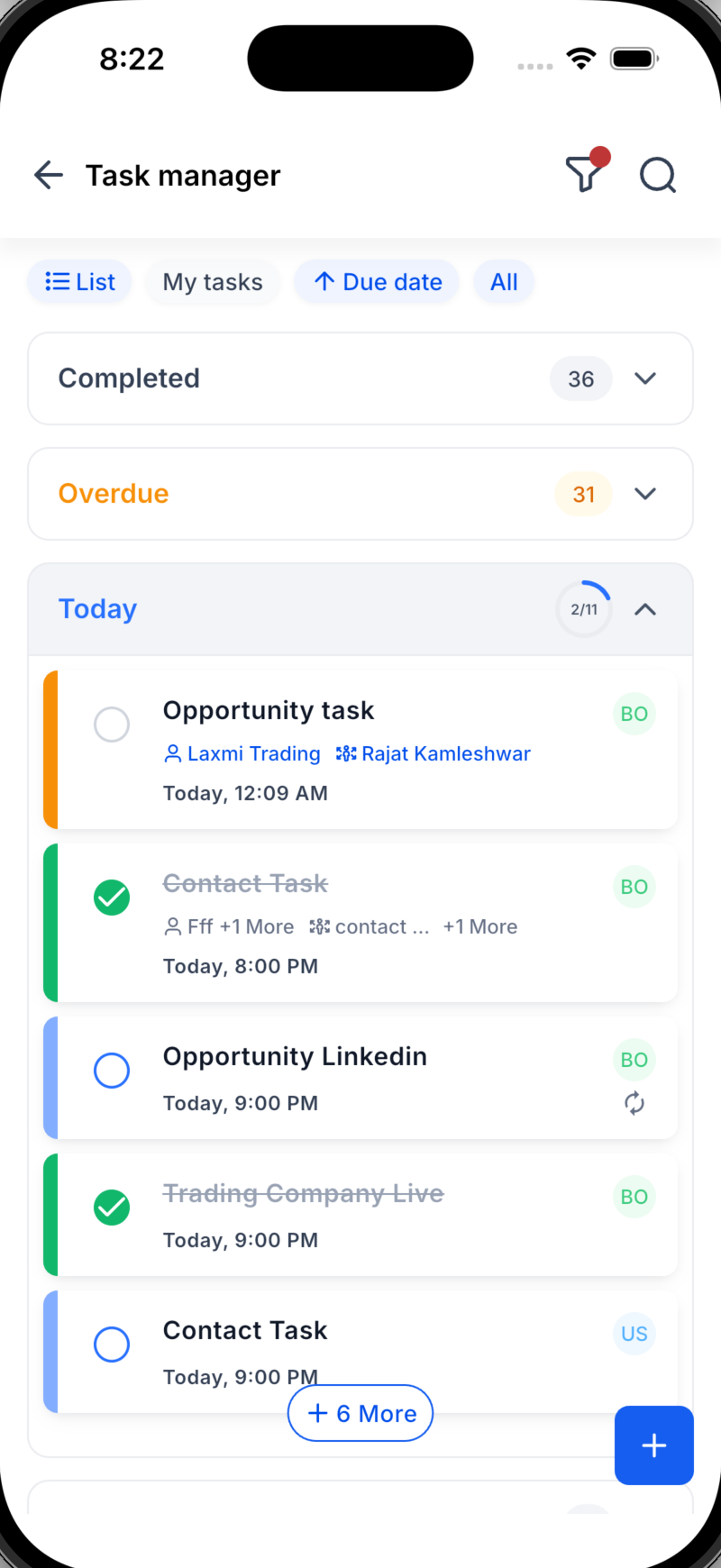
List and board views (new): Choose the view that matches how you like to work. Use List view for a straightforward scrollable list of tasks, or switch to Board view for a visual layout that groups tasks into columns. You can move between these views anytime depending on what you need in the moment.
Today’s progress ring (new): As you complete tasks scheduled for today, you will see a progress ring fill in real time. This lets you quickly understand how far through your planned work you are without checking each task individually.
It provides quick motivation and an easy way to see your momentum for the day at a glance.
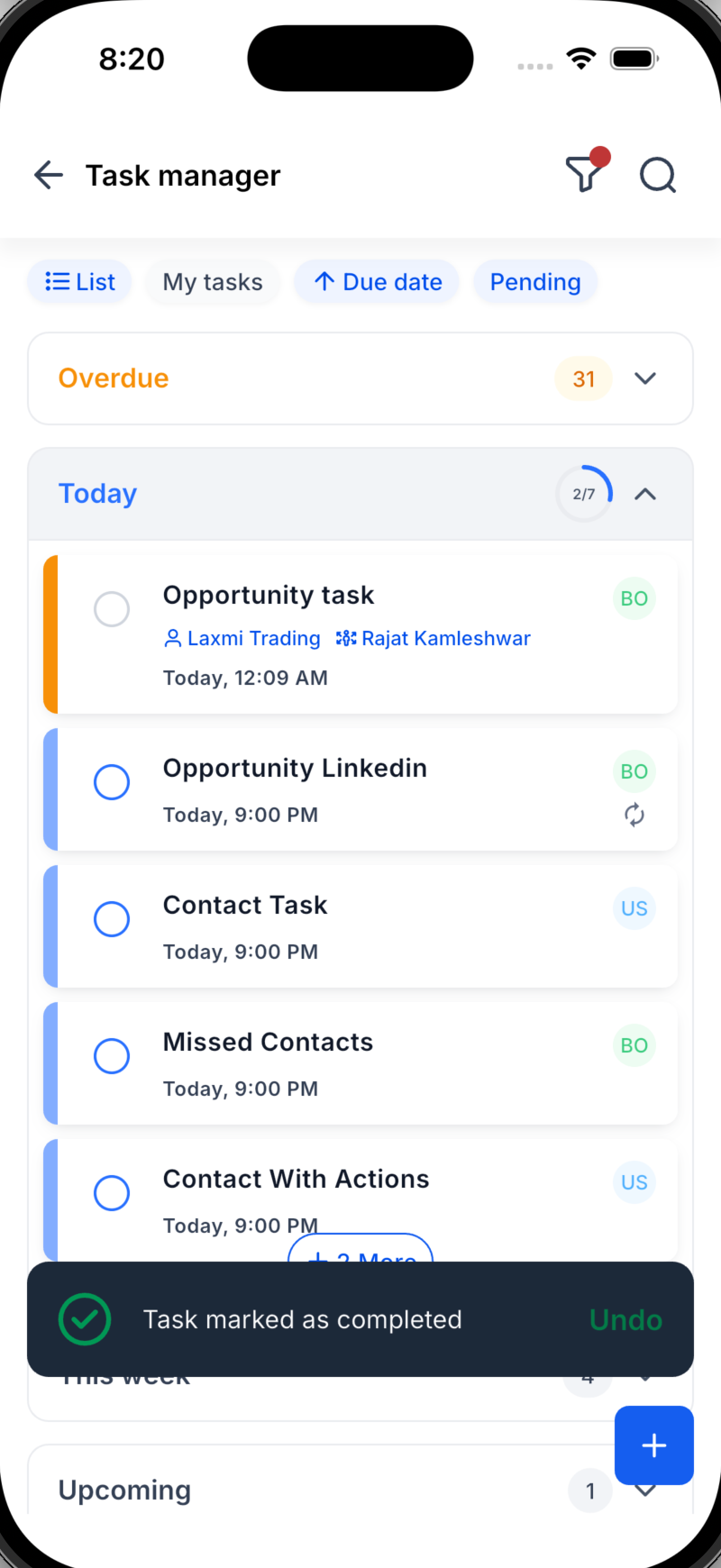
Organized sections (new): Tasks now auto-group into Overdue, Today, This Week, and Upcoming, in both List and Board views. You can immediately see what needs attention first, what is planned for later this week, and what is coming up, without losing items at the bottom of a long list.
See more without tapping (new): Each task card now shows key details right on the tile, including linked contacts and the associated opportunity. You can scan through your tasks and understand who and what each one is for, with fewer taps and less time spent opening individual tasks.
A fresh, faster experience: The overall task experience in the EveryCatch mobile app has been updated to be cleaner and more intuitive. Creating, finding, and completing tasks is now quicker, so you can move through your day with less manual effort.
How to get started
1. Open Tasks: Go to the Tasks tab in your EveryCatch mobile app to access the new Tasks V2 experience. (Screenshot 1 placeholder)
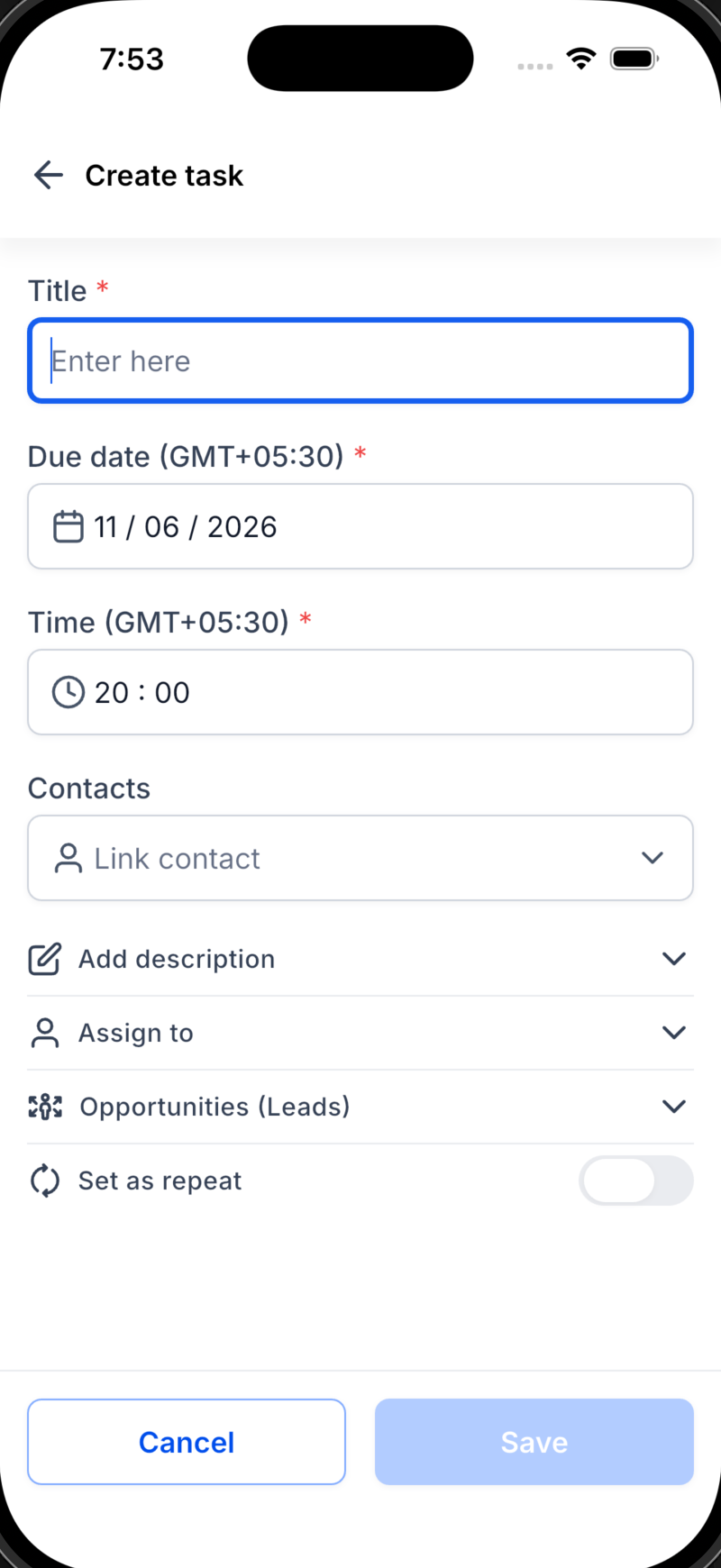
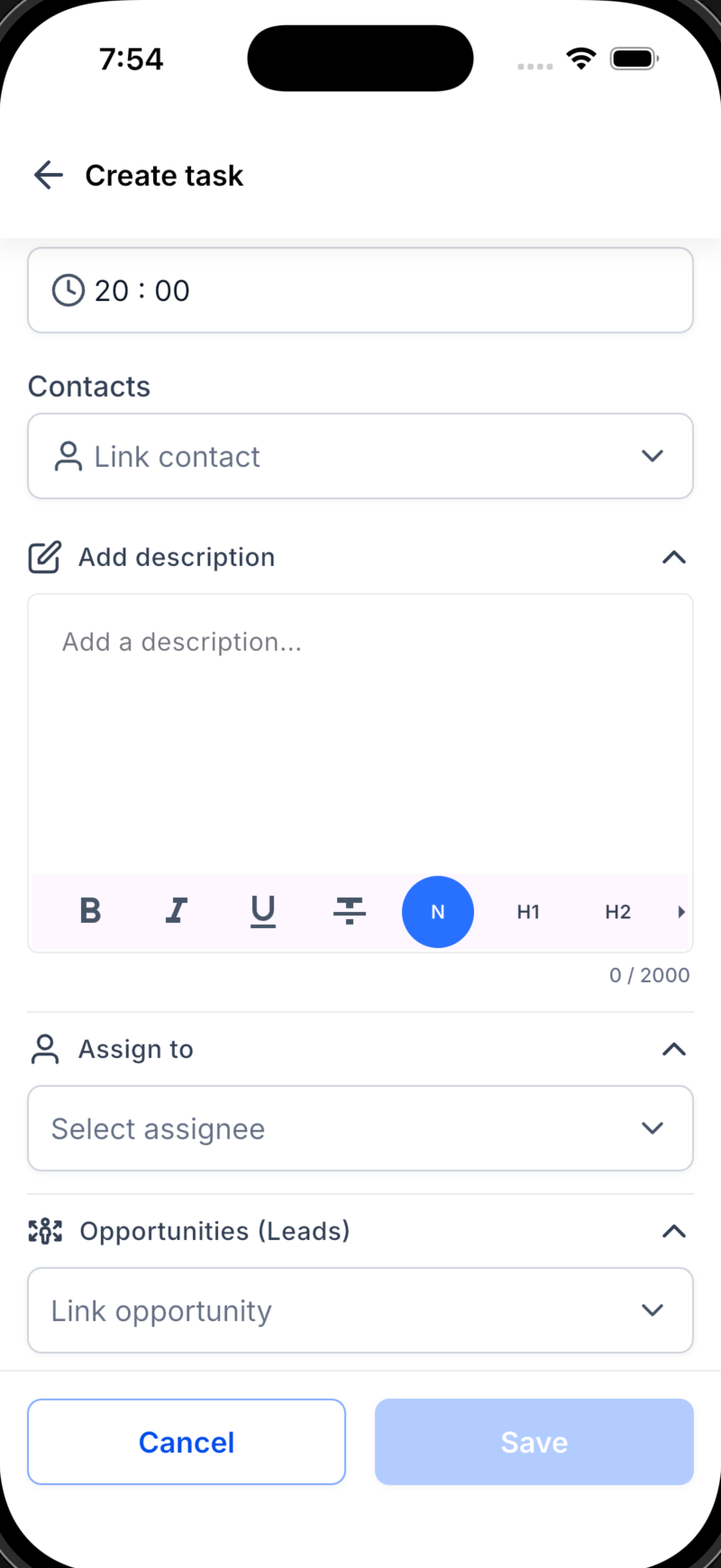
2. Create: Tap the + button, then add your task title, due date, contact or contacts, and any related opportunity. You can also assign the task to a teammate. Turn on the Repeat option if you want the task to recur on a set schedule. (Screenshot 2 placeholder)
3. Work your way: Switch between List and Board views to see your tasks in the format you prefer. Use the Overdue, Today, This Week, and Upcoming sections to guide your focus, and keep an eye on today’s progress ring to see how your day is shaping up. (Screenshot 3 placeholder)
What is coming next
Dynamic task widget on the homepage: We are working on a dynamic task widget for your EveryCatch mobile homepage, so you can see your current and pending tasks the moment you open the app.
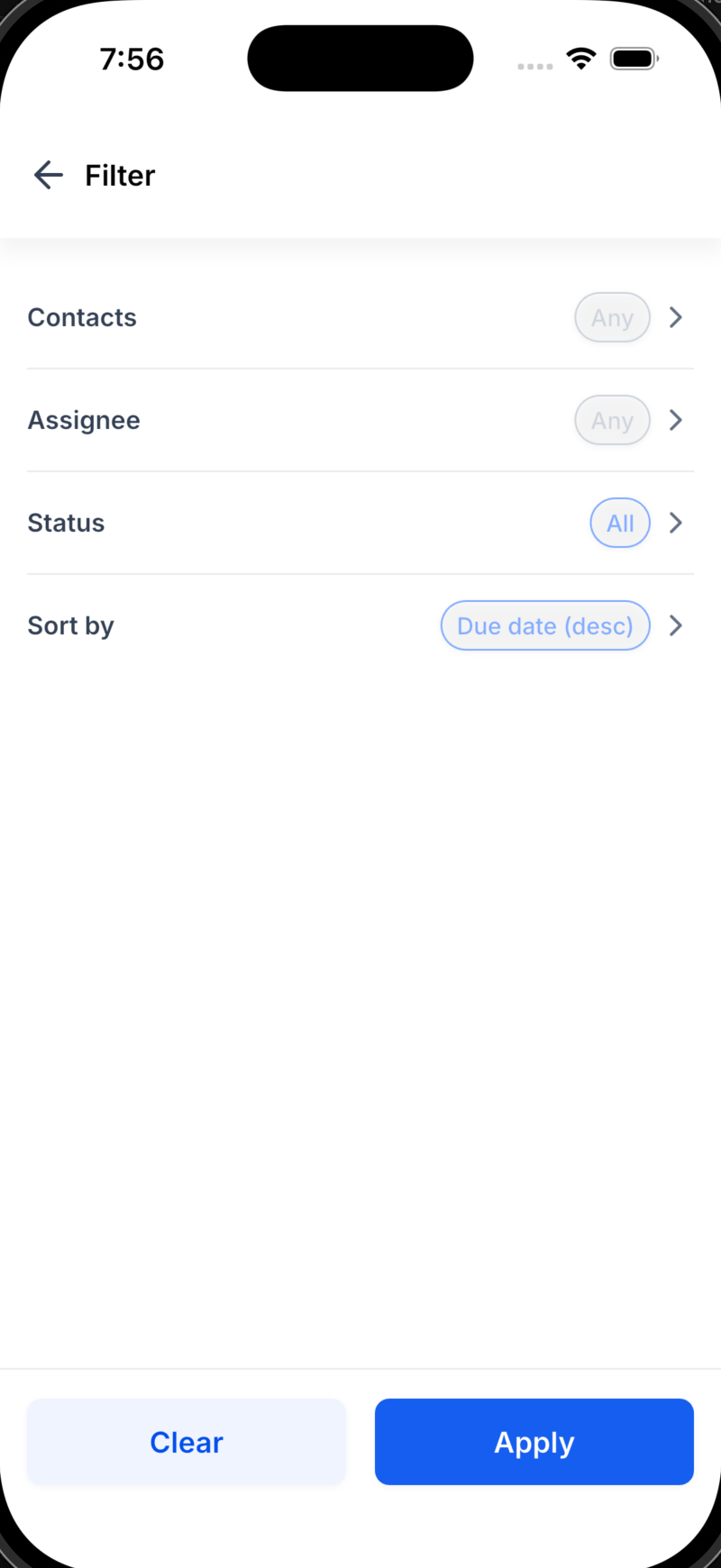
You can also expect expanded recurring options, additional ways to filter and group your tasks, and deeper links between tasks, contacts, and opportunities. Your feedback will guide what we prioritize to make your workflow smoother.
Roll-out and availability: Tasks V2 is scheduled to release on 11/06/2026.
Available version: You will see Tasks V2 in the EveryCatch mobile app starting with version 4.18.0. Make sure your app is updated to use the new experience.
Status: Public release for all eligible EveryCatch mobile users.
EveryCatch
EveryCatch
WL app
We want to hear from you
Speak with us: https://speakwith.us/nikhilsatish
Product manager email: [email protected]
Need help with this?
If you'd like help setting this up or want to know what it means for your account, book a quick call and we'll walk you through it.
