Ai data extract action in workflows
What changed
EveryCatch workflows now include a built-in AI data extract action that turns unstructured text into structured fields you can use throughout your automations. The AI takes raw input such as emails, SMS messages, webhook payloads, or AI responses, and returns clean, typed variables that plug directly into your downstream workflow steps.
You define the fields you care about, choose where the text should come from, and the AI handles the extraction for you. There is no code to write and no need to connect separate parsing tools.
Key capabilities
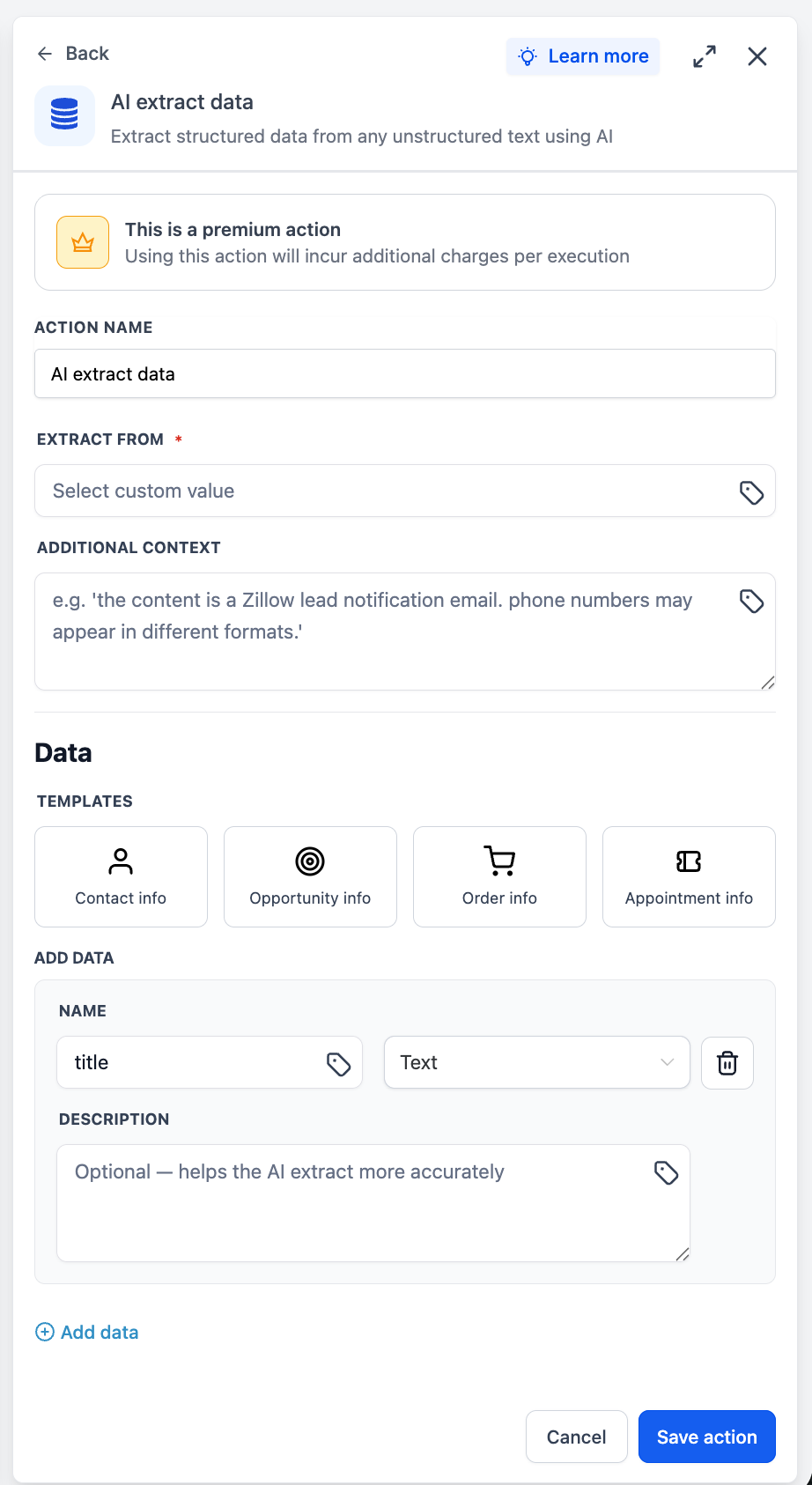
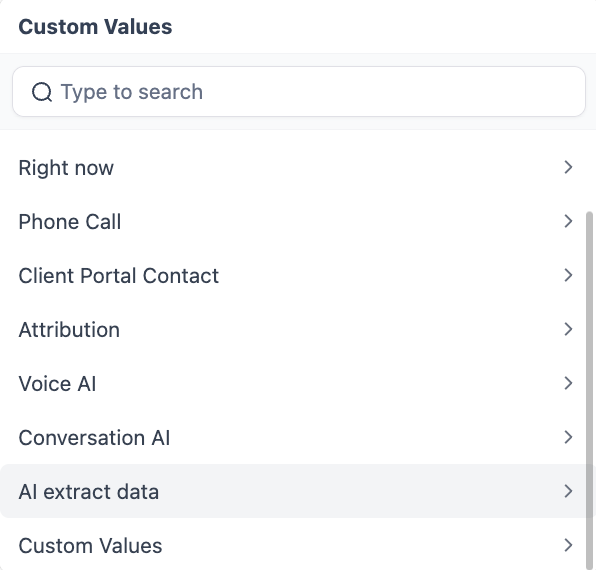
- Custom value input - Use the custom value picker to select any text-based data already available in your workflow, such as an email body, form submission text, or webhook payload, as the input source for extraction.
- Optional context field - Add extra context or instructions when your input might be complex or ambiguous, so the AI can extract your fields more accurately.
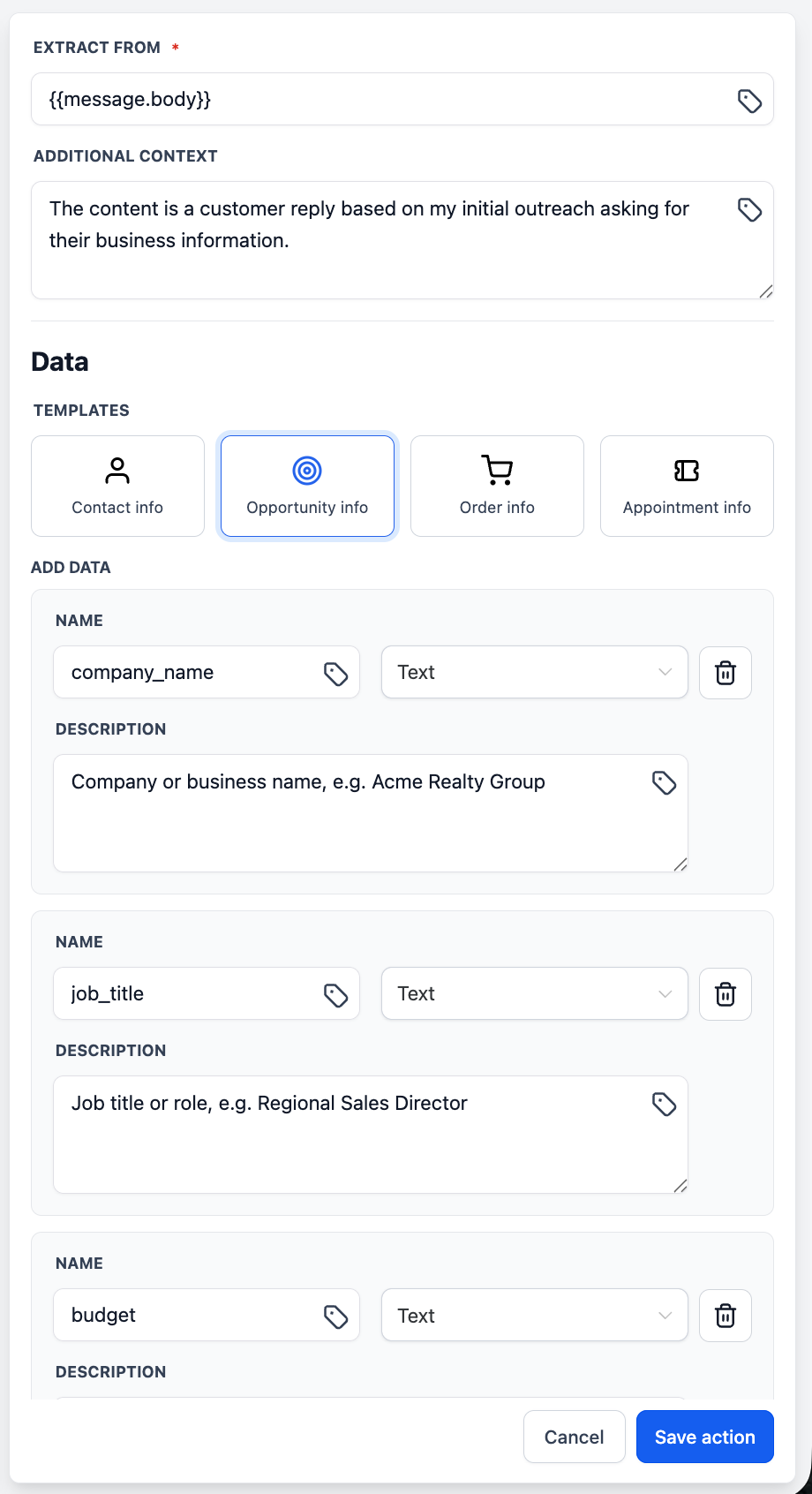
- Pre-built templates - Start quickly with ready-made extraction templates for common use cases, or set up your own custom field list tailored to your specific data needs.
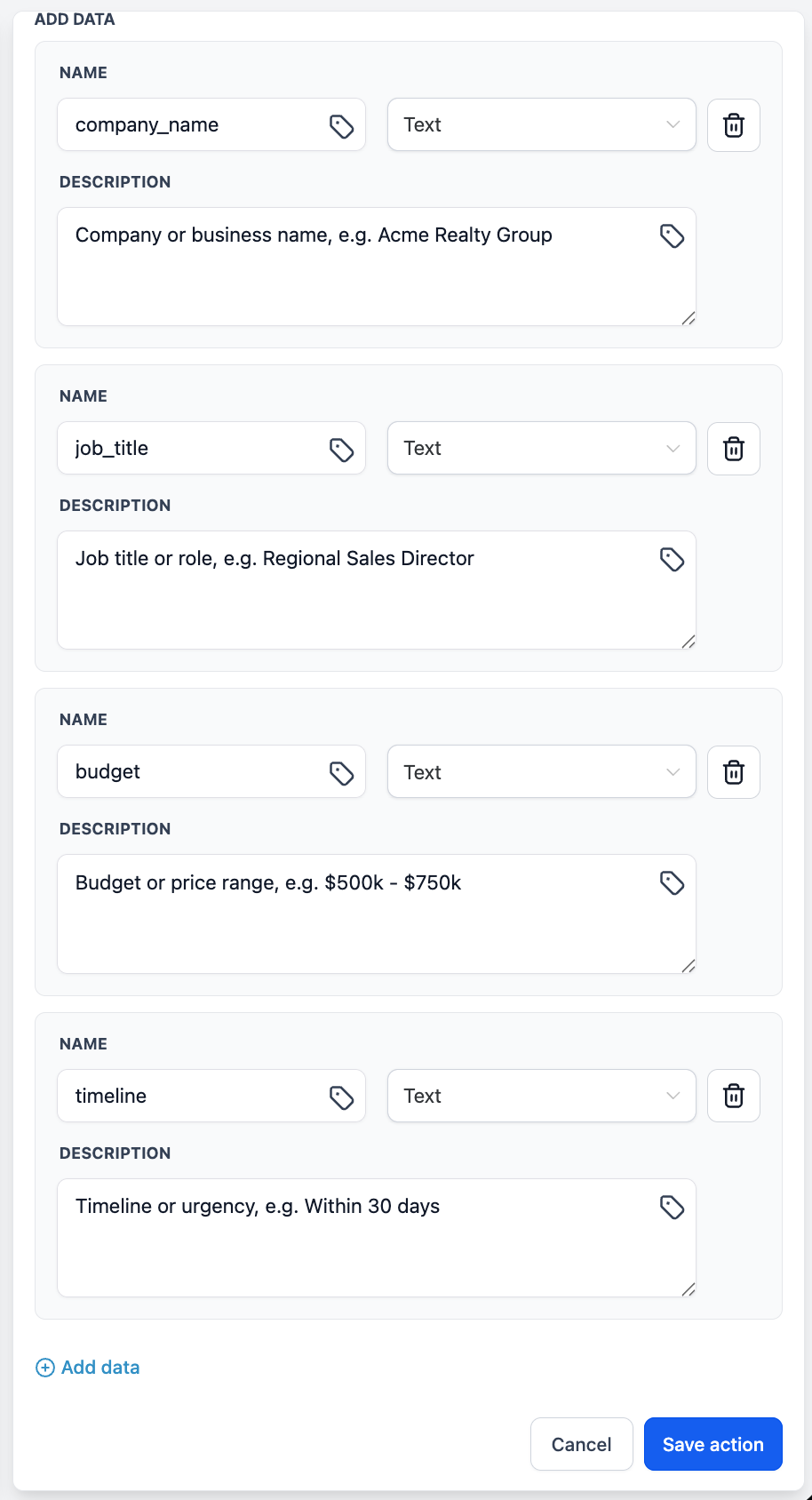
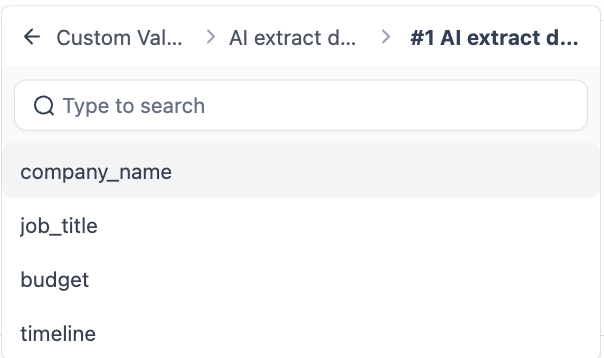
- Downstream ready - Each extracted field is saved as a workflow variable so you can immediately reference it in later actions, conditions, messages, and integrations.
How to use it
- Click "+ Add action" in your workflow.
- Search for "AI data extract" in the AI action category and select it.
- Use the custom value picker to choose your input source (for example, an email body or webhook payload).
- Optionally, enter supplementary context or guidance to help the AI understand how it should extract the data.
- Pick a pre-built extraction template or define your own custom fields that you want the AI to pull out of the text.
- Save the action. The extracted fields are now available as variables to use in all following workflow actions.
Why this matters
Pulling structured data out of free-form text has been a frequent request from EveryCatch users. Previously, achieving this in workflows meant building manual parsing steps or relying on third-party services. The AI data extract action lets you handle this directly inside the workflow builder so any raw text can quickly become structured, actionable variables that power your follow-up, routing, reporting, and other automated processes.
Need help with this?
If you'd like help setting this up or want to know what it means for your account, book a quick call and we'll walk you through it.
