Add to cart on product list and featured products
What changed
You can now let shoppers add items to their cart directly from the product list and featured products sections in your EveryCatch store, without needing to open the full product details page first.
Here is what is new
- Add to cart toggle
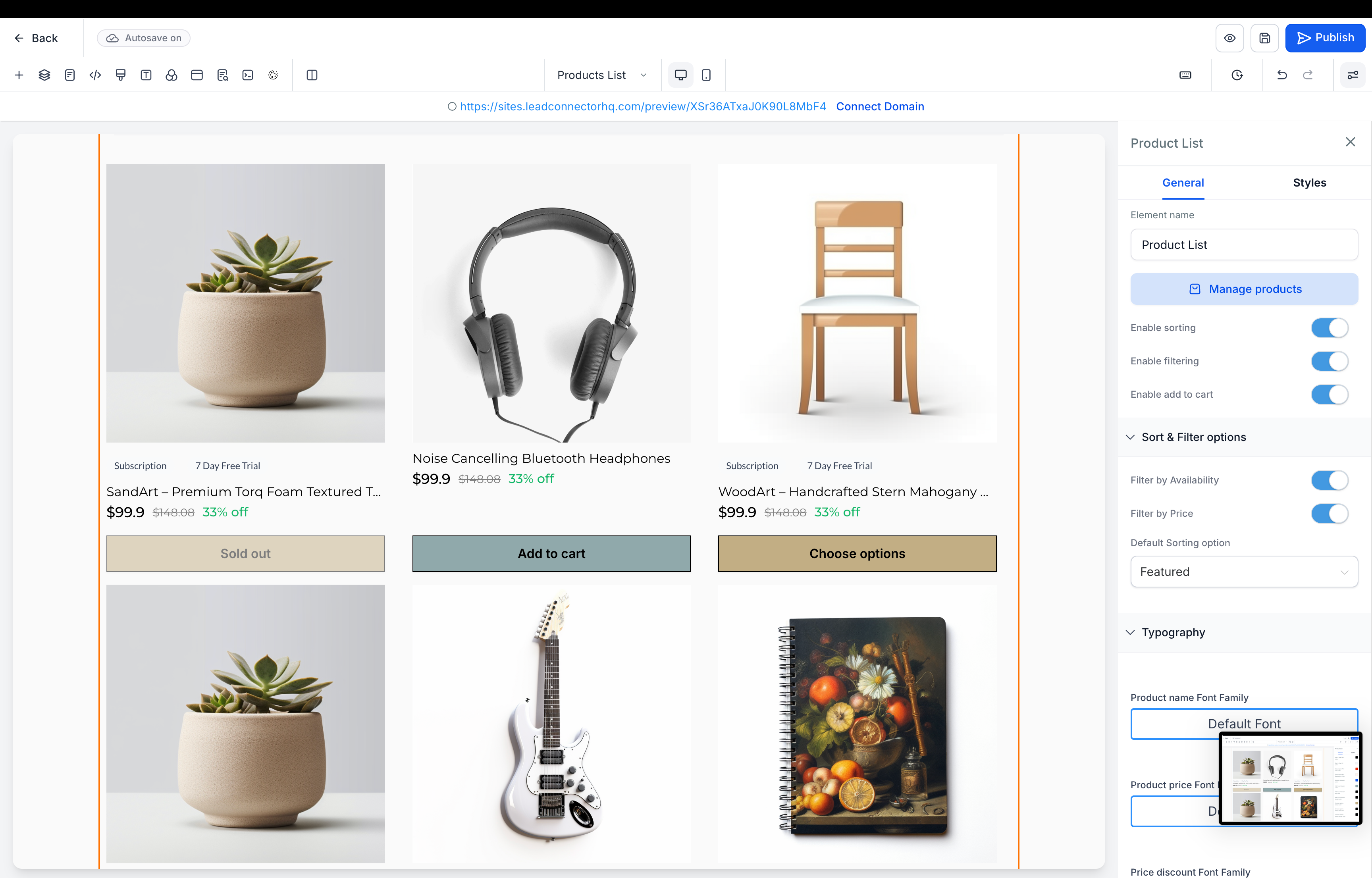
- You now have a new setting that turns the Add to cart option on or off for both Product list and Featured products elements.
- Product card button behavior
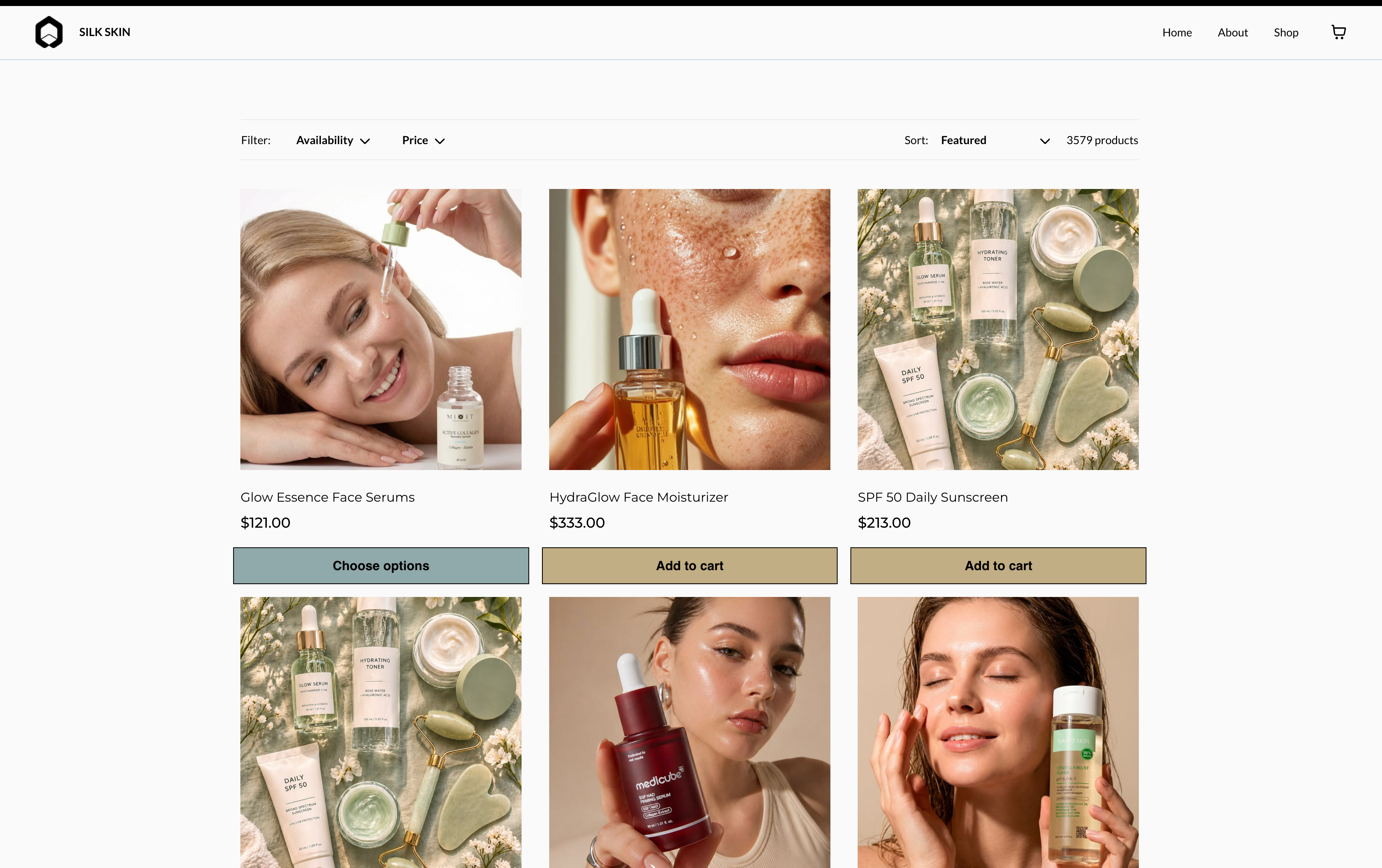
- If a product has a single variant or a single price, customers see an Add to cart button directly on the product card.
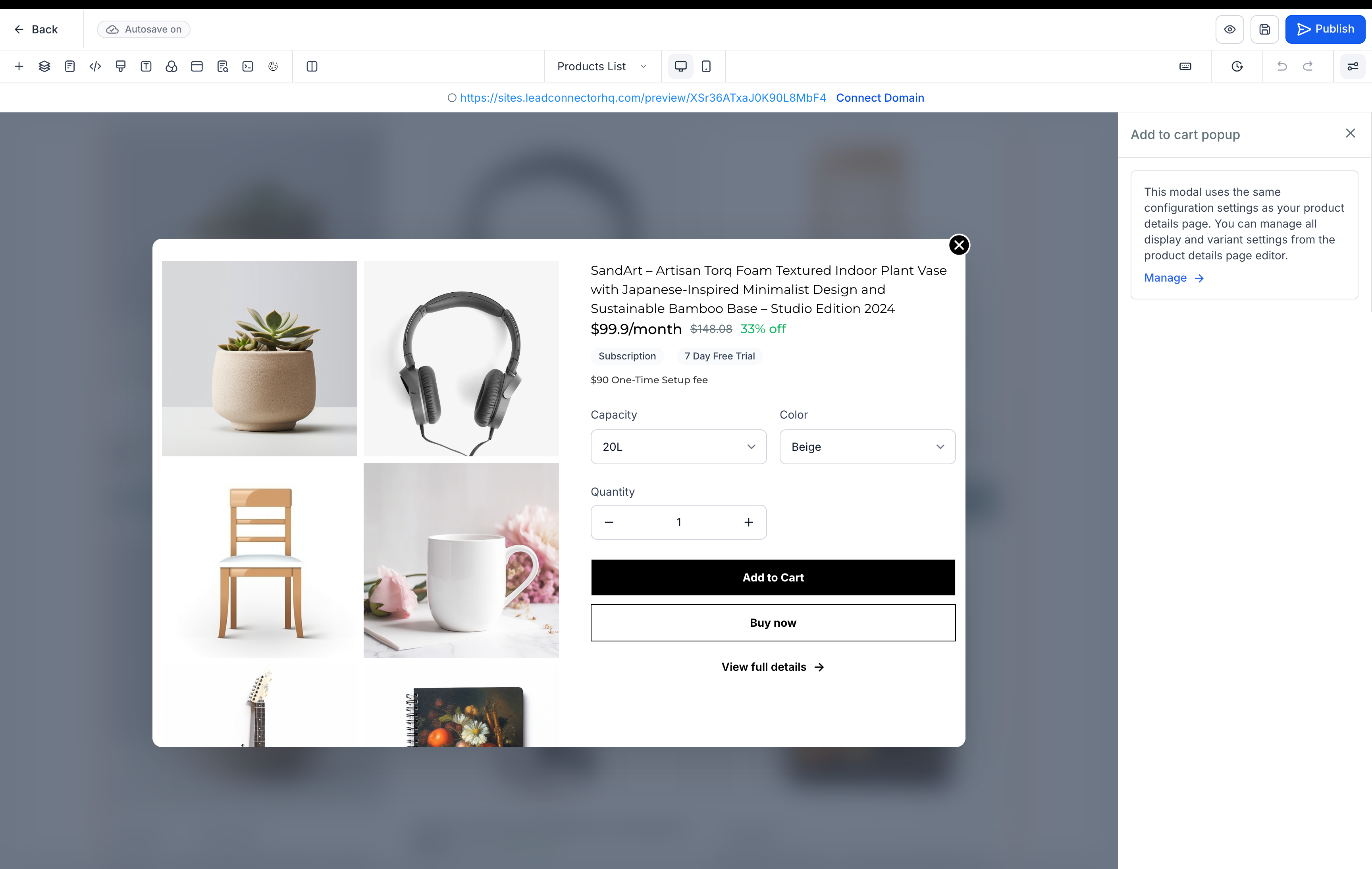
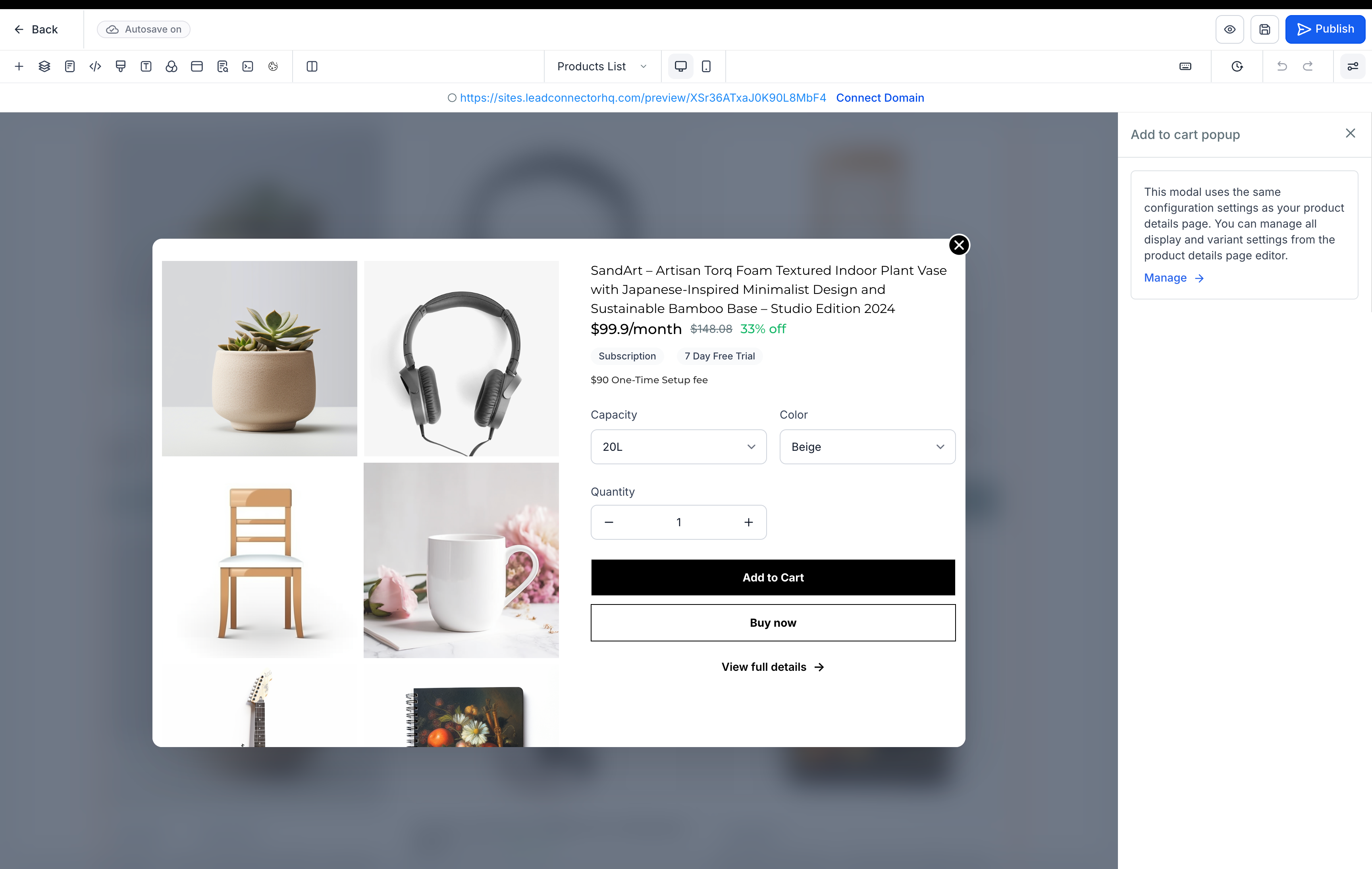
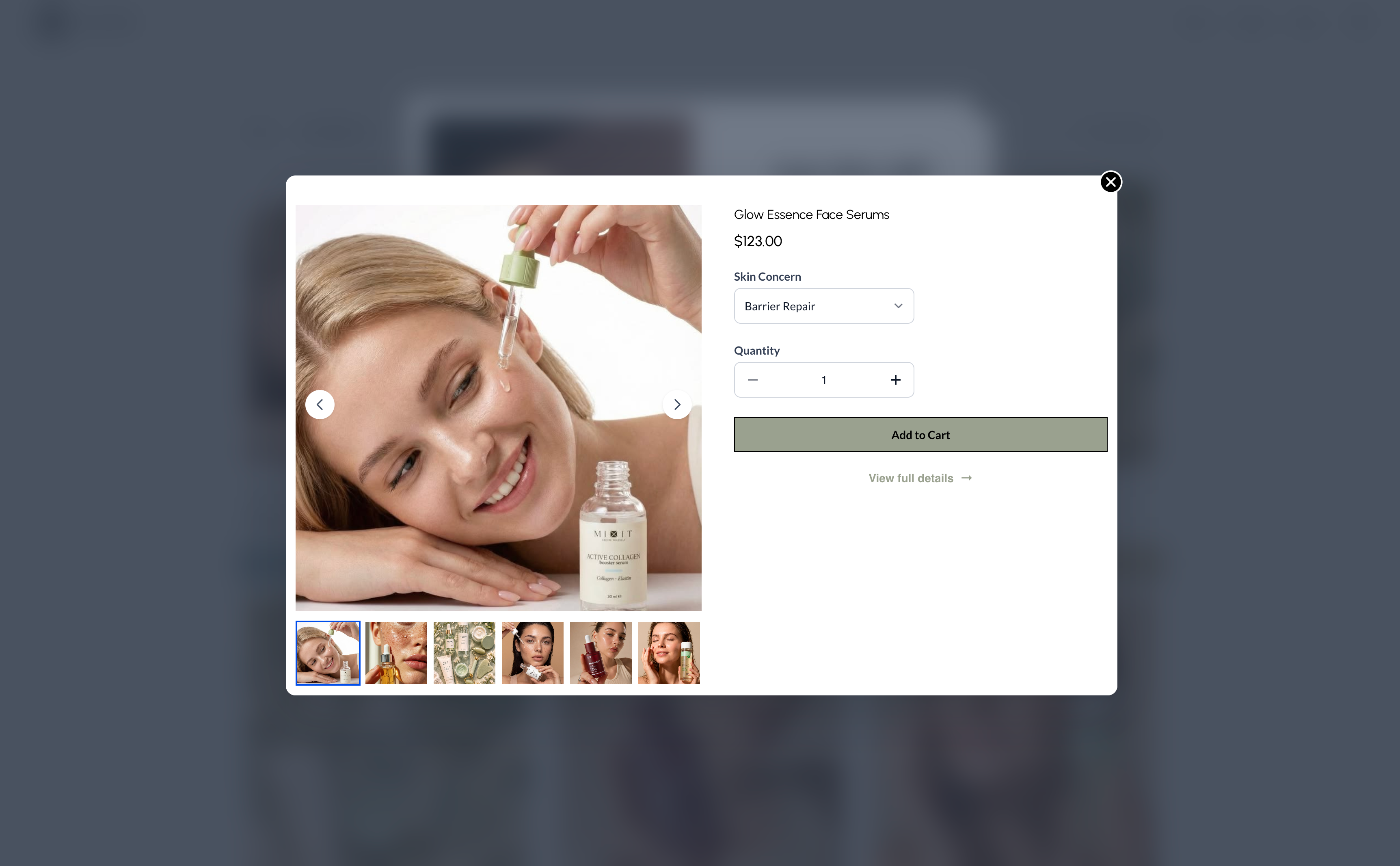
- If a product has multiple variants or prices, customers see a Choose options button. When they click it, a modal opens where they can pick variants, set quantity, and then use Add to cart or Buy now from inside the modal.
- The modal also includes a View full details link so customers can open the full product details page whenever they need more information.
Product details page based modal customization
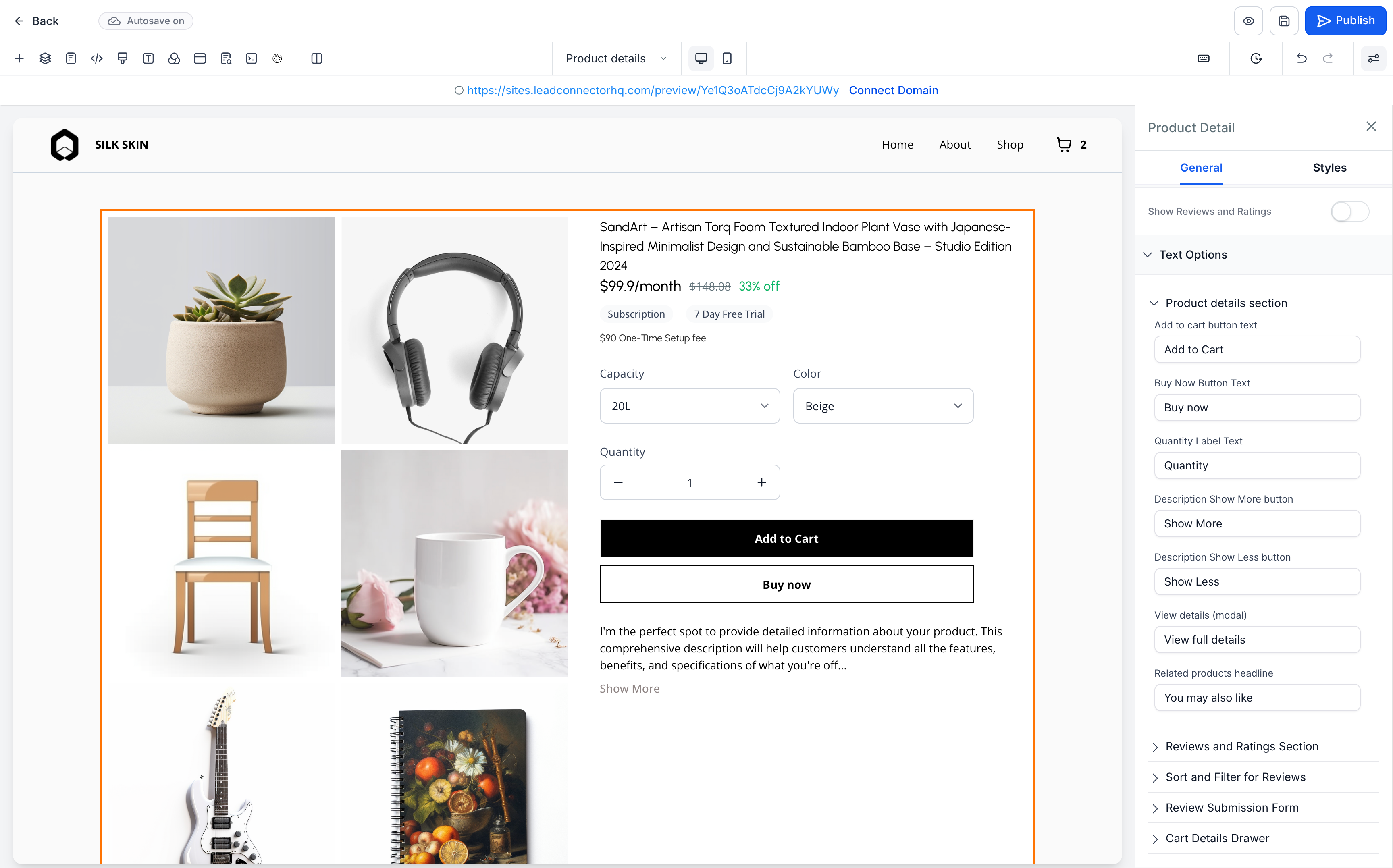
- Any design or content changes you make on the product details page will automatically carry over into the Add to cart modal. This keeps the product selection experience consistent across the product details page, product list, and featured products.
How to use it
- Open the Store builder in EveryCatch and select either the Product list or Featured products element on your page.
- In the settings panel for that element, switch on the Add to cart option.
- Adjust your Product details page settings as needed. Relevant layouts and content will appear in the Add to cart modal automatically.
- Save your changes and publish the page so customers can start using the new Add to cart experience.
A few details to know
- Products with a single variant and single price show an Add to cart button. Products with multiple variants or prices show a Choose options button instead.
- Any variant selections a shopper makes inside the modal will reset after they close it and open it again.
- If every variant for a product is out of stock, all action buttons are hidden for that product, although the product card itself still appears.
Images
Builder
User preview
Need help with this?
If you'd like help setting this up or want to know what it means for your account, book a quick call and we'll walk you through it.
