Ad manager: draft support for Meta lead forms
What changed
You can now create and save Meta lead forms in a draft state directly from the EveryCatch ad manager campaign flow.
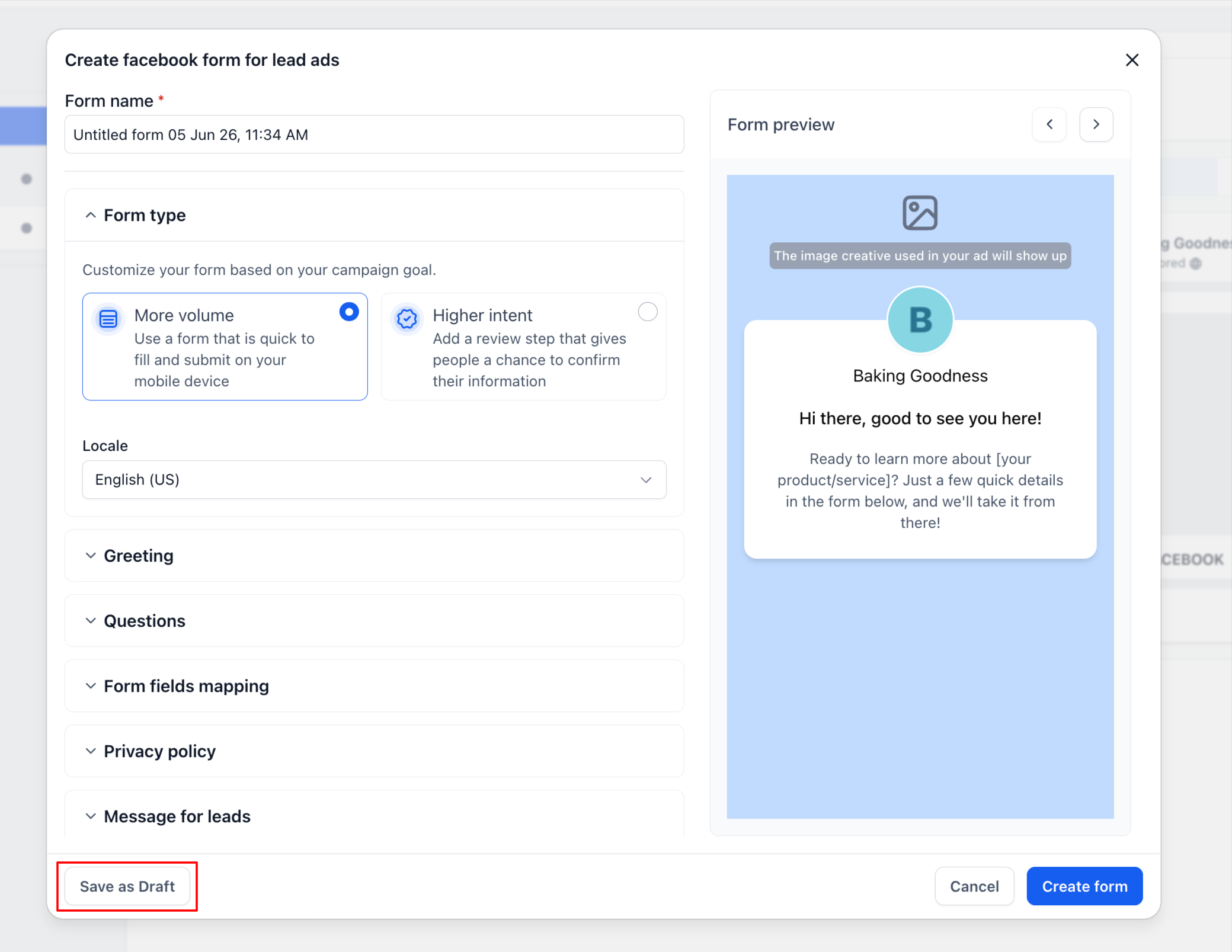
There is a dedicated “Save as draft” action inside the Meta lead form builder so you can pause work and return later.
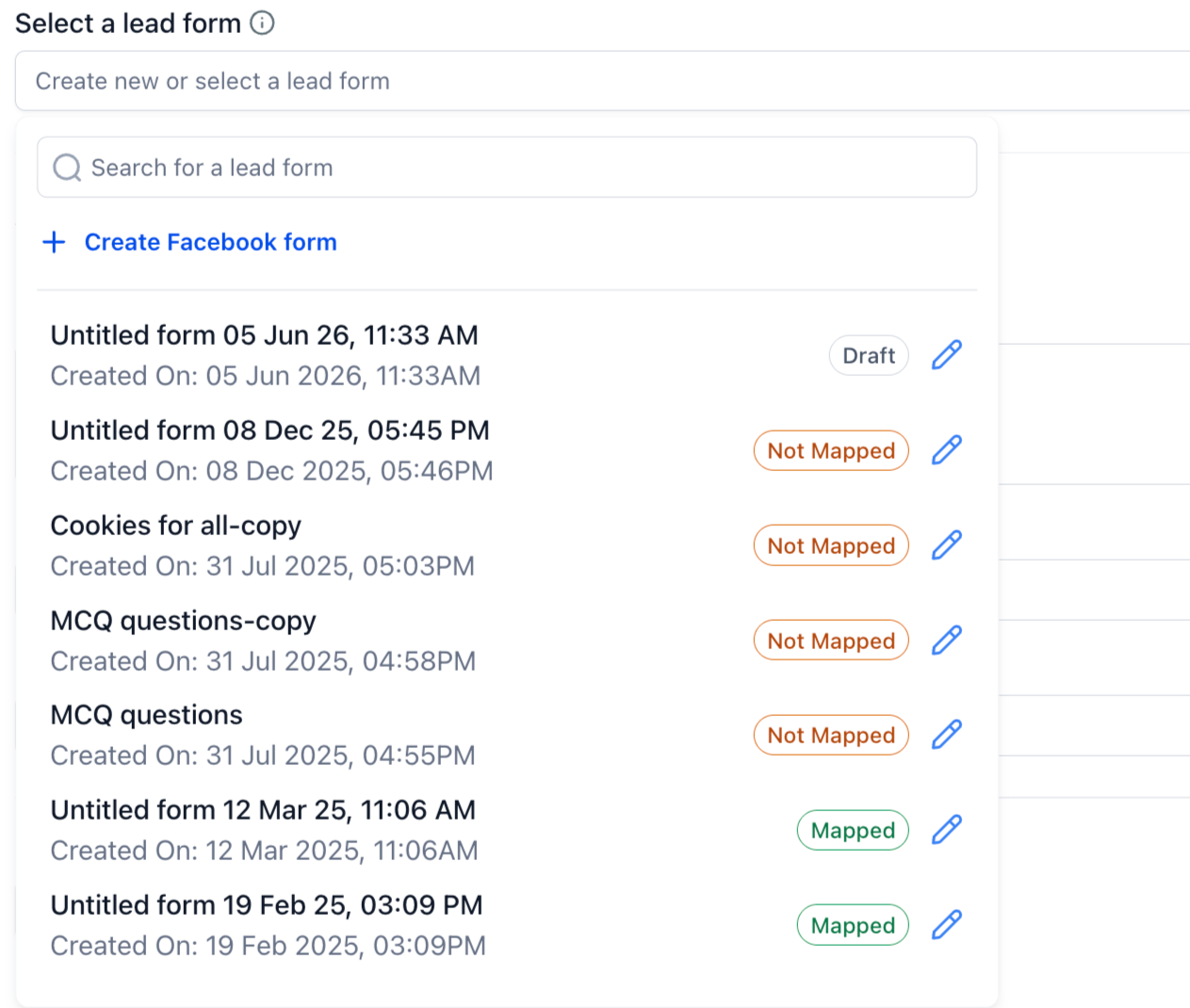
Draft forms are clearly labeled with a "Draft" badge in the lead form selection dropdown, so you can spot them quickly.
You can edit draft forms directly from the lead form selector using the inline edit icon, without leaving your campaign setup.
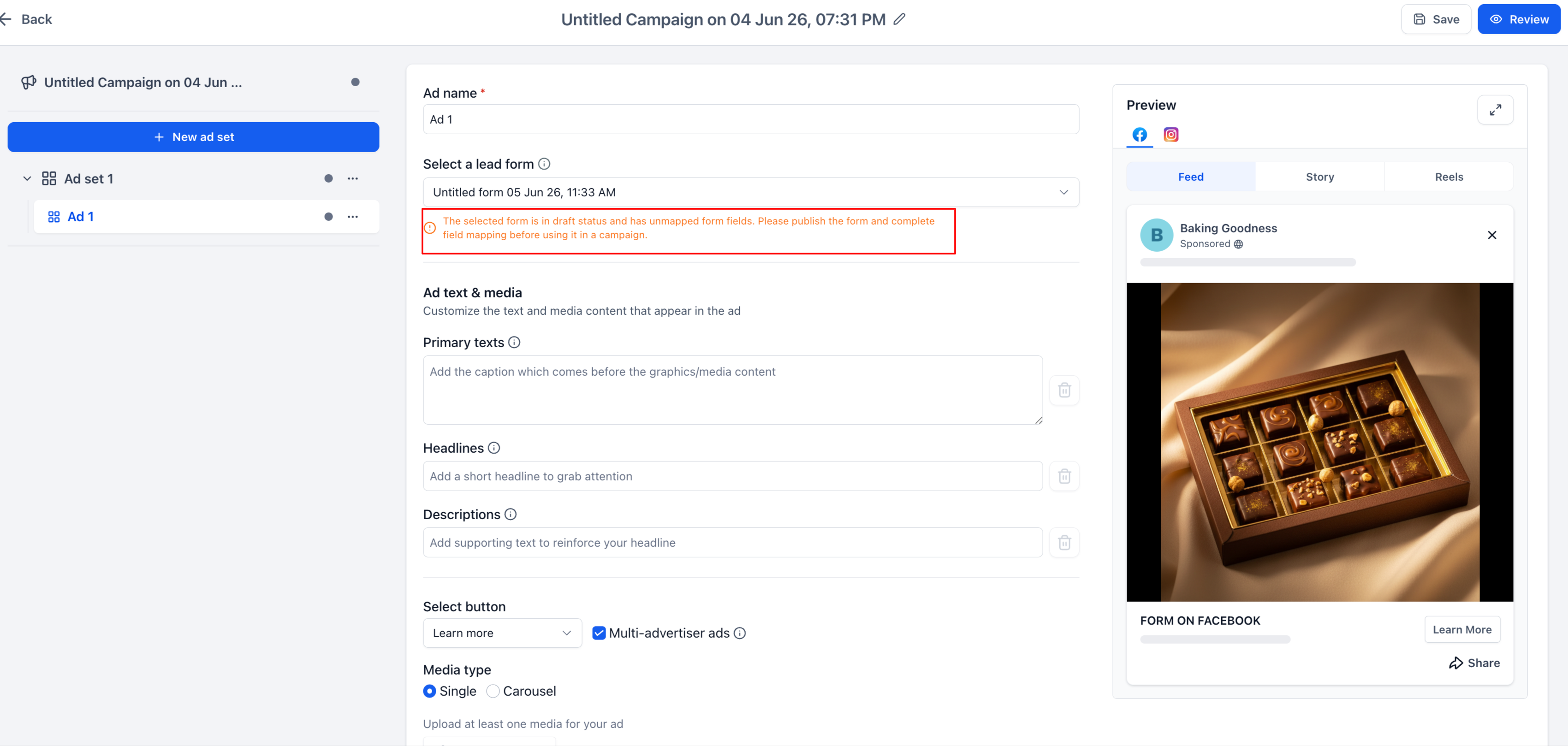
Campaign validation now checks for draft or incomplete forms before you publish ads, helping you avoid broken setups.
You will see clear warnings for forms that have incomplete field mappings or are still in a draft state, so you know what to fix before going live.
How it works
Inside the Meta lead form builder in EveryCatch, you can set up the form as usual using sections like: Form type, Greeting, Questions, Form fields mapping, Privacy policy, and Message for leads.
Instead of creating the form on Meta right away, you can now click “Save as draft” to store your progress in EveryCatch and finish it later.
Your draft forms then appear in the "Select a lead form" dropdown with:
A visible Draft status pill so you can distinguish drafts from published forms
The created timestamp to help you identify the right version
Quick edit access via the edit icon so you can jump straight into updating the form
You can reopen draft forms at any time, keep editing them, complete your field mappings, and then publish the form when it is ready to use in campaigns.
If you select a draft or unmapped form while setting up a campaign, EveryCatch now shows clear validation messages such as:
"The selected form is in draft status and has unmapped form fields. Please publish the form and complete field mapping before using it in a campaign."
Once your form is fully configured and published, it is eligible to be used in campaigns and will pass ad manager validation.
Why it matters
Meta does not allow editing of lead forms after they are published, so mistakes become permanent once a form goes live.
Draft support lets you build and refine forms step by step before publishing, so you can be confident in the setup.
This improves campaign preparation workflows by allowing teams to:
Save work that is not ready to use yet and return to it later
Review forms internally for accuracy and compliance before publishing
Finish CRM field mappings later in the process without losing earlier work
Cut down on accidental publishing errors that affect live campaigns
This is especially helpful for agencies and teams that manage complex lead generation setups with approvals or multi-step reviews, where forms often need input from several people before going live.
Notes
Draft forms cannot be used in live campaigns until they are published on Meta.
Validation rules are more flexible when you save a draft, but are fully enforced when you publish the form for use in campaigns.
Any Meta lead forms that are already published continue to work as they do today, with no changes required on your side.
Public API documentation: https://marketplace.leadconnectorhq.com/docs/leadconnector/ad-manager/fb-create-page-lead-form
Need help with this?
If you'd like help setting this up or want to know what it means for your account, book a quick call and we'll walk you through it.
EveryCatch • Platform update
